Lesson prep usually means four jobs: planning the lesson, reading the source material, making the resources and building the slides. These five AI tools each handle a different part of that work. Below is what each does best, what’s free for teachers, and where each one falls short, shown with one lesson (Grade 7 photosynthesis) so you can see how they fit together.
Looking for AI assistants such as MagicSchool and Khanmigo? See AI teacher assistants for K-12. Teaching in India? See 12 best free AI tools for teachers in India.
The 5 Tools at a Glance
| Tool | Lesson-prep job | Free for teachers? | Paid from |
|---|---|---|---|
| Monsha | Lesson plans, worksheets, quizzes | Yes, free plan with monthly AI credits | PRO $20/month or $120/year |
| NotebookLM | Working from your own source material | Yes, with a Google account | Higher limits with Google AI plans or school licenses |
| ChatGPT | Explanations, questions, anything else | Yes; ChatGPT for Teachers is free for verified US K-12 teachers until June 2027 | Paid plans for higher limits |
| Canva for Education | Diagrams, posters, visual slides | Yes, free for eligible K-12 teachers | Free for eligible teachers |
| Gamma | Slide decks from an outline | Free plan with 400 one-time credits and a watermark | Plus (about $8–12/month) adds PowerPoint/PDF export |
Prices checked: October 2026. Plans change often, so check each tool’s pricing page before you subscribe.
Monsha: Lesson Plans and Classroom Resources
Monsha is built for teachers rather than general chat. You describe what you need, choose the grade and language, and it drafts lesson plans, worksheets, quizzes and other classroom resources that you can turn into slides and quizzes.
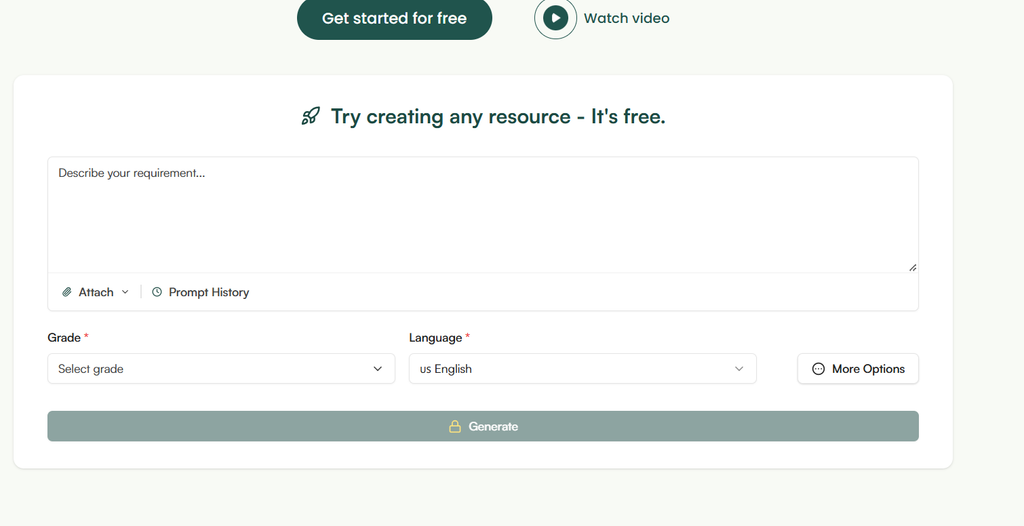
- Free for teachers? yes. The free plan includes monthly AI credits (Monsha’s page lists different amounts in different places, so check your account). PRO is $20 a month or $120 a year and adds exports to Google Forms quizzes, Slides and PowerPoint.
- Best for: teachers whose biggest time sink is writing the plan and its resources.
Try this for the photosynthesis lesson:
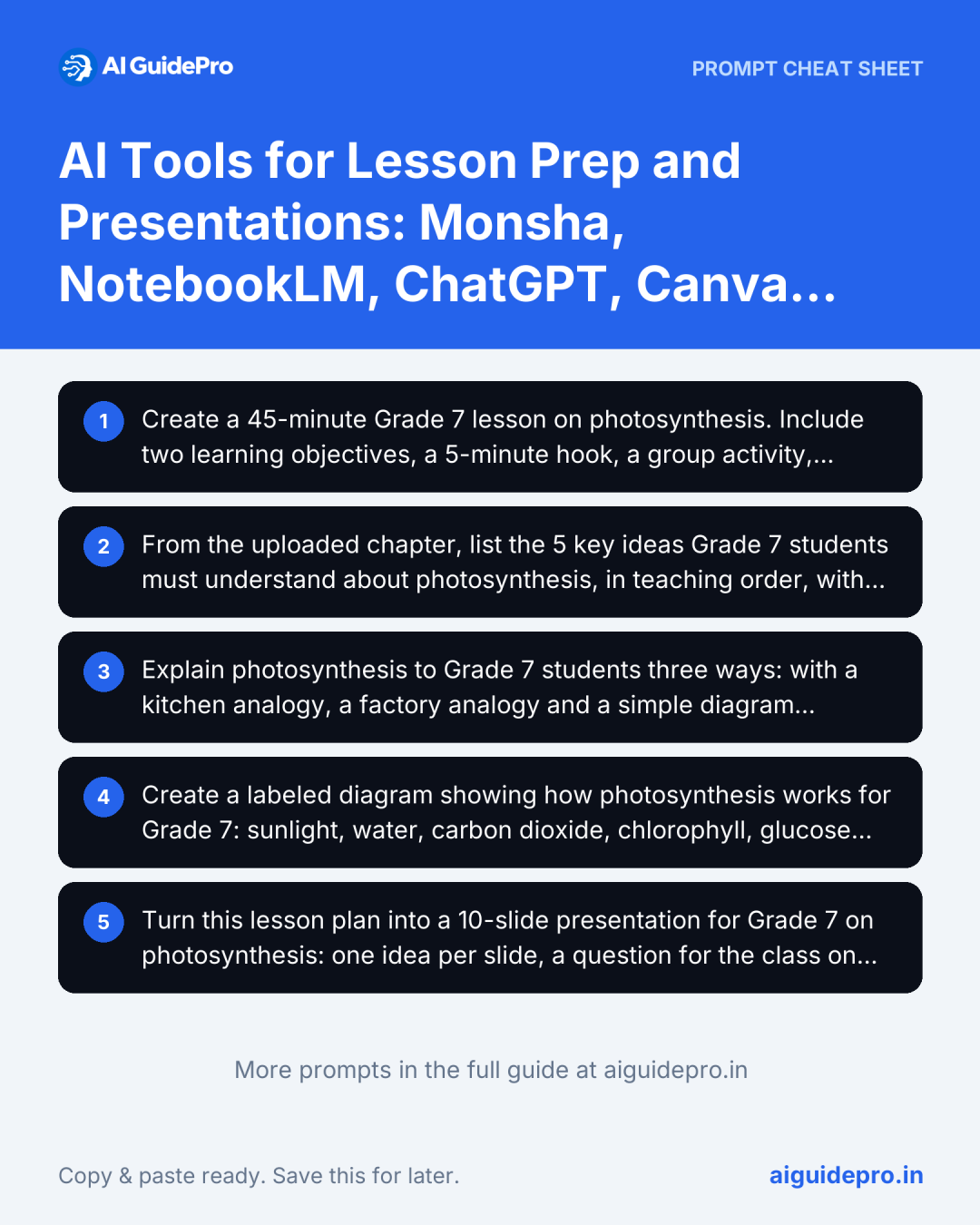
Create a 45-minute Grade 7 lesson on photosynthesis. Include two learning objectives, a 5-minute hook, a group activity, three check-for-understanding questions and an exit ticket. Then make a matching worksheet at two difficulty levels.Where it falls short: it drafts from general knowledge unless you attach your own material, so check every fact and align it to your curriculum yourself.
NotebookLM: Work From Your Own Sources
Google’s NotebookLM answers questions from the documents you upload (a textbook chapter, curriculum document or article) and cites the passage each answer came from. Its address is now notebook.google.com.
- Free for teachers? yes, with a personal Google account; schools on certain Google Workspace for Education licenses get higher limits.
- Best for: teachers who start from a long chapter or curriculum document.
Try this for the photosynthesis lesson:
From the uploaded chapter, list the 5 key ideas Grade 7 students must understand about photosynthesis, in teaching order, with the page each comes from. Then suggest 3 misconceptions students commonly have about this chapter.Where it falls short: it only knows what you upload, so it won’t fill gaps in a thin source, and the free plan caps sources per notebook and daily questions.
ChatGPT: The Flexible All-Rounder
ChatGPT handles everything the specialist tools don’t: explaining a concept three ways, writing discussion questions, drafting a parent email, or turning a plan into a rubric.
- Free for teachers? yes. There’s a free plan, and ChatGPT for Teachers is free for verified US K-12 teachers until June 2027.
- Best for: explanations, questions and odd jobs around the lesson.
Try this for the photosynthesis lesson:
Explain photosynthesis to Grade 7 students three ways: with a kitchen analogy, a factory analogy and a simple diagram description. Then write 5 quiz questions (3 multiple choice, 2 short answer) with an answer key.Where it falls short: it states wrong facts confidently and isn’t tied to your curriculum. For ready-made curriculum prompts, see our 20 ChatGPT prompts for CBSE lesson plans.
Canva for Education: Diagrams and Visuals
Canva turns an explanation into something students can see: a labeled diagram, a poster, a timeline or a visual slide, with AI design tools and thousands of classroom templates.
- Free for teachers? yes. Canva for Education is free for eligible primary and secondary teachers once verified, and includes premium features.
- Best for: teachers who want clear visuals without design skills.
Try this for the photosynthesis lesson:
Create a labeled diagram showing how photosynthesis works for Grade 7: sunlight, water, carbon dioxide, chlorophyll, glucose and oxygen, with arrows and one short caption per stage.Where it falls short: AI-generated designs can look generic and need checking for accuracy; a wrong arrow on a science diagram teaches the wrong thing.
Gamma: Slide Decks From an Outline
Gamma turns an outline or lesson plan into a structured slide deck in a minute, which you then edit.
- Free for teachers? there’s a free plan with 400 one-time AI credits, a “Made with Gamma” watermark and no PowerPoint export. Plus (about $8 to $12 a month, depending on billing) removes the watermark and adds PowerPoint and PDF export.
- Best for: teachers who already know the content and need slides fast.
Try this for the photosynthesis lesson:
Turn this lesson plan into a 10-slide presentation for Grade 7 on photosynthesis: one idea per slide, a question for the class on every third slide, and a 3-question knowledge check at the end. [paste lesson plan]Where it falls short: decks come out text-heavy, so cut words and add your own diagrams. The free plan’s watermark and missing PowerPoint export make it a trial rather than an everyday tool.
One Lesson, Five Tools: A Practical Workflow
- NotebookLM to pull the key ideas and misconceptions out of the textbook chapter.
- Monsha to draft the lesson plan and worksheets from those ideas.
- ChatGPT for alternative explanations and quiz questions.
- Canva for the diagram students will copy into their books.
- Gamma to turn the plan into slides, then cut them down.
You don’t need all five. Most teachers do well with one planning tool (Monsha or ChatGPT) and one visual tool (Canva). The free Teacher Prompt Generator builds detailed prompts for lesson plans, quizzes and rubrics, and the Teaching Starter Kit collects our free teacher tools in one place.
Keep Student Data Out of It
- Upload curriculum documents and textbook chapters, not student work, grades, names or IEP details.
- Use your school-approved accounts where they exist, and check each tool’s privacy policy.
- If you need to differentiate, describe the need (“a student reading two grades below level”) instead of naming the student.
For the full checklist, including FERPA, COPPA and India’s DPDP Act, see the “Keep Student Data Safe” section of our AI teacher assistants guide.
Bottom Line
These tools save the most time when each does the job it’s built for: NotebookLM for reading, Monsha or ChatGPT for planning, Canva for visuals and Gamma for slides. Use them for first drafts, then put your professional judgment into what students actually see.