

An AI image editor does in seconds what used to take careful manual work: cutting out a background, removing a stranger from a photo, sharpening a blurry shot or extending an image to a new size. Here are the 8 best, what each costs, and which one fits your work, plus the chat-based options (ChatGPT and Gemini) we tested separately.
How we put this list together: features and prices were checked on each tool’s website in October 2026. We tested ChatGPT and Gemini hands-on on the same editing tasks; the results are in our ChatGPT vs Gemini photo editing test. Side-by-side tests of the 8 tools below are coming next.
The 8 Best AI Image Editors at a Glance
| Tool | Best for | Free plan | Paid from (US) |
|---|---|---|---|
| Adobe Photoshop | Professional editing | 7-day trial | About $22.99/month (annual plan) |
| Canva | Social media and beginners | Yes (background remover is Pro) | Canva Pro, about $120/year |
| Adobe Express | Quick online edits | Yes, with limits | Premium $9.99/month |
| Picsart | Creative effects | Yes, with limits | Paid plans; check current price |
| Photoroom | Product photos | Yes, with limits | Pro, Max and Ultra plans; check current price |
| Fotor | Quick enhancement | Yes (watermarked exports) | Pro about $8.99/month or $39.95/year |
| Pixlr | Editing in the browser | Yes, with ads | Plus from $1.99/month; Premium from $7.99/month |
| Luminar Neo | Photo enhancement | Trial | Subscription or license; check current price |
Prices checked October 2026. Pricing and features change often, so confirm on the vendor’s pricing page before you subscribe.
What an AI Image Editor Can Do
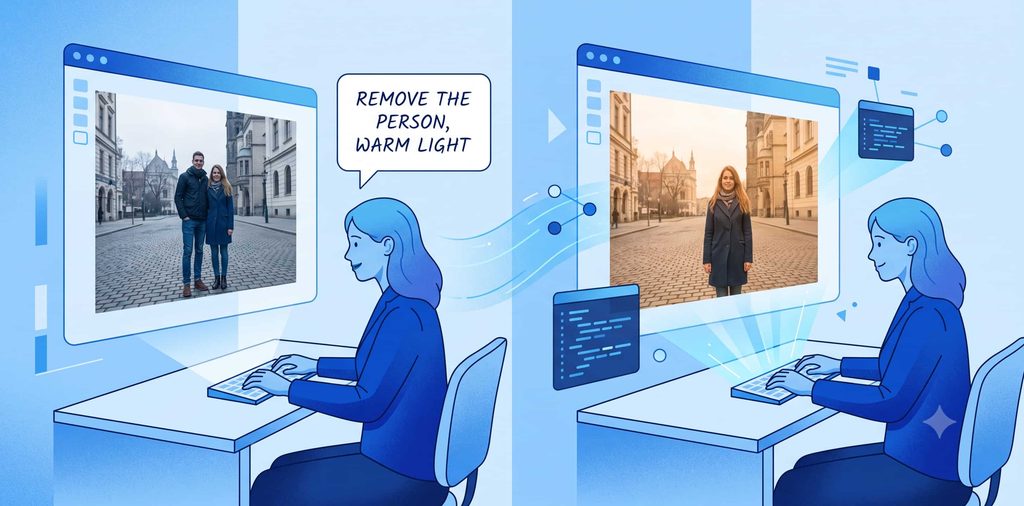
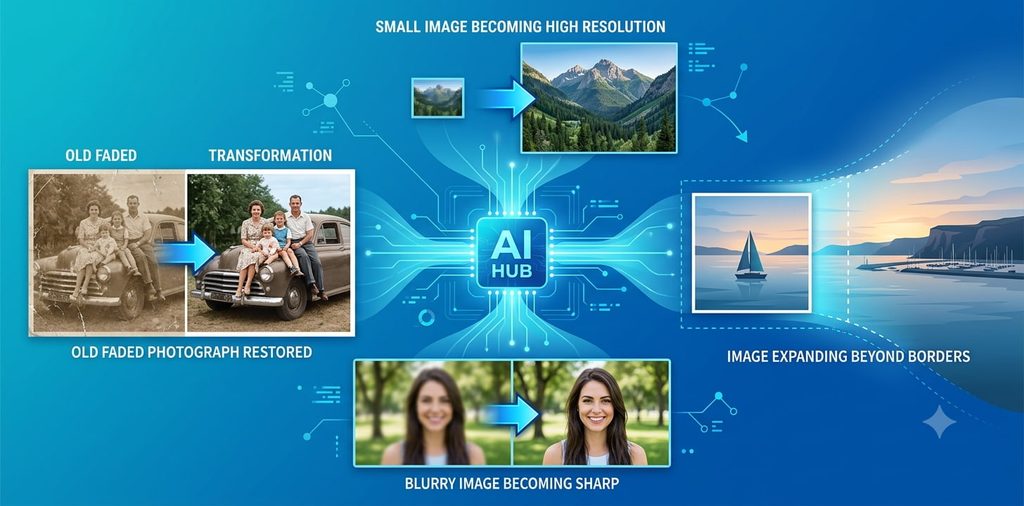
- Remove backgrounds: cut out a person or product in one click.
- Remove objects: erase people, signs or wires and rebuild what was behind them.
- Enhance and upscale: sharpen, reduce noise and enlarge small or old photos.
- Expand images: add generated content beyond the edges to fit a new aspect ratio.
- Edit by description: type “remove the person on the left and make the light warmer” instead of selecting by hand.
The 8 Best AI Image Editors
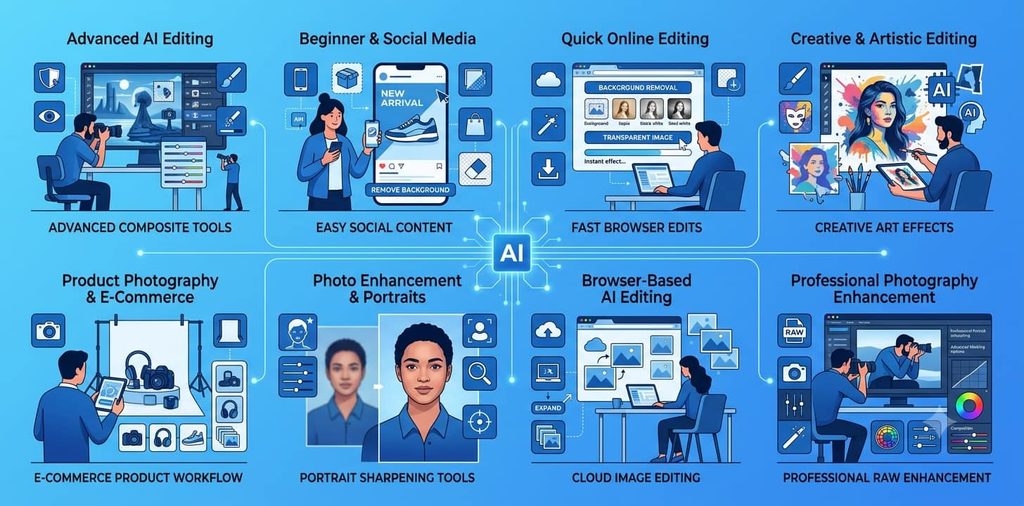
Adobe Photoshop: Best for Professional Editing and Full Control
The industry standard, with Adobe’s AI built in: Generative Fill adds, removes or replaces content from a text prompt, Generative Expand extends the canvas, and object removal rebuilds backgrounds. You keep layers, masks and full manual control to refine what the AI does.
- Price: single-app plan about $22.99 a month on an annual plan billed monthly; 7-day free trial.
- Limitation: a learning curve, and generative features use monthly credits.
Canva: Best for Beginners and Social Media Graphics
Edit a photo and drop it straight into a post, thumbnail or presentation. Magic Eraser removes an object when you brush over it, Magic Edit changes an area from a text prompt, and Magic Grab lets you move a subject.
- Price: free plan with limited AI credits; Canva Pro is about $120 a year in the US. Background Remover is a Pro feature.
- Limitation: less precise than a dedicated photo editor for detailed retouching.
Adobe Express: Best for Quick Online Edits
Fast, template-based editing in the browser or on your phone: one-click background removal, quick effects and resizing for every social platform.
- Price: free plan with core tools; Premium is $9.99 a month and unlocks premium assets and more generative credits. Express Premium is also included with most Creative Cloud plans.
- Limitation: the free plan isn’t full access; premium templates and higher limits need Premium.
Picsart: Best for Creative Effects and Social Content
Combines AI editing (background and object removal, prompt-based edits) with a large library of effects, stickers and collage tools, popular with Instagram and TikTok creators.
- Price: free plan with limits; paid plans add more AI use and premium content. Check the current price on Picsart’s site.
- Limitation: the effects library can tempt you into busy, over-edited images.
Photoroom: Best for Product Photos and Online Stores
Built for e-commerce: remove a product’s background, generate a clean studio scene, and batch-process a whole catalog in one go.
- Price: free plan with limits; Pro, Max and Ultra plans by monthly export volume (1,000, 3,000 and 10,000 exports). Check the current price on Photoroom’s site.
- Limitation: focused on products; it’s not a general photo editor.
Fotor: Best for Quick Photo Enhancement and Portraits
One-click enhancement, upscaling, blur reduction and portrait retouching in the browser, useful for improving old or low-quality photos.
- Price: free Basic plan with limited credits and watermarked exports; Pro is about $8.99 a month or $39.95 a year.
- Limitation: free exports carry a watermark.
Pixlr: Best for Editing in the Browser
A full editor that runs in your web browser with no installation: background and object removal, Generative Fill and Expand, and batch editing.
- Price: free with ads; Plus from $1.99 a month (yearly) for ad-free use and 80 AI credits; Premium from $7.99 a month (yearly) with 1,000 AI credits.
- Limitation: AI features run on credits, and Plus includes only a small number.
Luminar Neo: Best for Photographers Who Want AI Enhancement
A desktop editor for photographers: RAW editing, AI-assisted enhancement, sky and portrait tools, and generative tools (GenErase, GenSwap, GenExpand).
- Price: sold as a subscription or license; check the current options on Skylum’s site.
- Limitation: no design templates; it’s for photos, not social graphics.
Also Worth Trying
- ChatGPT and Gemini: upload a photo and describe the edit in plain language. In our head-to-head test, ChatGPT removed an object cleanly while Gemini added a detail we hadn’t asked for. See also our ChatGPT Images 2.5 test and ChatGPT vs Gemini for creating images.
- Google Photos Magic Editor: free AI edits (move or erase objects, change the sky) inside the Photos app on many Android and iPhone devices.
- Adobe Lightroom: photographers’ editor with AI masking and Generative Remove; included in Adobe’s Photography plan.
- remove.bg: a single-purpose background remover; free previews at low resolution, credits for full resolution.
What to Check Before You Choose
| Check | Why it matters |
|---|---|
| Edge quality | Hair, fur and glass show whether background removal is any good. |
| Object removal | Look closely at what the AI rebuilds behind the removed object. |
| Free plan limits | Credits, watermarks and export resolution decide whether “free” is usable. |
| Manual control | You’ll need masks or brushes to fix what the AI gets nearly right. |
| Commercial use | Check the license before using edited images in ads or products. |
How to Choose
| If you mainly… | Start with |
|---|---|
| Make social media posts | Canva, Adobe Express or Picsart |
| Shoot product photos for a store | Photoroom |
| Retouch portraits or improve old photos | Fotor or Luminar Neo |
| Need professional, precise edits | Photoshop |
| Edit occasionally and don’t want to install anything | Pixlr or Adobe Express |
| Want to describe edits in plain English | ChatGPT or Gemini |
| Have a budget of $0 | Canva free, Adobe Express free, Pixlr free or Google Photos |
Quick Verdict
- Best free: Adobe Express or Pixlr for quick edits; Google Photos if the photo is already on your phone.
- Best for social media: Canva.
- Best for product photos: Photoroom.
- Best for professionals: Photoshop.
- Best for photographers: Luminar Neo or Lightroom.
For prompts that get better results from AI image tools, try the free AI Image Prompt Generator. Photographers can find more free tools in the Photography Starter Kit, and marketers in the Marketing Starter Kit.



[…] For more e-commerce writing help, try our Copywriting Prompt Generator and Social Media Prompt Generator. Need better product photos too? See our best AI image editors. […]