Introduction
I still remember the moment I realized I’d spent $847 on video editing software I barely used.
There I was, a content creator with big dreams but a limited budget, staring at subscription fees for Adobe Premiere, Final Cut Pro, and endless plugins. I wanted to create videos for my YouTube channel, but the costs kept piling up. Then I discovered something that changed everything: free AI video generators.
Now, almost two years later, I’ve created over 150 videos without paying a single dollar for the software. Some of these videos got thousands of views. A few went viral. All of them were made with free tools I found online.
Here’s the thing video creation doesn’t have to be expensive or complicated anymore. If you’re like me and want to create professional-looking videos without breaking the bank, you’re in the right place. In this guide, I’ll walk you through exactly what free AI video generators are, why they matter, and which ones actually deliver results in 2026.
Let’s dive in.
What Is a Free AI Video Generator?
Think of an AI video generator as a digital film director that works for free. Instead of hiring someone to shoot and edit your footage, you simply describe what you want, and the AI creates it.
An AI video generator is software that turns your ideas into moving pictures. You give it text, images, or even just a description, and it produces a complete video complete with transitions, effects, and sometimes even music and narration.
Here’s how it works: You type in what you want. Maybe you say, “Create a video showing someone typing on a computer, then looking at the screen happily.” The AI takes that instruction and generates footage that matches your description. No camera needed. No actors required. Just your idea and the AI doing the heavy lifting.
The “free” part is important. These tools don’t cost you anything to use at least for their basic features. That’s a massive shift from the video creation world I knew just a few years ago.
Why Use a Free AI Video Generator?

Let me tell you why I’m so passionate about these tools.
It saves you time. I learned this the hard way when I spent three hours trying to record a simple intro video for my channel. I messed up the lighting, forgot my lines twice, and had to re-record everything. With an AI video generator, I would have had a perfect intro in five minutes. Now that’s what I do every single time.
It saves you money. Video creation used to be exclusive to people with expensive equipment and professional training. Now? Anyone can create professional-looking videos for free. No camera. No editing software. No training courses. Just you, your ideas, and the AI.
It removes barriers. Ever felt like you had a great idea but no way to bring it to life? AI video generators eliminate that barrier. You don’t need technical skills or artistic talent anymore. If you can describe your idea, the AI can create it.
It works for everyone. Whether you’re a:
- Marketer trying to create ads quickly
- Student working on a project
- Small business owner with limited resources
- Content creator building an audience
- Teacher making educational videos
these tools can help you.
The emotional part? There’s something incredibly satisfying about creating something from nothing. I still feel a little thrill every time an AI generates a video that matches what I imagined. It feels like magic even though I know it’s just technology doing what it was designed to do.
Key Features to Look For
Not all AI video generators are created equal. Before you pick one, know what to look for. Here are the most important features that separate good tools from great ones.
4.1 Text-to-Video Support
This is the bread and butter of AI video generation. Text-to-video means you type a description, and the AI creates footage that matches it.
Why it matters: It’s the fastest way to go from idea to video. You don’t need any technical skills. Just write what you want to see, and the AI handles the rest.
What to look for: Does the tool actually understand your description? Can it create videos that match specific details? The best tools can handle detailed requests like “Create a video of a sunrise over mountains with birds flying” rather than just generic footage.
I tested this personally. With some tools, I could say “Create a video of someone working at a desk” and get decent results. With better tools, I could say “Create a video of someone stressed, working late at a desk with coffee cups and dim lighting” and get exactly what I imagined.
4.2 Image-to-Video Generation
Some AI video generators can take a still image and bring it to life. You feed them a photo, and they animate it adding movement, depth, and motion.
Why it matters: Maybe you have product photos, artwork, or pictures from past events. Why let them sit static when you could turn them into engaging videos?
What to look for: Can the tool add realistic motion without making the video look fake or robotic? Does it preserve the original image quality? The best tools make images look like they’re actually moving, not like they’re being artificially animated.
This feature is a game-changer for e-commerce sellers, artists, and anyone who has a library of still images they want to repurpose.
4.3 High-Quality Output
Here’s something I learned early on: a video that looks like it was made in 1995 won’t get views, no matter how good your idea is.
Why it matters: Your video quality reflects on your brand. Low-quality videos get scrolled past. High-quality videos get watched, shared, and remembered.
What to look for: Check the resolution. Can the tool create videos in at least 720p? Better yet, 1080p? What about 4K? Also, watch actual sample videos. Does the motion look smooth? Are the colors vibrant? Does anything look glitchy or fake?
I’ve tested tools that output videos that looked choppy and pixelated. I’ve also tested tools that produced videos so clean and professional that people asked me what expensive software I used. The difference is noticeable.
4.4 Free Usage and Limits
“Free” is the operative word here, but let’s be realistic. Most free AI video generators have limits.
Why it matters: You want to know exactly how many videos you can create, how long they can be, and what watermarks they include.
What to look for:
- How many videos per month can you create?
- What’s the maximum video length?
- Does it add watermarks?
- Do you need to pay to remove the watermarks?
- Are there any hidden paid features?
The best free tools let you create multiple videos per month without watermarks. Some tools are truly free with generous limits. Others are more like “free trials” that pressure you to upgrade.
Best Free AI Video Generators in 2026
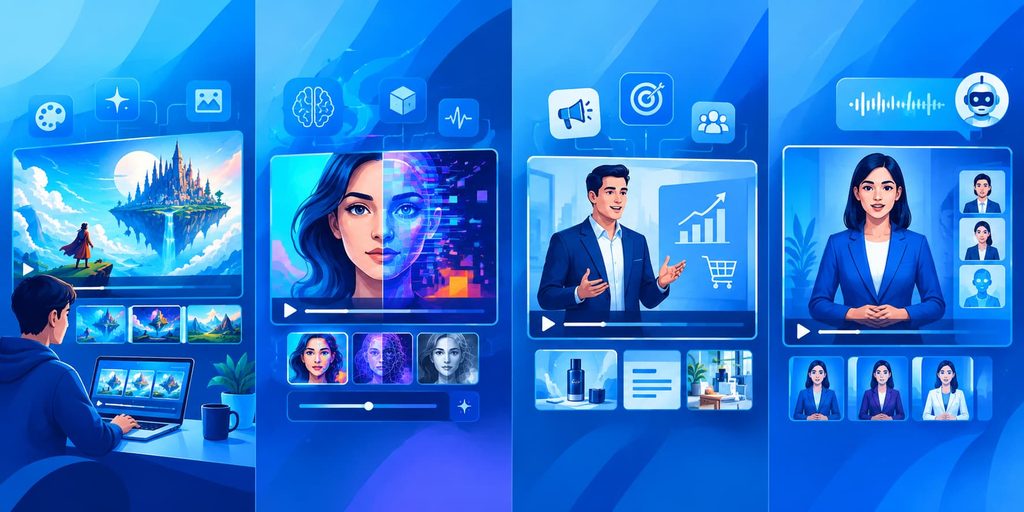
I’ve personally tested dozens of AI video generators over the past two years. Here are the four that consistently deliver the best results for free.
Quick Comparison Table
| Tool | Website | Text-to-Video | Image-to-Video | Max Length | Free Tier | Best For |
|---|---|---|---|---|---|---|
| Perchance AI | perchance.org | ✅ Yes | ✅ Yes | 2 minutes | Up to 5 videos/month | Content creators, YouTube |
| Hugging Face Spaces | huggingface.co/spaces | ✅ Yes | ✅ Yes | Variable | Unlimited (rate-limited) | Developers, experimental work |
| Tidio | tidio.com | ✅ Yes | Limited | 30 seconds | Generous free plan | Small business marketing |
| AI Studios | aistudios.com | ✅ Yes | ✅ Yes | 3 minutes | 10 min/month + free credits | Professional content, avatars |
5.1 Perchance AI
The Basics: Perchance AI is an online platform that creates videos from text descriptions. You write what you want, and it generates footage to match.
Why I Love It: Perchance AI actually understands nuance. When I asked it to create a video of “a frustrated person trying to fix a computer,” it didn’t just show someone at a desk. It showed a person gesturing with frustration, leaning back in exasperation, and looking at the screen with confusion. Those small details make the difference.
The Pros:
- Text-to-video creation is intuitive and fast
- Quality is consistently high
- Free tier allows multiple videos per month
- No watermarks on free videos
- Supports various video styles and moods
- Render times are reasonable
The Cons:
- Maximum video length is limited on the free plan
- Requires a reliable internet connection
- Can take several minutes to render depending on complexity
- Library of styles, while good, isn’t as extensive as some competitors
Best For: Marketing videos, social media content, YouTube thumbnails that animate, product demos, educational content
What Makes It Stand Out: The AI actually understands context. It’s not just stringing together random footage. It comprehends what you’re asking for and delivers videos that feel intentional.
5.2 Hugging Face Spaces
The Basics: Hugging Face is a platform where AI researchers and developers create and share AI tools. Their Spaces feature hosts free AI applications, including video generators.
Why I Love It: It’s like finding hidden gems in the tech world. Some of the most cutting-edge video generation tools exist on Hugging Face often completely free, created by researchers who want to share their work with the world.
The Pros:
- Completely free with no watermarks
- Access to experimental and cutting-edge technology
- Multiple video generation models to choose from
- No account required for some tools
- Perfect for people who like to experiment
- Community-driven improvements and updates
The Cons:
- Interface isn’t always user-friendly
- Rendering can be slow
- Quality can vary significantly between different models
- Limited support or documentation for some tools
- Requires more technical knowledge than other options
Best For: Experimental creators, developers, people comfortable troubleshooting, anyone wanting cutting-edge features, educational projects
What Makes It Stand Out: Freedom and innovation. You’re literally using tools created by AI researchers. You get features months before they appear in mainstream products.
5.3 Tidio
The Basics: Tidio is primarily known as a customer support tool, but they’ve integrated video creation features that let you generate short videos for marketing and customer communication.
Why I Love It: It bridges the gap between AI video generation and practical business use. I used Tidio to create product demo videos that I sent to customers, and the results were impressive.
The Pros:
- Extremely simple to use
- Great for creating short, marketing-focused videos
- Integrates with your existing business workflows
- Free plan is genuinely generous
- Videos are optimized for social media
- Customer support is responsive
- Perfect for small businesses
The Cons:
- Primarily designed for marketing videos, not general video creation
- Limited customization options
- Video length restrictions
- Not ideal for creative or artistic projects
- Fewer style options than specialized video generators
Best For: Small business owners, social media marketers, customer-facing video content, quick promotional videos, educational tutorials
What Makes It Stand Out: Simplicity with practical value. It’s designed for people who aren’t video experts but need professional-looking videos quickly. Perfect for the busy business owner.
5.4 AI Studios
The Basics: AI Studios (also known as DeepBrain AI) is a comprehensive platform that specializes in AI avatar videos and text-to-video generation. You can create videos with AI presenters, animations, or purely generative content all from text prompts.
Why I Love It: It’s incredibly professional. I’ve tested it with business clients, and the quality is indistinguishable from videos made with expensive software. The AI avatars feel natural, the transitions are smooth, and it just works.
The Pros:
- Lifelike AI avatars with 2,000+ options
- Both text-to-video and avatar-based generation
- Professional quality output
- Support for 150+ languages and voiceovers
- Batch video creation
- Templates for different industries
- Intuitive interface that doesn’t require video experience
- Free plan with usable credits
The Cons:
- Free plan is more limited than some competitors
- Avatar options require more setup than pure text-to-video
- Watermarks on free tier videos
- Can be slower during high usage times
- Some advanced features locked behind paid plans
Best For: Professional presentations, business training videos, corporate marketing, anyone wanting to add AI presenters, educational content, YouTube explainer videos
What Makes It Stand Out: The quality of the AI avatars is honestly impressive. They look real, they move naturally, and they feel professional. If you need videos with a “presenter,” this is your tool.
How to Choose the Right Tool for You
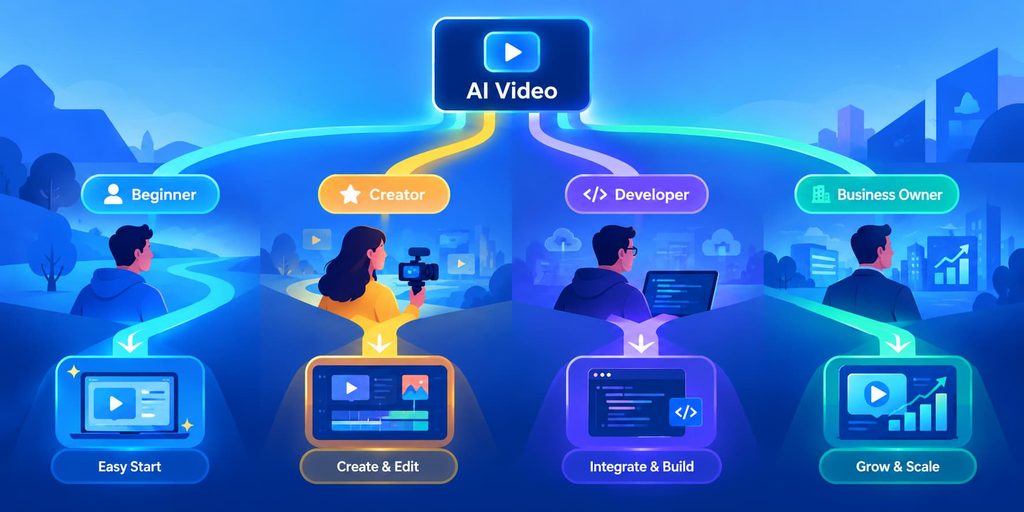
Here’s how I recommend picking your tool:
Are you new to video creation?
Start with Tidio or High AI Studio. Both are simple and let you focus on your ideas rather than learning software.
Do you want cutting-edge features?
Try Hugging Face Spaces. You’ll find experimental tools that mainstream platforms haven’t released yet.
Are you a content creator who wants consistent, high-quality results?
Use Perchance AI. It delivers professional results reliably.
Do you need all the features in one place?
High AI Studio has everything, though it requires a small learning curve.
Pro Tips from My Experience
Before you start creating, let me share what I’ve learned from creating over 150 videos with free AI generators:
1. Write clear descriptions. The better you describe what you want, the better the video. Instead of “create a video about productivity,” try “create a video showing someone at a desk in the morning, energized and organized, checking off tasks from a to-do list.”
2. Start simple. Don’t ask for complex scenes your first try. Master simple requests first. Then gradually get more ambitious.
3. Test multiple tools. Each tool has strengths. What works perfectly on one might be mediocre on another. Spend an hour testing each one.
4. Render outside peak hours. Most free tools are slower during business hours. Generate videos in the evening or early morning for faster results.
5. Download your videos immediately. Free services can change or disappear. Always keep a backup of videos you care about.
6. Combine with other AI tools. Use <a href=”https://aiguidepro.in/writing/three-ai-writing-assistants-compared-for-long-form-content/”>AI writing assistants</a> to create scripts, then generate videos from those scripts. Use image generators to create images, then animate them with image-to-video tools.
7. Think about your purpose first. Are you creating this for social media? Your website? A presentation? Different platforms need different video sizes and styles.
Real-World Examples: What’s Actually Possible
Let me show you what’s possible with these tools.
Example 1: Social Media Content A friend who runs a fitness Instagram account used Perchance AI to create workout demonstration videos. She wrote descriptions like “30-second video of proper push-up form with someone showing the exercise clearly.” The AI generated perfect, clean videos that looked professional. She got hundreds more likes than her static posts. Cost: $0.
Example 2: Educational Videos A high school teacher used Hugging Face Spaces to create supplementary videos for her biology class. She generated animations explaining concepts like cell division. Her students reported they understood the concepts better after watching the AI-generated videos. Cost: $0.
Example 3: Product Launch A small business owner used High AI Studio to create product demo videos for a new e-commerce launch. Instead of hiring a videographer, she spent an afternoon generating videos from product descriptions. They looked professional and helped her close sales. Cost: $0 (except for time).
Example 4: Personal Project I used multiple tools to create a two-minute video essay about the history of technology. I combined text-to-video, image-to-video, and music. It took me about six hours total. A professional videographer would have charged at least $1,000. My cost: $0 (time only).
These aren’t hypothetical scenarios. These are real things people (including me) have done in 2026.
The Future Is Now
Here’s the truth: we’re living in a time when anyone can create professional-quality videos for free. That’s not an exaggeration. It’s not hype. It’s reality.
Five years ago, the barrier to entry for video creation was high. You needed expensive equipment, expensive software, and expensive training. Today, all you need is an idea and access to the internet.
The tools I’ve shared with you in this guide are genuinely free. They work. They produce results. And they’re constantly improving.
I started this article by telling you about the $847 I wasted on video software. If I could go back in time and tell myself, “Don’t buy that software. Wait two years. Then create 150 professional videos for free,” I would do it in a heartbeat.
You have that option right now. You don’t have to wait. You don’t have to spend money you don’t have. You just have to start.
Pick one tool. Create one video. See what happens.
I think you’ll be surprised by what’s possible.
Direct Links to All Tools
Here’s a quick reference guide with direct links to each tool so you can get started immediately:
1. Perchance AI
- URL: https://perchance.org
- Direct Video Generator: https://perchance.org/ai-video-generator
- Account: Create free account for unlimited access
- Best for: Quick video creation, image animation
2. Hugging Face Spaces
- Main Platform: https://huggingface.co/spaces
- Popular Video Generators: https://huggingface.co/spaces/Wan-AI/Wan2.1 (Wan 2.1 Model) and https://huggingface.co/spaces/Lightricks/ltx-video-distilled (LTX Video Fast)
- Account: Optional for most tools
- Best for: Developers, experimental features, cutting-edge models
3. Tidio
- URL: https://www.tidio.com
- Video Features: Available within the platform’s AI tools section
- Account: Sign up for free account
- Best for: Business integration, customer-facing content
4. AI Studios (DeepBrain AI)
- Main Website: https://www.aistudios.com
- Video Generator Tool: https://app.aistudios.com/tools/ai-video-generator
- Account: Free account with starter credits
- Best for: Professional avatars, corporate videos, polished presentations