
How AI Image Editors Transform Photo Editing

The best AI image editors can turn time-consuming photo work into a few simple clicks. Modern AI photo editing tools automate tedious tasks like removing backgrounds, eliminating unwanted objects, enhancing image quality, and creating new visual variations making photo editing faster, easier, and more accessible for everyone from beginners to professionals.
Whether you’re editing product photos for e-commerce, social media graphics for marketing, or restoring old photographs, AI-powered image editors offer solutions that reduce manual work while maintaining professional results.
What Are AI Image Editors? (Definition & How They Work)
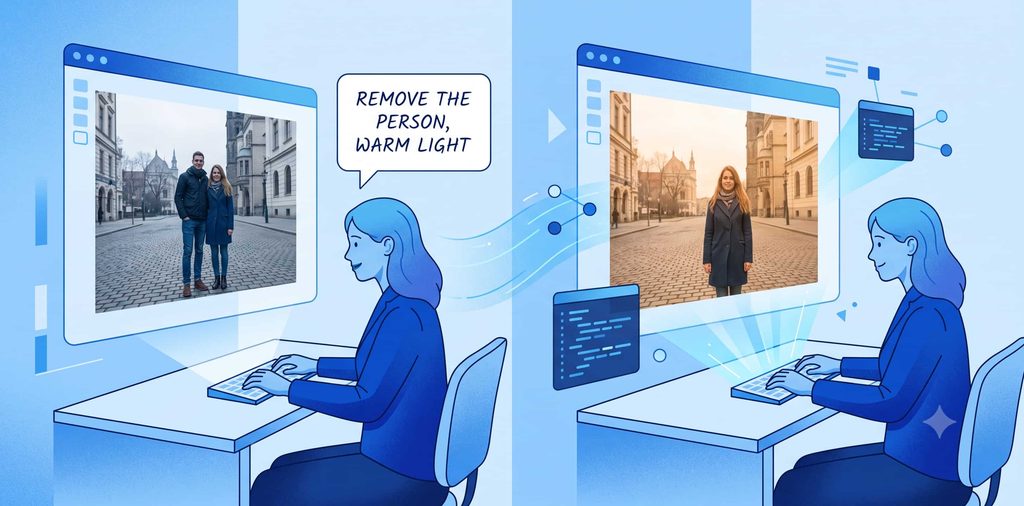
An AI image editor is a photo editing tool that uses artificial intelligence and machine learning to understand image content and automatically make changes based on your instructions.
Traditional vs AI Photo Editing
Traditional photo editing requires you to:
- Manually select objects using selection tools
- Adjust sliders and controls
- Create masks and layer masks
- Remove backgrounds by hand
- Fix fine details individually
AI photo editing automates these steps. For example, instead of carefully selecting around a product with a selection tool, an AI photo editor can detect the subject and remove the background automatically in seconds.
What AI Image Editors Can Do
Modern AI photo editing tools help you:
- Remove unwanted objects : Delete people, signs, wires, or clutter while rebuilding backgrounds
- Replace or blur backgrounds : Change or remove distracting backgrounds instantly
- Improve image quality : Enhance sharpness, fix blurriness, and increase resolution
- Fix lighting and colors : Adjust brightness, contrast, white balance, and color tone
- Restore old photos : Repair damaged, faded, or degraded photographs
- Expand images : Extend photos beyond original edges with generated content
- Retouch portraits : Smooth skin, enhance facial features, and improve portrait quality
- Add or replace elements : Insert new objects or replace existing ones
- Create image variations : Generate multiple versions of a single image
Natural Language AI Editing
Many modern AI photo editors now accept text prompts. Instead of manually selecting an area, you can type: “Remove the person in the background and make the lighting warmer” and the AI performs the changes automatically.
Example: Adobe Photoshop’s Generative Fill lets you describe changes in natural language, while Canva’s Magic Eraser uses simple prompts for object removal.
AI as Your Photo Editing Assistant
AI photo editing doesn’t replace manual work it enhances it. Think of AI as an intelligent assistant that handles repetitive, time-consuming tasks while you maintain creative control over the final result.
If you are also building a broader photography workflow, check out this Photography Kit for additional resources that complement AI image editing tools.
Why Use AI Image Editors? (Benefits & Use Cases)
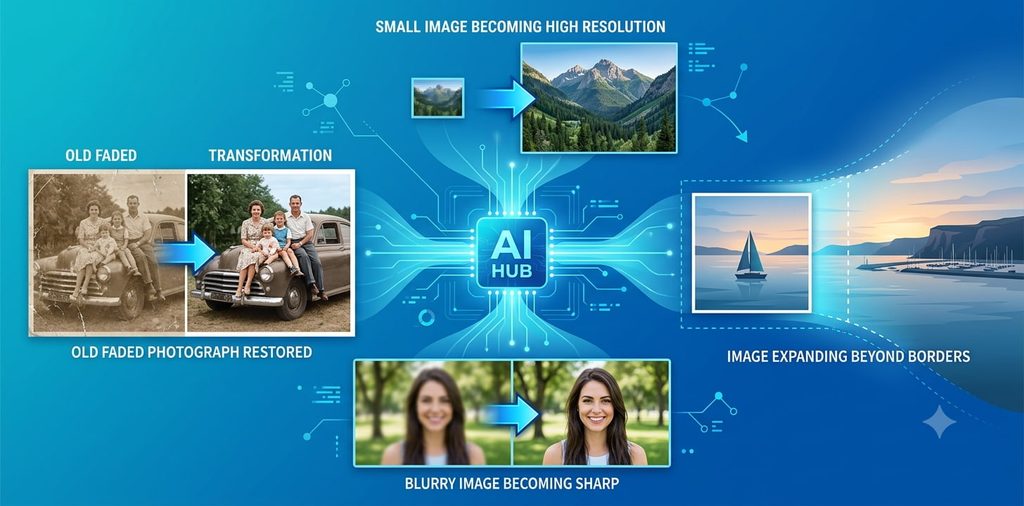
AI photo editing has become essential for content creators, marketers, photographers, e-commerce businesses, and anyone who works with images regularly.
Benefit 1: Dramatically Faster Photo Editing
Time savings is the #1 reason people switch to AI image editors.
Tasks that once required several manual steps can now be completed in seconds. Background removal is the classic example:
- Traditional method: Carefully trace around the subject using selection tools (5-15 minutes per image)
- AI method: One click to detect the subject and remove the background (10-30 seconds per image)
This time advantage compounds when editing dozens of images. An e-commerce business editing 100 product photos can save 10+ hours using AI background removal.
Benefit 2: Easy Background & Object Removal
Removing distracting elements from photos is one of the most common editing tasks.
Real-world example: You photograph a street scene but notice a vehicle, sign, or stranger distracting from your main subject. An AI-powered removal tool identifies and removes the unwanted element, then rebuilds the background seamlessly.
Tools that excel here:
- Photoshop’s AI object removal
- Canva’s Magic Eraser
- Pixlr’s AI object removal
- Picsart’s object removal tools
Simple backgrounds produce the best results, while complex scenes with intricate textures may require some manual adjustment.
Benefit 3: Image Enhancement & Restoration
AI enhancement tools improve photos that are blurry, noisy, low-resolution, or lack detail.
Modern AI image enhancement can:
- Sharpen details : Improve clarity and definition
- Reduce noise : Remove grain and digital artifacts
- Increase resolution : Upscale small images (often called AI upscaling)
- Enhance faces : Improve portrait quality and facial details
- Restore old photos :Repair damaged, faded, or degraded images
Example: Fotor’s AI enhancement can automatically improve a low-quality phone photo to make it suitable for print or social media.
This is especially useful when your original image is too small for a website, presentation, social media post, or print project.
Benefit 4: Generative Editing (Create New Visual Content)
Generative editing goes beyond improving existing pixels it creates new visual content that fits your image.
Capabilities include:
- Extend images : Add content beyond the original photo borders (useful for resizing for different platforms)
- Replace backgrounds : Change entire backgrounds with new generated scenes
- Add objects :Insert elements that weren’t originally present
- Modify areas :Change specific parts while keeping the rest intact
Example: Photoshop’s Generative Expand lets you extend a landscape photo on all sides, perfect for creating images for different aspect ratios.
Benefit #5: Essential for Content & Marketing
Images are critical for online success:
- Blog posts
- Social media posts
- Marketing advertisements
- Product pages
- Email campaigns
- Presentations
- Business websites
An AI image editor transforms a basic photo into a polished visual without requiring advanced design skills.
Real business example: A small business could:
- Photograph a product at home
- Remove the background with AI
- Add a branded background
- Resize for different social media platforms
- Create multiple variations for A/B testing
All in under 5 minutes, compared to 30-60 minutes with traditional editing.
You can also combine image workflows with a broader Marketing Kit when creating promotional content, which provides additional strategies for visual marketing success.
For business-focused projects, the Business Kit provides another useful starting point for comprehensive business photography and content workflows.
Real estate is another practical example. Property photos often need brightness adjustments, object removal, sky improvements, and consistent presentation. A Real Estate Kit can support that wider workflow by providing industry-specific tools and best practices for professional property photography.
Key Features to Look for in an AI Image Editor
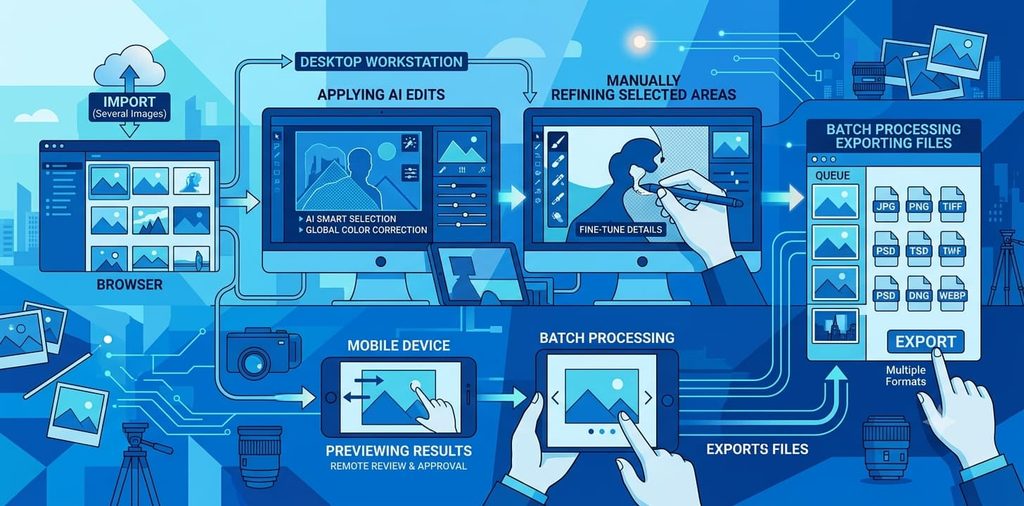
Not all AI photo editors are created equal. When choosing an AI image editing tool, evaluate these important features.
1. Ease of Use (Intuitive Interface)
A good editor shouldn’t make simple tasks complicated.
Look for:
- Clear, logical controls
- Simple navigation
- Useful presets for common tasks
- Understandable AI tools
- Quick tutorials or guided workflows
Why it matters: You’ll spend less time learning the tool and more time editing.
2. High-Quality Editing Results
AI automation is only useful when the final image looks natural and professional.
Evaluate how well the editor handles:
- Edges Smooth transitions between edited and original areas
- Hair and fine details Realistic texture reproduction
- Shadows and reflections Natural lighting preservation
- Facial features Portrait retouching quality
- Background reconstruction Realistic background removal
3. AI Background Removal
Background removal is arguably the most useful AI feature for both personal and professional use.
It’s particularly valuable for:
- Product photography and e-commerce
- LinkedIn and social media profile photos
- Social media graphics and thumbnails
- Online store product listings
- Real estate photography
4. AI Object Removal Tool
An effective object removal tool saves considerable time.
Quality object removal should handle:
- People and crowds
- Signs, text, and logos
- Wires, poles, and infrastructure
- Clutter and unwanted items
- Animals
The best tools reconstruct the background naturally while maintaining realistic textures and lighting.
5. Image Quality Enhancement & Upscaling
If you frequently work with old or low-resolution images, prioritize AI enhancement.
Useful features include:
- Sharpening Improve clarity and definition
- Noise reduction Remove digital grain
- Face enhancement Improve portrait quality specifically
- Resolution improvement (upscaling) Enlarge images while maintaining quality
- Blur removal Fix motion or focus blur
6. Image Resizing & Expansion Capabilities
A versatile editor should handle multiple image sizes and formats.
Useful features:
- Resizing for different platforms Quickly adapt images for social media, print, web
- Aspect ratio adjustment Change width-to-height ratios
- Generative expansion Extend images beyond original borders
- Batch resizing Process multiple images at once
7. User Control & Manual Adjustment Options
While automation is helpful, you need the ability to refine results.
Essential control features:
- Layers and masks : Fine-tune specific areas
- Selection tools : Manually select regions when needed
- Adjustment sliders : Fine-tune colors, exposure, and tone
- Undo/redo : Reverse mistakes
- Preview options : See changes before applying
8. Processing Speed
Speed matters when editing multiple images.
Consider:
- Browser-based tools : Convenient for quick jobs, no installation needed
- Desktop applications : Often faster, allow for more advanced workflows
- Mobile apps : Editing on-the-go capability
- Batch processing : Process multiple images automatically
9. Export Quality & File Format Support
A tool that looks perfect in the editor is useless if exports don’t meet your needs.
Check for support of:
- PNG : Transparent backgrounds (ideal for product photos)
- JPG/JPEG : Standard format for photos
- WebP : Modern format for web (smaller file sizes)
- PSD : Photoshop format for further editing
- High-resolution output : 4K, 8K, or print-quality exports
Best AI Image Editors (Detailed Comparison)
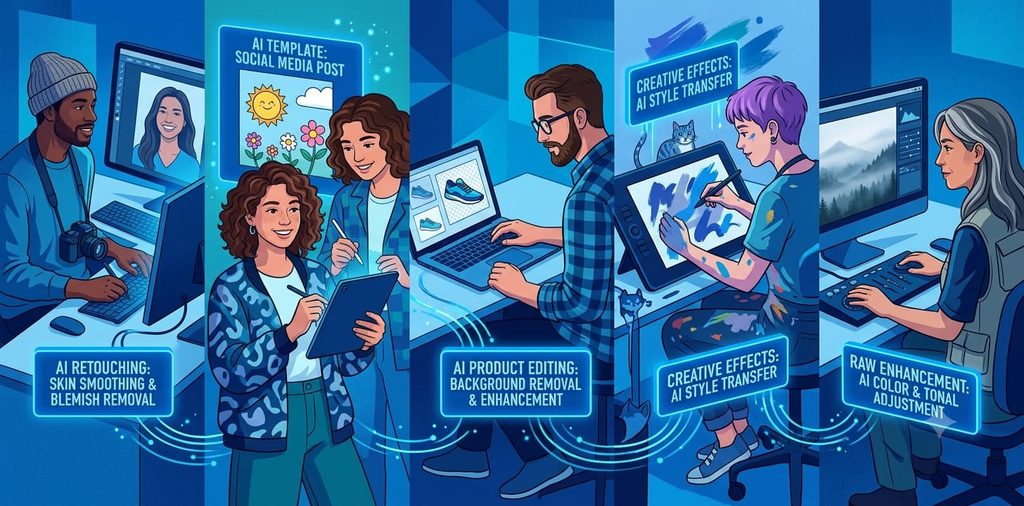
Here are the best AI image editing tools available today, each suited to different workflows and skill levels.
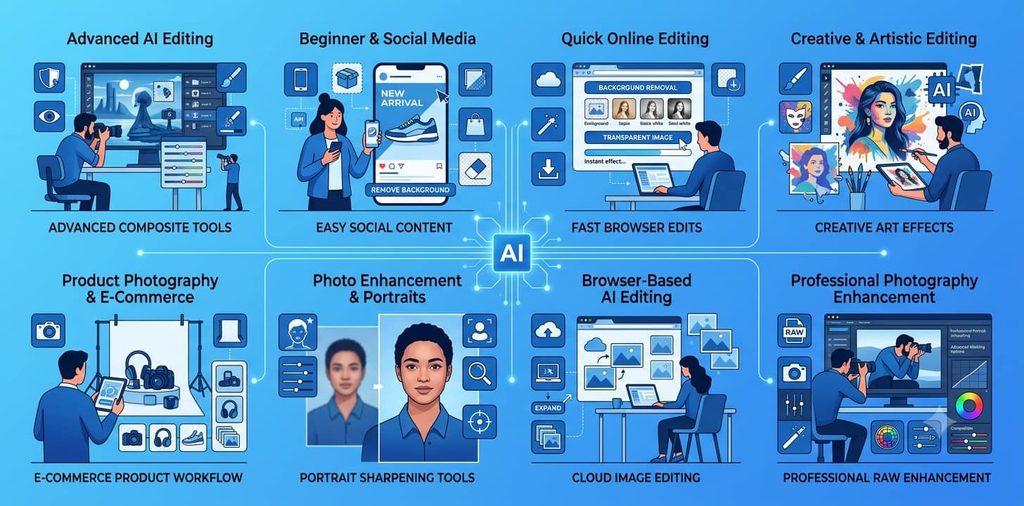
1. Adobe Photoshop : Best for Advanced AI Editing & Professional Workflows
Website: https://www.adobe.com/products/photoshop.html
Adobe Photoshop remains the industry standard for users seeking detailed control combined with cutting-edge AI features.
Key AI Capabilities:
- Generative Fill Add, remove, or replace areas using text prompts or selections
- Generative Expand Extend images beyond original borders with AI-generated content
- Generative Upscale Enlarge images intelligently with quality preservation
- AI-powered object removal Remove unwanted elements automatically
- Background generation Replace or change backgrounds intelligently
- Prompt-based editing Describe changes in natural language
- AI image enhancement Automatic quality improvements
Best for: Professional photographers, designers, and advanced users who need powerful AI paired with precise manual control.
Example workflow: Use AI to remove an unwanted person, then manually adjust colors, shadows, and lighting to match the original image perfectly.
Key Features:
- Generative Fill and Generative Expand
- Advanced layers and masks
- Non-destructive editing
- Detailed manual editing tools
- Professional-grade features
- Extensive plugin ecosystem
Ideal for: Detailed retouching, complex composites, professional portfolios, advertising, and any project requiring maximum control.
2. Canva : Best for Beginners, Content Creators & Social Media
Website: https://www.canva.com
Canva combines easy AI photo editing with a powerful design platform, making it ideal for creating complete graphics in one place.
AI Editing Features:
- AI photo editor Make changes through simple text prompts
- Magic Eraser Remove unwanted objects easily
- Magic Grab Reposition elements with AI assistance
- Background removal Separate subjects from backgrounds
- Background generation Replace backgrounds with new designs
- Image enhancement Improve photo quality automatically
Best for: Content creators, small business owners, social media managers, and beginners without advanced design skills.
Unique advantage: Edit a photo and immediately place it into a social media post, presentation, poster, thumbnail, or marketing graphic without switching applications.
Key Features:
- AI-powered photo editing
- 1000s of design templates
- Simple drag-and-drop interface
- Social media integration
- Background removal and generation
- Built-in design templates
Real example: Edit a product photo, remove its background, drop it into a social media template with branded colors and text, and publish all within Canva.
3. Adobe Express Best for Quick Online Photo Editing (Free & Paid)
Website: https://www.adobe.com/express
Adobe Express focuses on rapid content creation with essential AI editing tools.
AI Features:
- AI background remover : Remove backgrounds instantly
- Transparent PNG creation : Generate images with transparent backgrounds
- Quick editing actions : Common adjustments in one click
- Photo effects : Apply professional effects automatically
Best for: Quick edits when you need results fast rather than complex professional workflows.
Key Features:
- AI background remover
- Photo editing and effects
- 1000s of templates
- Quick actions for fast editing
- Transparent PNG export
- Free plan available
Advantage: Free version includes essential photo editing tools, making it accessible to budget-conscious users.
4. Picsart : Best for Creative & Artistic Photo Editing
Website: https://picsart.com
Picsart specializes in creative photo editing and combines AI tools with artistic effects for unique results.
AI & Creative Tools:
- AI photo editing : Smart edits via text prompts
- Background editing and removal : Change or remove backgrounds
- AI object removal : Delete unwanted elements
- Effects library : Artistic filters and overlays
- Creative transformations : Apply unique visual styles
- Collage maker : Combine multiple photos artistically
Best for: Creative users, artists, social media content creators, and anyone seeking more than basic editing.
Key Features:
- Extensive effects and filters
- Creative background options
- Object removal and replacement
- Social media content tools
- Collage and frame designs
- Active community of creators
Ideal for: Instagram posts, TikTok content, creative projects, and users who want personality in their edited images.
5. Photoroom : Best for Product Photography & E-Commerce
Website: https://www.photoroom.com
Photoroom specializes in practical product photography workflows, especially for e-commerce businesses.
Product-Focused AI Features:
- AI background removal : Perfect for product isolation
- AI background generation : Create professional product backgrounds
- Object replacement : Change or replace product elements
- Object removal : Delete clutter or shadows
- Image expansion : Extend images for different aspect ratios
- Batch editing : Process multiple images automatically
- Edit with AI : Natural language prompts for changes
- Product-specific presets : Optimized for product photos
Best for: E-commerce businesses, online sellers, product photographers, and visual commerce workflows.
Real example: Photograph a product at home with messy background → Photoroom removes background → Generates clean branded background → Batch processes 50 more images → Ready for online store.
Key Features:
- Background removal and generation
- Batch processing capabilities
- Object replacement tools
- Image expansion
- Product photography optimization
- Natural language editing
Ideal for: Online stores, Shopify sellers, marketplace listings, and businesses managing product imagery at scale.
6. Fotor Best for Quick Photo Enhancement & Portrait Editing
Website: https://www.fotor.com
Fotor provides browser-based AI tools focused on image enhancement, particularly for portraits and quick improvements.
Enhancement & Portrait Features:
- AI photo enhancement : Automatically improve photo quality
- AI portrait editing : Specialized face and portrait tools
- Face enhancement : Sharpen facial details specifically
- Blur removal : Fix motion and focus blur
- Sharpening : Improve clarity throughout the image
- AI upscaling : Enlarge images intelligently
- Background removal : Separate subjects easily
Best for: Users whose primary goal is improving image quality rather than creating complex composites.
Key Features:
- Automatic photo enhancement
- Portrait-specific tools
- Face enhancement and beauty retouching
- Sharpening and upscaling
- Blur removal
- Browser-based (no installation)
Ideal for: Improving old photos, enhancing portraits, quick beauty touch-ups, and upscaling low-resolution images.
7. Pixlr Best for Browser-Based AI Photo Editing (No Installation)
Website: https://pixlr.com
Pixlr offers a complete AI photo editor that runs entirely in your web browser no software installation needed.
Browser-Based AI Features:
- AI photo editor : Full editing capabilities online
- AI background removal : One-click subject isolation
- AI object removal : Delete unwanted items
- Generative Fill : Add or replace content in selected areas
- Generative Expand : Extend images beyond original borders
- Image generation : Create images from text prompts
- Batch editing : Process multiple images
Best for: Quick edits on any device when you don’t want to install desktop software.
Advantages:
- Access from any computer via web browser
- No storage needed for installation
- Consistent experience across devices
- Convenient for occasional editing
Key Features:
- Browser-based workflow
- Generative Fill and Expand
- Background and object removal
- Image generation
- AI-powered editing suite
Ideal for: Everyday editing, quick touch-ups, and users who value convenience over advanced features.
8. Luminar Neo : Best for Photography Enhancement & Professional Quality
Website: https://skylum.com/luminar
Luminar Neo is built specifically for photographers seeking professional-grade AI-assisted enhancement.
Photography-Focused AI Features:
- AI photo enhancement : Intelligent quality improvement
- AI Assistant : Analyzes images and recommends edits
- Portrait tools : Professional skin retouching
- GenErase : AI object removal
- GenSwap : Replace elements intelligently
- GenExpand : Extend images with generated content
- RAW editing : Work with unprocessed photos
- Color and lighting controls : Professional-grade adjustments
- Composition tools : Improve framing and structure
Best for: Photographers prioritizing image quality, RAW editing, and AI-assisted enhancement over social media design features.
Unique features:
- Professional-grade editing for photographers
- RAW file support
- Advanced masking and layers
- AI-powered composition analysis
Key Features:
- Professional AI enhancement
- RAW file editing
- Portrait retouching tools
- Advanced masking
- Color and lighting precision
- Generative editing suite
Ideal for: Photography professionals, artists, and quality-focused users.
AI Image Editor Comparison Chart
| Tool | Best For | Free Option | Paid Plan | Starting Price |
|---|---|---|---|---|
| Adobe Photoshop | Advanced editing | Trial | Yes | $20.99/month |
| Canva | Beginners & social | Yes | Yes | $120/year |
| Adobe Express | Quick editing | Yes (full access) | Yes | Free option available |
| Picsart | Creative editing | Yes | Yes | $10.99/month |
| Photoroom | Product photos | Yes (limited) | Yes | $4.99/month |
| Fotor | Quick enhancement | Yes | Yes | $4.99/month |
| Pixlr | Browser editing | Yes | Yes | $9.99/month |
| Luminar Neo | Photography pros | Trial | Yes | One-time purchase ~$80 |
Pricing Note: Pricing and features change regularly. Always verify current pricing and feature availability before committing to a subscription.
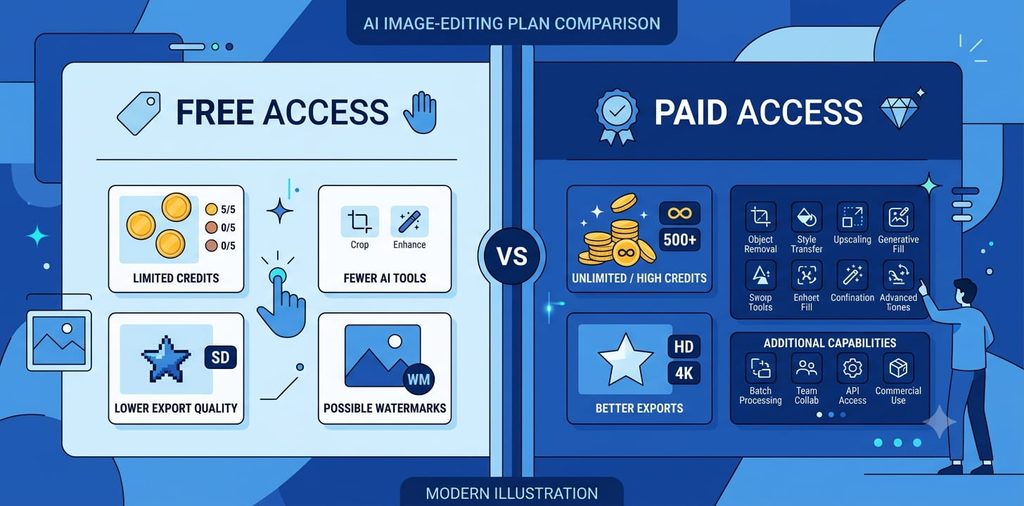
Free vs Paid: What You Should Know
Free options:
- Usually include limited monthly exports or AI credits
- May have lower resolution exports
- Watermarks on some tools
- Fewer advanced features
- Good for testing before paying
Paid plans:
- Higher export limits and resolutions
- Access to all AI features
- Priority customer support
- Commercial usage rights
- Ad-free experience
Pro tip: Test the features you actually need. Don’t pay for a plan with extensive AI tools if you only need background removal. Match your tool to your actual workflow.
If you’re publishing articles alongside your images, a Writing Kit can complement your content workflow by providing tools and strategies for creating written content that pairs perfectly with your AI-edited images.
How to Choose the Right AI Image Editor
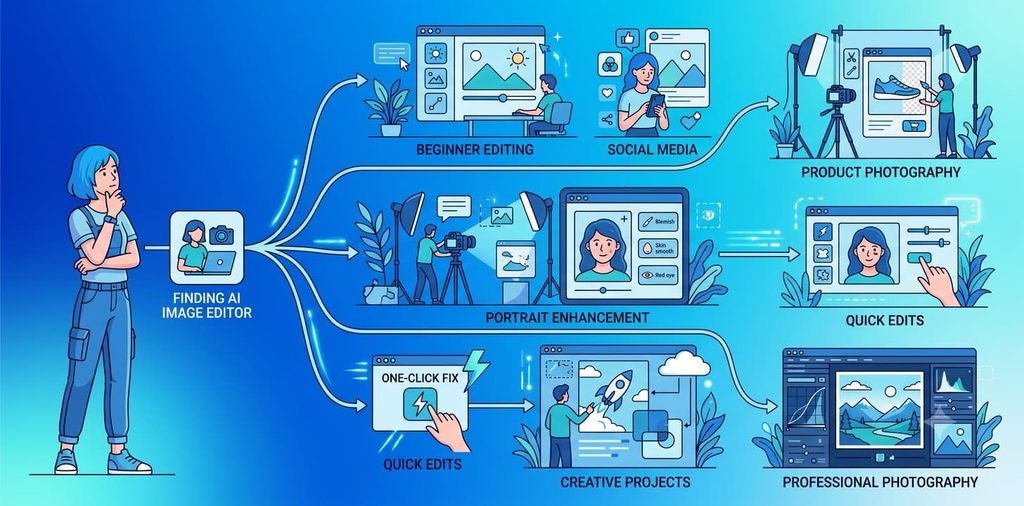
The best AI photo editor for you depends on your specific workflow. Ask yourself these questions:
What’s Your Skill Level?
Beginners: Canva, Adobe Express, Fotor
- Intuitive interfaces
- Guided workflows
- Clear presets
Intermediate: Picsart, Photoroom, Pixlr
- Balance of ease and power
- Good control options
- Flexible workflows
Advanced: Photoshop, Luminar Neo
- Maximum control
- Professional features
- Complex editing capabilities
What’s Your Primary Use Case?
Social media content: Canva, Picsart, Adobe Express Product photography: Photoroom, Canva Portrait retouching: Fotor, Luminar Neo, Photoshop Quick enhancement: Fotor, Adobe Express Professional work: Photoshop, Luminar Neo Creative projects: Picsart, Canva
What Features Matter Most?
Background removal only: Adobe Express, Pixlr, Fotor Object removal: Photoshop, Picsart, Photoroom Image enhancement: Fotor, Luminar Neo Creative effects: Picsart, Canva Speed & convenience: Adobe Express, Pixlr Advanced control: Photoshop, Luminar Neo
What’s Your Budget?
$0 (Free tools): Canva, Adobe Express, Picsart, Fotor, Pixlr Under $5/month: Photoroom, Fotor, Pixlr Under $20/month: Photoshop, most subscription tools One-time purchase: Luminar Neo
What’s Your Workflow?
Occasional editing: Free online tools (Express, Pixlr) Regular editing (10-50 images/month): Canva, Fotor, Photoroom Daily editing (50+ images/month): Photoshop, Luminar Neo (paid) Batch processing: Photoroom, Photoshop
Conclusion

AI image editors are fundamentally changing how people approach photo editing. Tasks that once required hours of detailed manual work can now be completed in minutes with automatic detection, simple prompts, and AI-assisted tools.