Introduction
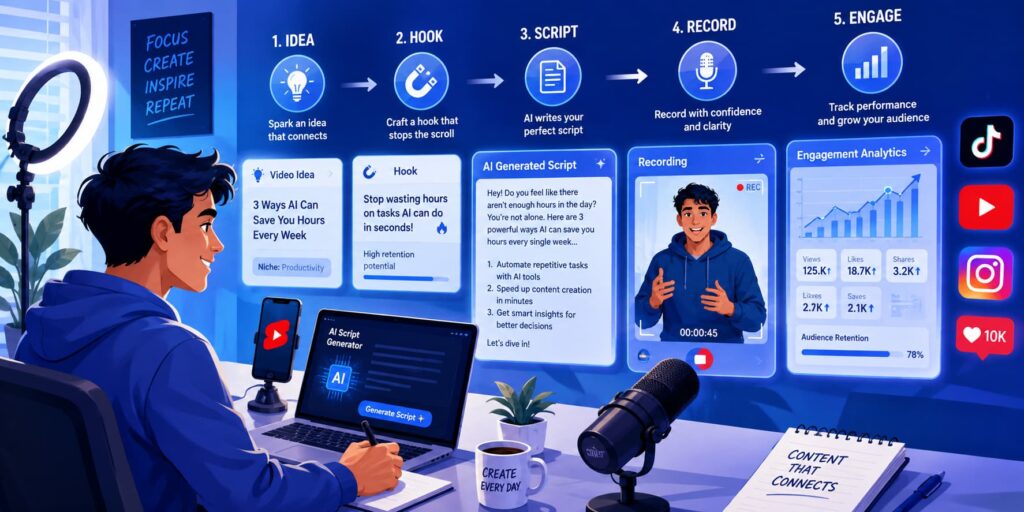
Short-form videos dominate social media today. Whether you’re creating content for TikTok, YouTube Shorts, Instagram Reels, or other platforms, the quality of your script often determines whether viewers keep watching or scroll away. AI for TikTok/Shorts script writing helps creators generate ideas, build engaging hooks, and create compelling video scripts faster than ever before. This guide explains everything you need to know about using AI to create better short-form video content.
What Is AI for TikTok/Shorts Script Writing?
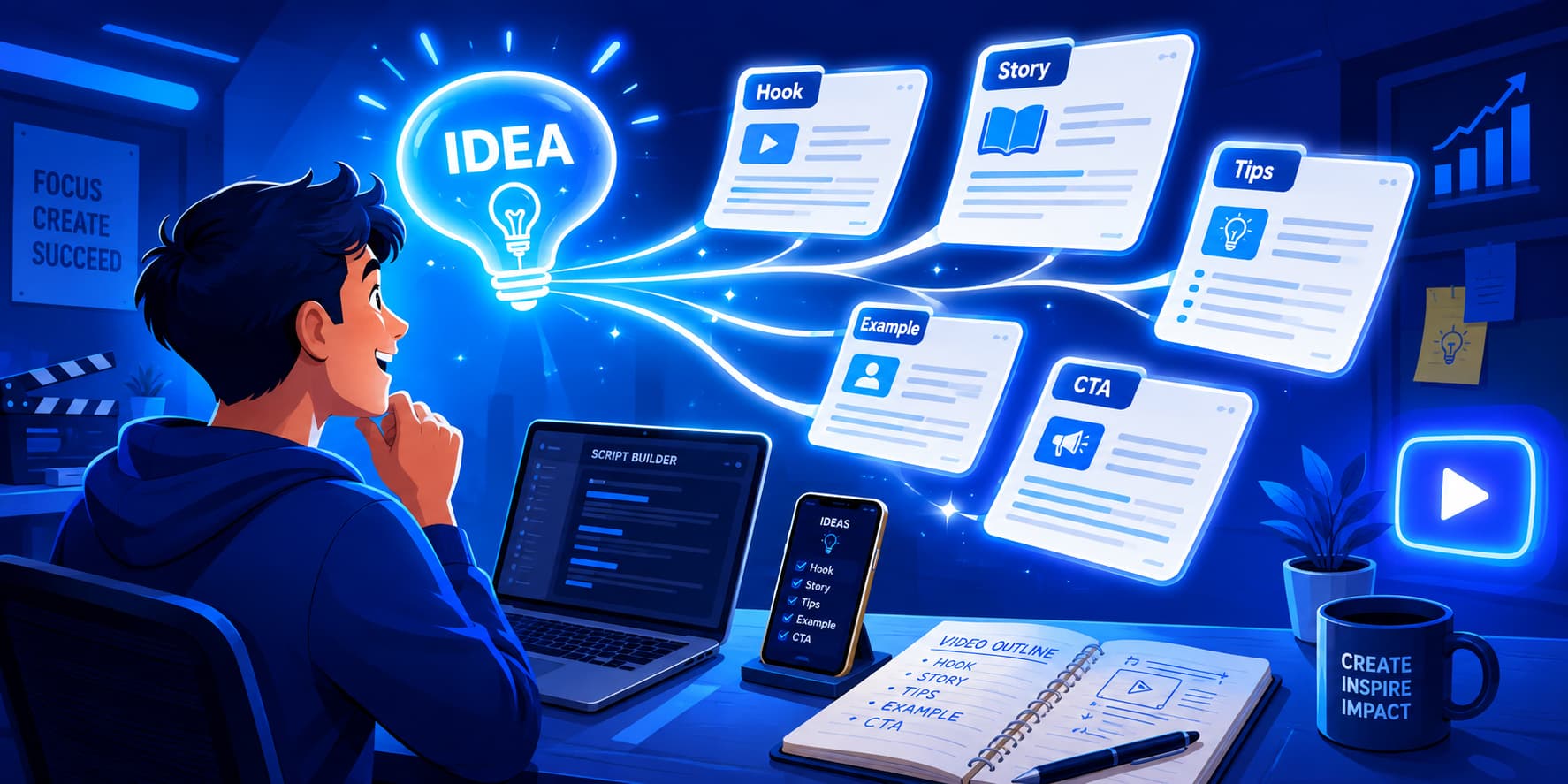
AI for TikTok/Shorts script writing refers to using artificial intelligence tools to generate, improve, or optimize scripts for short-form videos. Instead of staring at a blank screen wondering what to say, creators can use AI to quickly generate ideas, hooks, talking points, captions, and complete scripts.
Think of AI as a creative assistant sitting beside you. It doesn’t replace your creativity, but it helps organize ideas and speed up the writing process.
Modern AI tools analyze large amounts of content and language patterns. They understand what makes short videos engaging and can create scripts designed to hold attention for 15, 30, or 60 seconds.
An AI TikTok script generator can help create:
- Video hooks
- Storytelling scripts
- Educational content
- Product demonstrations
- Tutorial videos
- Motivational content
- Marketing videos
- Entertainment scripts
Similarly, an AI Shorts script generator helps create content specifically designed for YouTube Shorts and other vertical video platforms.
The biggest advantage is speed. A script that might take 30 minutes to write manually can often be generated in seconds. You can then refine and personalize it before recording.
Why Use AI for Short-Form Video Scripts?
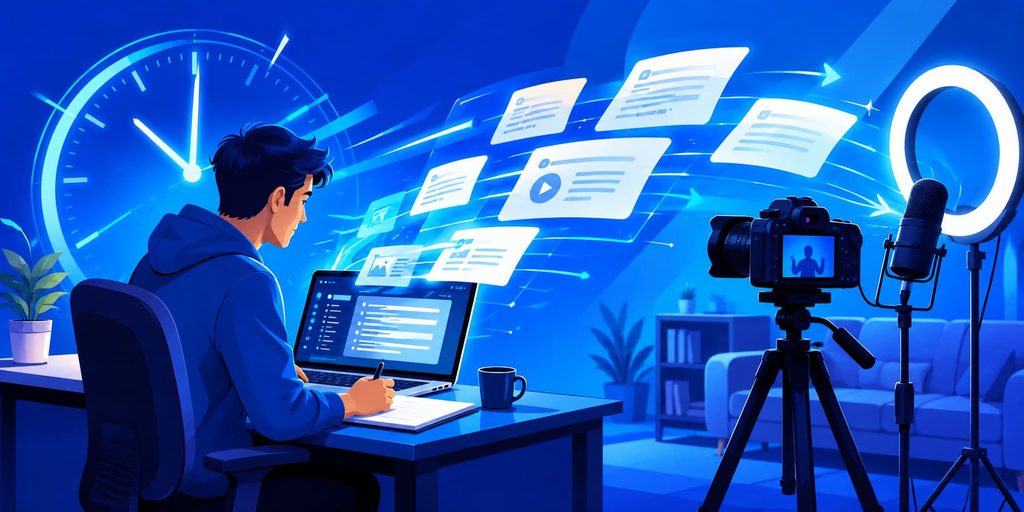
Creating short-form content consistently can feel like running on a treadmill that never stops. AI helps make the process easier.
Saves You Time
Writing multiple scripts every week can take hours. AI can generate outlines, hooks, and full drafts in seconds. This allows more time for filming, editing, and engaging with viewers.
Helps You Stay Consistent
Many creators struggle with consistency. Some days ideas flow naturally. Other days they don’t.
AI helps fill those creative gaps by providing fresh script ideas and structures whenever needed.
Optimized for Each Platform
TikTok and YouTube Shorts have unique viewing behaviors.
An AI viral script generator can create scripts optimized for:
- Fast hooks
- Short attention spans
- High engagement
- Retention-focused storytelling
- Strong call-to-actions
Makes Ideas Clearer and Tighter
Many first drafts contain unnecessary details.
AI naturally shortens long explanations and helps focus on the most important points. This is especially useful for videos under 60 seconds.
Lowers the Skill Barrier
Not everyone is a professional writer.
AI makes script creation accessible to anyone with an idea. Even beginners can create structured and engaging content quickly.
Important: You Still Need Human Touch
AI is powerful, but it is not magic.
The best-performing videos usually combine AI-generated structure with personal experience, humor, opinions, and storytelling.
Think of AI as a GPS. It helps you reach the destination faster, but you’re still the one driving.
Benefits of AI for TikTok/Shorts Script Writing

Using AI for short-form content creation provides several practical advantages.
Helps You Get More Views
The first few seconds determine whether viewers stay or leave.
AI tools are trained to generate strong hooks designed to capture attention quickly. Better hooks often lead to higher watch times and more views.
Examples include:
- Nobody talks about this…
- I wish I knew this earlier…
- Here’s the biggest mistake people make…
Gives You More Ideas
Creative blocks happen to everyone.
AI can generate dozens of content ideas from a single topic.
For example, if your niche is productivity, AI might suggest:
- Productivity mistakes
- Morning routines
- Focus hacks
- AI productivity tools
- Time management tips
One idea can become twenty.
Makes Testing Easy
Successful creators constantly test new approaches.
AI allows rapid experimentation with:
- Different hooks
- Different story structures
- Different calls-to-action
- Different video angles
You can create multiple versions of the same script and see what performs best.
Works for Any Niche
One of the biggest strengths of AI is flexibility.
It can create scripts for:
- Fitness
- Business
- Education
- Technology
- Personal finance
- Health
- Travel
- Gaming
- Cooking
- Fashion
Whether you’re creating tutorials or storytelling content, AI adapts to almost any niche.
How AI Creates Short Video Scripts
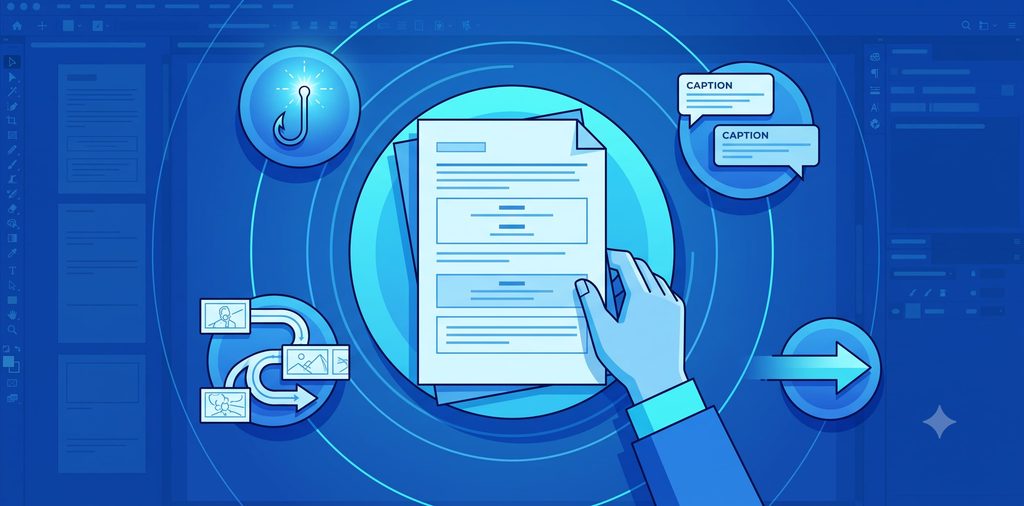
Understanding the process helps you get better results.
Step 1: You Give AI an Idea
Everything starts with a topic.
Examples:
- Best AI tools for students
- Morning productivity tips
- How to save money
- Fitness mistakes beginners make
The clearer your topic, the better the output.
Step 2: AI Creates a Strong Opening
The hook is often the most important part.
AI generates attention-grabbing openings designed to stop scrolling.
Example:
“Most people waste two hours every day without realizing it.”
Step 3: AI Writes the Main Content
Next, AI develops the core message.
This section explains:
- The problem
- The solution
- The lesson
- The story
The content is usually structured for quick consumption.
Step 4: AI Adds Visual Ideas
Many advanced AI tools suggest visuals alongside scripts.
Examples:
- B-roll clips
- Screen recordings
- Animations
- Text overlays
- Demonstrations
Visual suggestions make videos easier to produce.
Step 5: AI Adds Text and Captions
Captions increase retention because many viewers watch with sound off.
AI can suggest:
- On-screen text
- Subtitle highlights
- Key phrases
- Emphasis points
Step 6: AI Ends With an Action
Good scripts guide viewers toward a next step.
Examples:
- Follow for more tips
- Save this video
- Comment your thoughts
- Share with a friend
A strong ending encourages engagement.
How to Write Better Prompts for AI
The quality of your output depends heavily on the quality of your prompt.
What Is a Prompt?
A prompt is simply the instruction you give AI.
Think of it like ordering food. The more specific your order, the more likely you are to get exactly what you want.
Start With Your Main Task
Clearly state what you need.
Example:
“Write a 45-second TikTok script about productivity.”
Add Important Details
Include:
- Topic
- Audience
- Goal
- Platform
- Length
Example:
“Write a 30-second YouTube Shorts script about AI tools for students.”
Tell AI How to Answer
Specify formatting.
Example:
“Include hook, body, and call-to-action.”
Choose the Right Style
Styles might include:
- Educational
- Funny
- Inspirational
- Storytelling
- Professional
Example:
“Use a friendly and conversational tone.”
Give an Example
Examples dramatically improve results.
Example:
“Start with a hook similar to: ‘Most people don’t know this trick.’”
Add Limits
Constraints help AI stay focused.
Examples:
- Maximum 100 words
- Under 45 seconds
- Three key points only
Use This Simple Formula
Task + Topic + Audience + Style + Length + Format
Example:
“Write a 45-second TikTok script about productivity apps for students. Use a conversational style. Include a strong hook, three tips, and a CTA.”
Improve Your Prompt
If the result isn’t perfect, refine the prompt.
Ask AI to:
- Shorten it
- Make it funnier
- Add more curiosity
- Increase emotional impact
- Improve the hook
The Main Rule
Specific prompts create specific results.
Vague prompts create vague results.
Best AI Tools for TikTok/Shorts Script Writing (Comparison)
Several AI tools can help create short-form video scripts. Each has unique strengths.
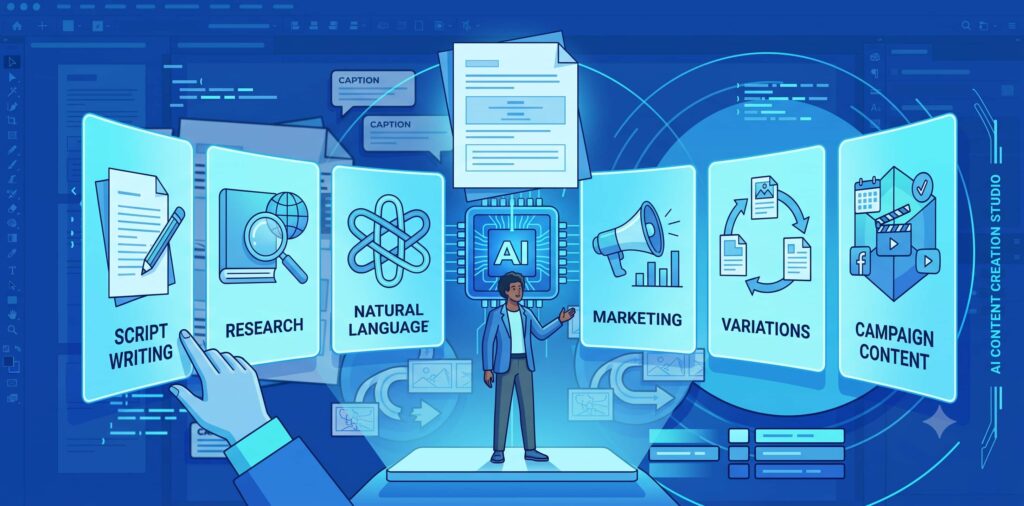
| Tool | Best For | Strengths | Limitations |
| ChatGPT | Script creation | Flexible, detailed prompts | Requires prompt skill |
| Gemini | Research and ideas | Strong information gathering | Can be less creative |
| Claude | Natural writing | Human-like language | Fewer integrations |
| Jasper | Marketing scripts | Business-focused content | Paid plans |
| Copy.ai | Quick content generation | Fast outputs | Less customization |
| Writesonic | Marketing and ads | Multiple templates | May need editing |
ChatGPT
One of the most popular AI scriptwriting tools.
Strengths include:
- Custom script generation
- Hook creation
- Viral content frameworks
- Script refinement
It works extremely well as an AI TikTok script generator and AI for YouTube Shorts.
Gemini
Gemini excels at research and fact gathering.
It’s useful when creating educational videos that require accurate information.
Claude
Claude often produces natural-sounding scripts with strong readability.
Many creators use it for storytelling videos.
Jasper
Jasper focuses heavily on marketing and brand content.
Ideal for businesses creating promotional Shorts.
Copy.ai
Great for generating quick script variations and testing different angles.
Writesonic
Useful for content marketing and social media campaigns.
The best tool depends on your workflow. Many creators combine multiple AI tools for better results.
How to Create a TikTok/Shorts Script with AI
What Is an AI Video Script?
An AI video script is a script generated or improved using artificial intelligence.
It provides a framework that creators can customize and record.
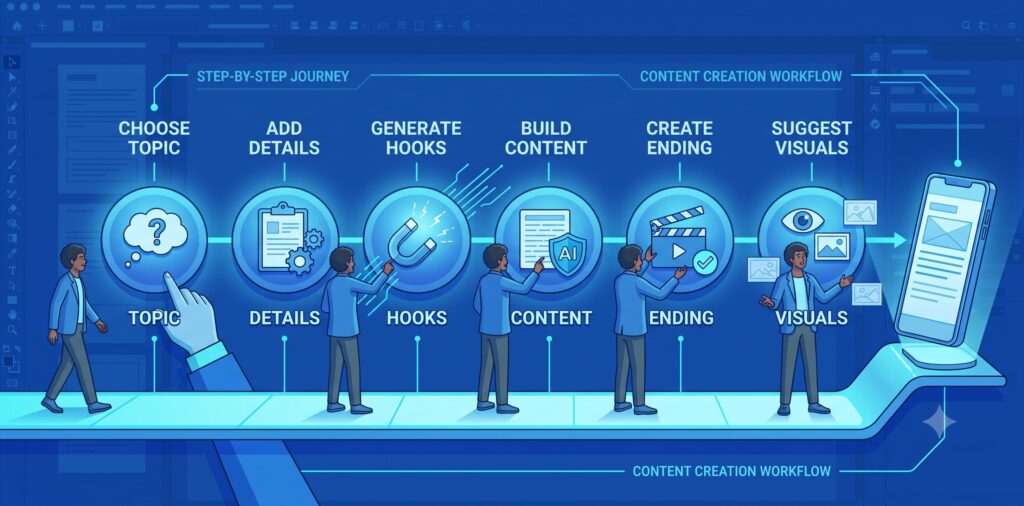
Step 1: Choose Your Topic
Start with a specific idea.
Weak topic:
“AI”
Strong topic:
“Three AI tools that save students five hours per week.”
Specificity matters.
Step 2: Give AI Clear Information
Include:
- Topic
- Goal
- Video length
- Tone
- Platform
Example:
“Create a 45-second TikTok script teaching beginners how to use ChatGPT.”
Step 3: Ask AI for a Hook
Request multiple hook options.
Example:
“Give me five high-retention hooks.”
This allows testing different openings.
Step 4: Add the Main Information
Tell AI exactly what information to include.
Example:
“Explain three key benefits and one common mistake.”
Step 5: Add an Ending
Include a CTA.
Examples:
- Follow for more AI tips
- Save this video
- Comment below
Step 6: Ask AI for Visual Ideas
Visuals make short videos more engaging.
Ask AI to suggest:
- B-roll clips
- Screen recordings
- Text overlays
- Animations
If you’re creating AI-generated visuals for your Shorts, you may also want to compare image generation platforms.
Read ChatGPT vs Gemini to determine which tool is better for creating supporting images and visual assets for your videos.
Copy-and-Use AI Prompt
“Write a 45-second YouTube Shorts script about three AI productivity tools. Use a conversational tone. Start with a strong hook. Include three practical tips and finish with a call-to-action. Suggest visuals for each section.”
Example AI Script
Hook: These three AI tools can save you hours every week.
Main Content: First, ChatGPT helps with writing and research. Second, Notion AI organizes your notes. Third, Grammarly improves your communication.
CTA: Follow for more AI productivity tips.
Check the Script Before Recording
Always review:
- Accuracy
- Clarity
- Tone
- Timing
- Engagement
Small edits often make a huge difference.
Simple Script Template You Can Use
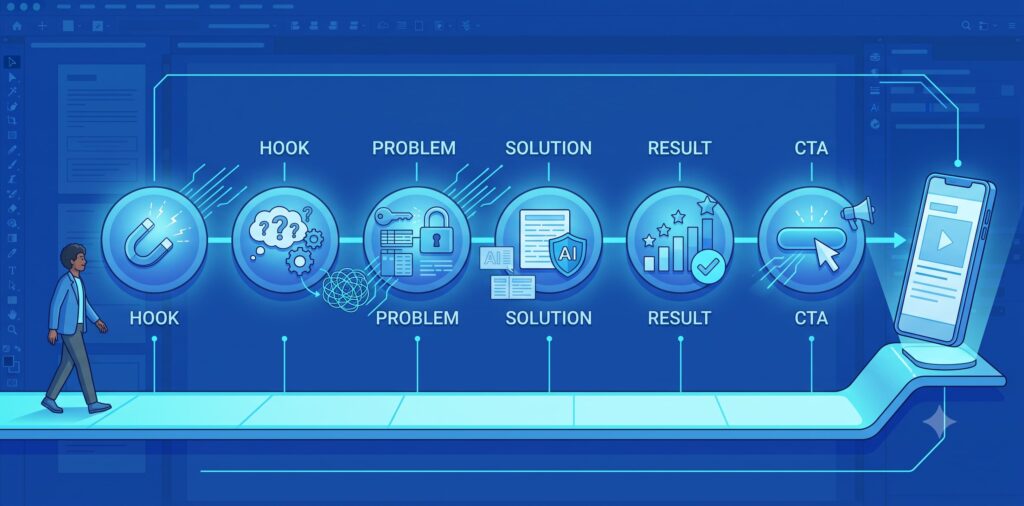
A simple framework makes script creation easier.
Hook (0-5 seconds)
Grab attention immediately.
Examples:
- Most people get this wrong.
- I wish I learned this earlier.
Problem (5-15 seconds)
Explain the issue.
Example:
“Many people waste time creating content from scratch.”
Solution (15-45 seconds)
Provide value.
Example:
“AI can generate ideas, hooks, and scripts within seconds.”
Result (45-55 seconds)
Show benefits.
Example:
“This can help you create more content in less time.”
CTA (55-60 seconds)
Ask viewers to act.
Example:
“Follow for more AI content tips.”
This structure works for educational, marketing, and storytelling videos.
Tips for Writing Viral TikTok/Shorts Scripts

Start With a Strong Hook
Hooks determine retention.
The first sentence should create curiosity.
Hook Examples
- Nobody talks about this…
- This changed everything for me.
- Here’s the mistake costing you views.
- I tested this for 30 days.
Talk About One Idea
Trying to teach too much confuses viewers.
Focus on one clear message.
Show the Result Early
Reveal the outcome before explaining the process.
People stay longer when they know a reward is coming.
Use a Simple Script Structure
Follow:
Hook → Problem → Solution → Result → CTA
This structure works consistently across platforms.
Add Visual Changes
Change scenes frequently.
Use:
- Zooms
- B-roll
- Graphics
- Captions
Visual movement keeps attention.
Use Captions
Captions improve accessibility and retention.
Highlight key phrases for emphasis.
Create Curiosity
Leave small information gaps.
Example:
“The final tip surprised me.”
Curiosity encourages viewers to keep watching.
Add Emotion
People remember feelings more than facts.
Use:
- Surprise
- Excitement
- Inspiration
- Humor
End With a Clear Action
Tell viewers exactly what to do next.
Examples:
- Save this video
- Follow for more
- Comment below
Simple Script Template
- Hook
- Problem
- Solution
- Result
- CTA
Final Checklist
Before publishing:
- Strong hook?
- One main idea?
- Easy to understand?
- Visual variety?
- Clear CTA?
If yes, you’re ready to publish.
Common Mistakes to Avoid

Giving a Vague Prompt
Poor prompts create poor scripts.
Be specific.
Trying to Say Too Much
Short-form videos need focus.
Stick to one idea.
Forgetting the Hook
Without a hook, viewers scroll away.
Always prioritize the opening.
Using the First Draft
AI drafts are starting points.
Edit and improve them.
Making the Script Sound Robotic
Add personal stories and natural language.
Human personality matters.
Not Checking the Facts
AI can occasionally make mistakes.
Verify important information.
Ignoring the Audience
Consider viewer interests and expectations.
Create content that solves problems.
Adding Too Much Text
Too much on-screen text overwhelms viewers.
Keep captions concise.
Forgetting the Call to Action
Every video should have a purpose.
Guide viewers toward a next step.
Simple Rule to Remember
AI creates the draft.
AI vs. Writing Scripts Manually

What Is AI Scriptwriting?
AI scriptwriting uses artificial intelligence to generate script ideas, structures, and drafts.
What Is Manual Scriptwriting?
Manual scriptwriting involves creating content from scratch without AI assistance.
Main Differences
| Feature | AI Scriptwriting | Manual Scriptwriting |
| Speed | Very fast | Slower |
| Cost | Often low | Time intensive |
| Idea generation | Excellent | Depends on experience |
| Creativity | Assisted | Fully human |
| Consistency | High | Variable |
| Personal voice | Requires editing | Natural |
Simple Example
Manual approach:
Spend 30 minutes writing a script.
AI approach:
Generate a draft in 30 seconds and spend 10 minutes refining it.
Both methods can work.
The difference is efficiency.
The Best Method
The strongest creators combine both.
Use AI for speed.
Use human creativity for personality.
This hybrid approach often produces the best results.
Best Practices for Getting Better AI Results

Say Exactly What You Want
Clear instructions create better outputs.
Give Some Background
Explain your topic and objective.
Context improves quality.
Choose the Style
Specify whether the script should be:
- Educational
- Funny
- Inspirational
- Story-driven
Set the Format
Request:
- Hook
- Main points
- CTA
Structured prompts create structured scripts.
Give an Example
Examples reduce misunderstandings.
AI performs better when shown a model.
Break Big Tasks Into Steps
Instead of asking for everything at once:
- Generate ideas
- Create hooks
- Write script
- Add visuals
This improves quality significantly.
Mention What to Avoid
Tell AI what not to do.
Example:
“Avoid technical jargon.”
Ask for Improvements
Request:
- Better hooks
- More curiosity
- Stronger storytelling
- Shorter sentences
Iteration leads to better results.
Check Important Information
Always verify facts before publishing.
Accuracy builds trust.
Use This Simple Prompt Formula
Goal + Topic + Style + Length + Structure + CTA
This framework works across most AI tools.
Simple Rule to Remember
The quality of the prompt often determines the quality of the result.
Conclusion
AI has transformed the way short-form video content is created. From generating fresh ideas to building engaging hooks and complete scripts, modern AI tools can dramatically speed up the content creation process.
An AI TikTok script generator or AI Shorts script generator helps eliminate writer’s block, improve consistency, and simplify content production. However, the best results come when AI and human creativity work together.
Use AI to handle the heavy lifting. Let it generate ideas, structure your content, and suggest improvements. Then add your personality, experiences, opinions, and storytelling style.
Remember that viral success doesn’t come from AI alone. Strong hooks, valuable content, clear visuals, emotional connection, and consistent publishing still matter.
Start with simple prompts, experiment with different script styles, and continue refining your process. The more you practice using AI for YouTube Shorts and TikTok content, the better your results will become.
The future of short-form content creation is not AI versus humans. It’s AI working alongside humans to create better content faster.