You know that feeling when you open a blank doc, stare at the blinking cursor, and suddenly decide the kitchen needs cleaning? Yeah. Me too.
So let me show you how I actually write a blog post with Claude, start to finish. No magic, no shortcuts that backfire. Just the process I use every week.
What Is Claude?
Okay, quick intro in case you’re new. Claude is an AI assistant made by a company called Anthropic. You talk to it like you’d text a really smart friend who never gets tired of your questions.
Ask it to brainstorm, explain something confusing, summarize a giant PDF, or write and edit pretty much anything. That’s exactly why Claude AI blog writing has caught on with bloggers, marketers, and small business owners.
You can use it in your browser at claude.ai, in the desktop app, or on your phone. There are a few different models, too. Some are quick and light. Others are built for slower, deeper work, like the long articles we’re talking about here.
But here’s how I want you to think about it: Claude is your writing buddy, not your ghostwriter. It handles the structure and the rough draft. You bring the stories, the opinions, and the final call. Get that balance right and everything else gets easier.
Why I Use Claude for Blog Writing?
I’ve played around with a lot of AI tools. Honestly, I keep coming back to Claude, and it boils down to three things.
First, it doesn’t sound like a robot. Its drafts read pretty naturally. I’m not spending half my time deleting cheesy, salesy lines.
Second, it actually listens. If I say “short paragraphs, simple words, no jargon,” that’s what I get. That alone saves me a whole round of edits.
Third, it remembers a lot at once. I can throw in my outline, my brand voice notes, and three old posts, and it keeps all of it in mind while writing.
Let me give you a real example. Last month I had a 2,500-word guide due Friday. Wednesday night? I had a title. That’s it. Using the steps below, I had a solid, fact-checked draft by Thursday lunch. Did I still edit it a bunch? Of course. But the hard part was done.
And it’s not just blogs. The same idea works for newsletters, product pages, even video scripts. If you’re curious, here’s a fun look at AI content creation for short videos.
What You Need Before You Start
Before you jump into Claude, grab a few things. Trust me, ten minutes of prep now saves you an hour of fixing later.
A Claude Account (Free vs. Paid)
You can totally start on the free plan. It’s plenty for testing this out and writing shorter posts.
| Plan | Who it’s for | What you get |
| Free | Just trying it out | Core chat, file uploads, limited daily use |
| Pro | Regular bloggers | Way more usage, Projects, stronger models |
| Max / Team | Heavy users and teams | Even higher limits, shared workspaces |
Prices and plans shift around a lot, so peek at the official Claude pricing page for the latest.
A Clear Topic and Goal
“Write about productivity” is way too fuzzy. “Help remote workers stop checking email every five minutes”? Now that’s a goal. Ask yourself: what do I want people to do after reading?
Your Target Reader
Who are you talking to? A total beginner? A busy manager? A college student? Claude writes really differently for each one, so spell it out.
Your Brand Voice or Writing Samples
Dig up two or three of your favorite past posts. Seriously, these are gold. They show Claude how you sound, so it doesn’t have to guess.
💡 Pro Tip: Keep your voice notes and samples in one doc. You’ll be pasting them into Claude over and over.
How I Write a Blog Post with Claude: Step-by-Step
Alright, here’s the good stuff. Think of it like building a house. You don’t start by picking paint colors, right? Foundation first, then the frame, then the fun finishing touches. Each step here builds on the one before.

Step 1: Brainstorm Topic Ideas
Start big, then narrow it down. Tell Claude your niche and who you’re writing for, and ask for ideas that fix real problems.
“I run a blog about AI tools for teachers. Give me 15 blog post ideas that solve specific problems for middle school teachers. Include the reader’s main question for each idea.”
You’ll get a list in seconds. Will they all be winners? Nope. You’re just hunting for the one or two that make you go, “Oh, people would actually want this.”
See how a big, vague subject turns into something sharp? “AI for education” is meh. A hands-on set of AI tool reviews for teachers has a clear reader and a clear reason to click.
Step 2: Do Keyword Research
Let me be straight with you: Claude can’t see search volume numbers like Ahrefs or Semrush can. It won’t tell you a keyword gets 2,400 searches a month.
What it can do is think like your reader. Ask it for keyword ideas, related questions, and what people are really looking for.
“For the topic ‘AI lesson planning tools,’ list 20 keywords a teacher might search for. Group them by intent: informational, comparison, and how-to.”
Then double-check the numbers with a keyword tool. A few free ones work great:
- Google Search autocomplete and the “People also ask” boxes
- Google Trends to see what’s getting more interest
- Google Search Console if your site already gets traffic
Pick one main keyword and three to five side ones. Hang onto them for Step 9.
Step 3: Research the Topic with Web Search
Claude’s built-in knowledge stops at a certain date. So for anything recent, like prices, stats, or new features, flip on web search.
With it on, Claude looks up fresh pages and shows you where it got the info. That’s a big deal for getting things right.
“Search the web for the latest research on how teachers are using AI in 2026. Summarize the five most useful findings and link each source.”
You can also upload your own stuff, like PDFs, reports, interview notes, or survey results. Claude reads them and pulls out the good bits.
⚠️ Warning: Always click those source links yourself. It takes a minute, and it catches the odd summary that misses context or a page that’s out of date.
Step 4: Create a Blog Outline
Now hand Claude everything you’ve got: topic, reader, keywords, research. Then ask for an outline.
“Using the research above, create a detailed outline for a 2,000-word blog post. Target keyword: ‘AI lesson planning tools.’ Reader: busy middle school teachers. Include H2 and H3 headings, a short note on what each section covers, and a target word count per section.”
And here’s the part people skip: fix the outline before you write a single paragraph. It’s the cheapest moment to change your mind. Moving a heading takes five seconds. Rewriting 600 words? Twenty minutes, minimum.
Ask yourself a few things. Does this answer what my reader actually wants to know? Is anything missing? Is anything just fluff? Cut it, add it, shuffle it around.
Step 5: Write a Catchy Title and Hook
Your title gets the click. Your first couple of lines decide if people stick around. So don’t settle for one option. Ask for a bunch.
“Write 10 title options for this post. Include the keyword naturally. Keep each under 60 characters. Mix how-to, list, and question styles.”
Then do the same for your opening:
“Write 3 different hooks for the intro. One should start with a relatable problem, one with a surprising fact, and one with a short story.”
Pick your favorite and tweak it. A lot of the time, the best one is a mashup of two. Go with your gut here. You know your readers way better than any AI does.
Step 6: Draft the Post Section by Section
If you only take one thing from this whole post, make it this: don’t ask Claude for the entire post in one shot. Go one section at a time.
Why? Picture cooking a big dinner. Dump every ingredient into one pot and something’s going to burn. Cook each dish on its own, and it all comes out great.
Here’s how I do it:
- Paste the full outline in so Claude sees the big picture.
- Ask for just the intro.
- Read it, give notes, and say “okay, that works.”
- Move on to the next section.
“Write section 2, ‘Why Teachers Struggle with Lesson Planning,’ in about 250 words. Use short paragraphs, a conversational tone, and one real classroom example. Don’t repeat points from the intro.”
Talk to it as you go. “Shorter, please.” “Add an example.” “This sounds way too stiff.” Claude picks up on that fast.
This is also where your own stories slide in. As each section comes back, look for spots where your real experience fits. Just drop a note like “[add my story about the substitute teacher]” and come back to it later.
💡 Pro Tip: If the chat gets super long, start a fresh one and paste in your outline plus the finished sections. Claude stays sharper that way.
Step 7: Edit for Tone, Clarity, and Flow
Once the whole draft’s together, switch Claude from writer to editor. Honestly, this is where how to use Claude AI for writing really clicks, because a good editor is hard to come by.
“Act as a strict editor. Review this post for clarity, tone, and flow. Flag sentences that are too long, phrases that sound robotic or repetitive, and any spots where the transitions feel abrupt. Suggest fixes but don’t rewrite the whole thing.”
Notice I asked for suggestions, not a rewrite. That way your voice stays yours, and you decide what changes.
Keep an eye out for classic AI habits:
- Everything comes in neat little groups of three
- Words like “crucial,” “delve,” and “landscape” everywhere
- Every paragraph wraps up with a tidy mini-summary
Clean those up and the post sounds like you wrote it. Because, well, you mostly did.
Step 8: Fact-Check and Add Sources
Here’s the thing about AI: once in a while, it’ll say something super confidently that just isn’t true. People call it a “hallucination.” It’s not constant, but one bad stat can wreck your credibility.
So check every number, date, name, and quote. Claude can help with that too:
“List every factual claim in this post that needs a source. For each one, search the web and tell me whether it’s accurate, with a link.”
Then click through and check them yourself. Link to solid sources like official sites, research papers, and government data. Readers trust posts that show their homework, and so do search engines.
⚠️ Warning: If you can’t trace a stat back to a real source, don’t publish it. Just cut it.
Step 9: Optimize for SEO
Now let’s make sure Google actually gets what your post is about. Claude’s a solid SEO helper, as long as you tell it your keywords.
“Review this post for on-page SEO. Target keyword: ‘AI lesson planning tools.’ Check whether the keyword appears in the title, first 100 words, at least one H2, and the conclusion. Suggest related terms I should add naturally. Don’t stuff keywords.”
Here’s my quick checklist:
| SEO piece | What to check |
| Title tag | Main keyword near the front, under 60 characters |
| URL slug | Short, with the keyword (like /ai-lesson-planning-tools) |
| Headings | Keyword or something close in at least one H2 |
| Internal links | 3–5 links to your other posts |
| Image alt text | Short, descriptive, keyword if it fits |
| Readability | Short paragraphs, clear headings, easy-to-skim lists |
Oh, and ask Claude where to add internal links. Just paste in a list of your posts and their URLs.
Step 10: Add a Meta Description and Call to Action
The meta description is that little blurb under your title in Google. Think of it as your tiny sales pitch.
“Write 3 meta descriptions for this post. Each should be 150–160 characters, include the keyword, and give a clear reason to click.”
Last thing: tell people what to do next. A good call to action (CTA) feels like a friendly nudge, not a pushy sales line.
“Write 3 short CTAs for the end of this post. One to join my newsletter, one to read a related guide, and one to leave a comment.”
And… that’s it. You’re ready to hit publish.
Ready-to-Use Claude Prompts for Blog Writing
Think of prompts like giving directions. “Take me somewhere nice” and you’ll end up who-knows-where. “Turn left at the bakery and walk two blocks” gets you right there. These Claude AI writing prompts are the second kind. Copy them, fill in the brackets, done.
Want proof that structure matters? This guide to AI writing prompts for resumes shows the exact same idea at work.
Prompts for Ideas and Outlines
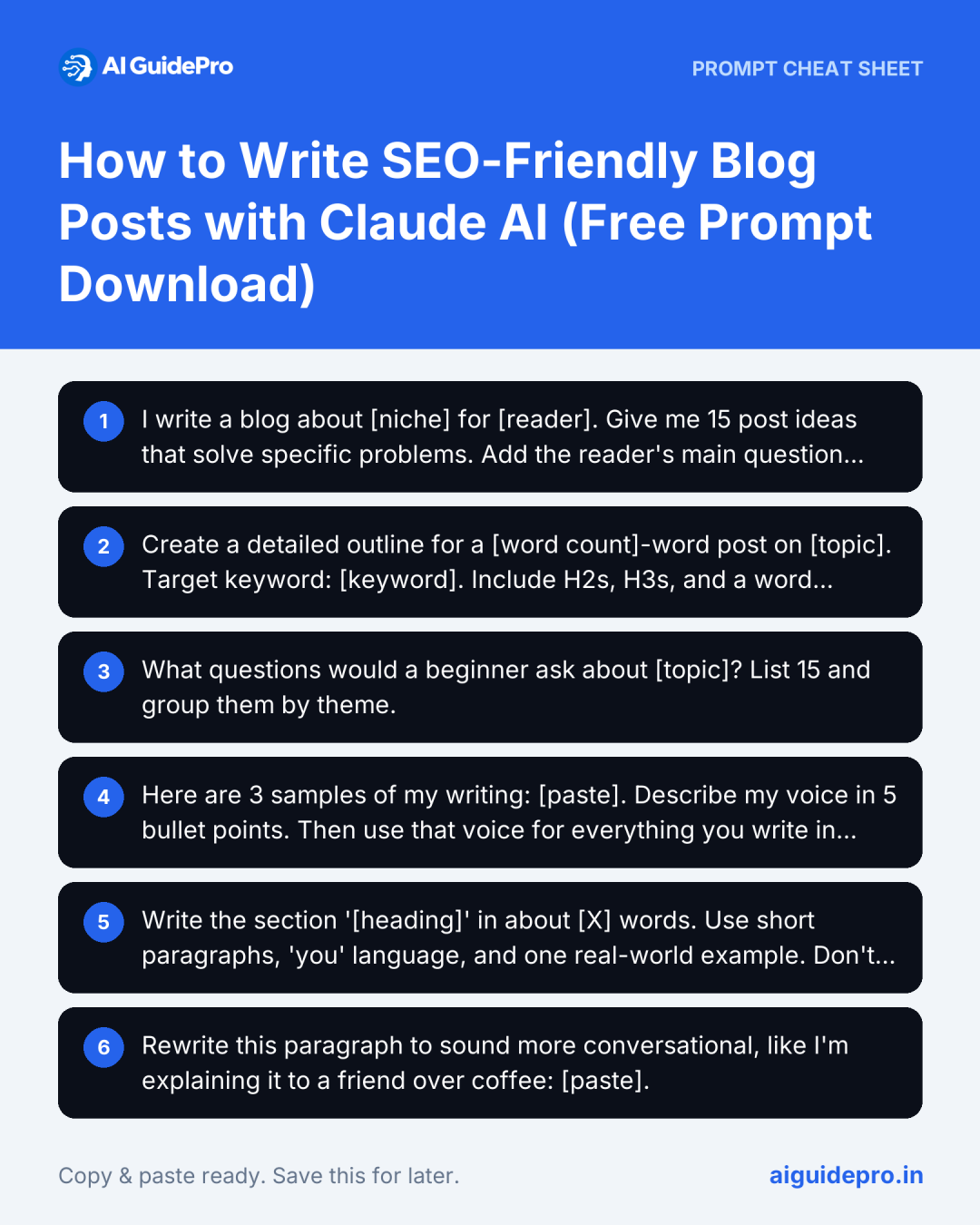
I write a blog about [niche] for [reader]. Give me 15 post ideas that solve specific problems. Add the reader’s main question for each.
Create a detailed outline for a [word count]-word post on [topic]. Target keyword: [keyword]. Include H2s, H3s, and a word count per section.
What questions would a beginner ask about [topic]? List 15 and group them by theme.
Prompts for Drafting
Here are 3 samples of my writing: [paste]. Describe my voice in 5 bullet points. Then use that voice for everything you write in this chat.
Write the section ‘[heading]’ in about [X] words. Use short paragraphs, ‘you’ language, and one real-world example. Don’t repeat earlier points.
Rewrite this paragraph to sound more conversational, like I’m explaining it to a friend over coffee: [paste].
Prompts for Editing
Act as a strict editor. Flag filler, repeated phrases, and robotic-sounding sentences. Suggest fixes, but don’t rewrite the whole post.
Check this post’s reading level. Simplify any sentence above an 8th-grade level.
Find every factual claim that needs a source and tell me which ones look shaky.
Prompts for SEO
Suggest 15 related keywords and questions for [main keyword], grouped by search intent.
Write 10 SEO titles under 60 characters and 3 meta descriptions of 150–160 characters for this post.
Here’s a list of my existing posts and URLs: [paste]. Suggest where to add internal links in this draft, with anchor text.
💡 Pro Tip: Save the prompts that work best for you in a doc or a Claude Project. Reusing them keeps your style consistent over time.
Tips to Make Your Blog Post Sound Human
AI can give you a clean draft. But clean isn’t the same as memorable, you know? People connect with people, not perfectly polished paragraphs. Here’s how I keep things feeling real. If you want to dig deeper, this piece on authentic AI writing is worth a read.
Share Your Own Examples and Stories
Claude has no clue that your first blog got 12 views in a whole month. But you do. Those little, specific stories are what make readers trust you.
Include your ideas. Claude’s great at organizing your thoughts, but your opinions are what make a post worth reading. Before you draft, write down three things you believe about the topic, especially ones that go against the usual advice. Then have Claude build the section around them.
Give Claude Writing Samples to Match
Saying “sound casual” is pretty vague. Showing Claude three of your posts? Super clear. It’s like handing over your actual recipe card instead of saying “make it taste good.”
Cut Filler and Repeated Phrases
AI drafts love saying the same thing twice in slightly different words. Find those spots and delete them. Same goes for lines like “In today’s fast-paced world” or “It’s important to note that.” They add words, not value.
Read It Out Loud Before Publishing
This one’s my favorite. Your ears catch what your eyes skim right past. If you trip over a sentence or it sounds like a textbook, rewrite it. Simple rule: if you wouldn’t say it to a friend, don’t publish it.
Useful Claude Features for Bloggers
Claude has a few built-in features that make blogging a lot smoother. These are the ones I lean on most.
Projects for Saving Context
Projects let you keep instructions and files in one spot. I’ve got a “Blog” project with my voice guide, sample posts, and favorite prompts. Every new chat in there already knows how I write, so I’m never starting from zero.
File Uploads for Research
Upload PDFs, Word docs, spreadsheets, even images. Claude reads them and pulls out what matters. It’s perfect for squeezing a 40-page report into five takeaways for your post.
Docs and Artifacts for Drafts
Instead of a long draft buried in the chat, Claude can make a separate document you can open, edit, and share. Way easier to review, and you can export it when you’re done.
Web Search for Fresh Facts
Turn on web search and Claude checks current sources and links to them. Use it for prices, new tools, recent stats, anything that changes a lot.
Common Mistakes to Avoid
Even with a great tool, a few bad habits can drag your post down. These are the ones I see all the time (and yep, I’ve made every single one).
Using Vague Prompts
“Write a blog about marketing” gets you something bland and forgettable. Be specific about who it’s for, what it should do, how long, what tone, what format. More context means better results.
Publishing Without Editing
A Claude draft is a great starting point, not the finished thing. Skipping the edit is like serving cake batter instead of cake. Always read it over, trim it down, and add your own voice.
Skipping the Fact-Check
One wrong stat can undo all the trust you’ve built. Check every number, quote, and claim. Can’t find a solid source? Take it out.
Asking for the Whole Post at Once
This is the big one. Ask for 3,000 words in one prompt, and things usually get weaker toward the end. Sections get thin, and ideas start repeating. Go section by section, like I showed you in Step 6.
⚠️ Warning: Don’t paste confidential client info or private data into any AI tool unless your plan and company rules say it’s okay.
Claude vs. Other AI Writing Tools
Claude’s not the only game in town. ChatGPT, Gemini, Jasper, and plenty of others all have fans. So how does it stack up?
| Strength | Claude | Many other tools |
| Natural, human-sounding tone | Strong | Varies, often more formal |
| Following detailed instructions | Strong | Good to strong |
| Handling long documents | Strong | Varies |
| Built-in image generation | No | Some offer it |
| Native SEO data (search volume) | No | Some paid tools offer it |
From my experience, Claude really shines at long-form writing, editing, and matching your voice. If you need built-in images or keyword numbers, you might pair it with another tool.
Really, the best pick depends on how you like to work. For a side-by-side look, check out my roundup of the best AI writing tools I tested this year.
Frequently Asked Questions
Can Claude write a full blog post for free?
Yep. The free plan can handle a full post, especially if you go section by section. If you’re writing really long posts or several a day, you might bump into limits. That’s when a paid plan helps.
Is content written by Claude good for SEO?
It can be, if you steer it well. Give Claude your keywords, a clear outline, and your own insights. Then edit and fact-check. Search engines care about helpful, original content, not which tool you used.
Will Google penalize AI-written blog posts?
Not just for using AI. Google’s guidance on AI content says it cares about quality, not how the content got made. That said, pumping out tons of low-value pages just to rank can break its spam rules. Just focus on actually being useful.
How do I make Claude write in my own style?
Share two or three of your best posts. Ask Claude to describe your voice, then write in it. Save those samples in a Project so every chat starts out sounding like you.
Can Claude find keywords for my blog?
It can brainstorm keywords, related questions, and what people are really searching for. It can’t show you actual search volumes, though. Use something like Google Trends or Search Console for the numbers.
How long of a blog post can Claude write?
Claude can draft several thousand words in one chat. But for the best quality, write long posts section by section and stitch them together.
Is it safe to publish Claude’s content as my own?
Generally, yes. Anthropic’s terms let you use what you create with Claude. Still, edit it, add your own experience, and fact-check it, because you’re the one responsible for what goes live. If you’re unsure about your specific situation, check the Anthropic terms or ask a legal pro.
Can Claude add images to a blog post?
Claude doesn’t create photos, but it can still help a lot. It can suggest where images should go, write alt text, make simple charts and diagrams, and write prompts for an AI image tool.
Final Thoughts
Learning how to write a blog post with Claude isn’t about handing your job over to AI. It’s about getting past that blank page faster, so you can put your energy where it counts: your ideas, your stories, and your readers.
So start small. Pick one topic this week and run through these 10 steps. I think you’ll be surprised how fast it starts to feel easy.
Your turn: Which part of writing a blog post trips you up the most? Tell me in the comments, and I’ll share a Claude prompt that helps.