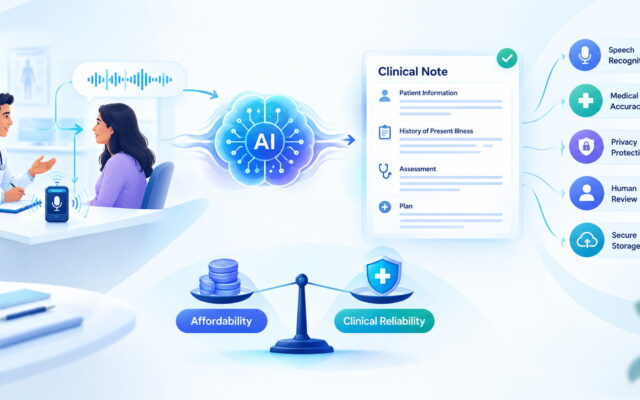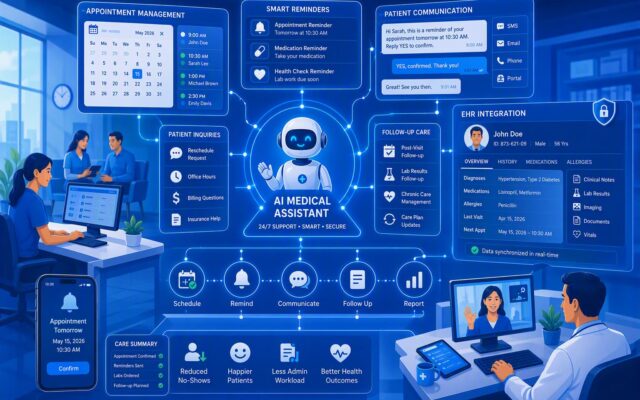
Most doctors didn’t go to medical school to type. Yet charting still eats hours every week, often long after the last patient leaves. An AI scribe listens to the visit and drafts the note for you, so the keyboard stops running your day.
I ran seven free AI scribes through the same set of realistic consultation notes. Below, you’ll see how each one handled accuracy, ease of use, privacy, and free-plan limits, plus a simple workflow for using any of them safely.
What Is an AI Medical Scribe?
An AI medical scribe is software that listens to a doctor-patient conversation and turns it into a structured clinical note. You tap record, talk to your patient as usual, and a draft note appears a minute or two after the visit ends.
Think of it as a quiet junior colleague sitting in the corner. It doesn’t diagnose or decide anything. It just writes down what was said and sorts it into the right boxes.
Most tools use one of a few common note formats:
- SOAP notes: Subjective, Objective, Assessment, Plan. This is the most popular format in outpatient care. If SOAP is your daily bread, these SOAP note tools are worth a look too.
- H&P (History and Physical): a longer format for new patients and admissions.
- Progress notes and consult letters: shorter formats for follow-ups and referrals.
Here’s the key difference from plain transcription. A transcription tool gives you a word-for-word script of everything said, including “um,” small talk, and the weather. You still have to read it and write the note yourself.
An AI scribe skips that step. It pulls out what matters clinically, drops the chatter, and writes a summary in medical language. If you only need raw text, standard AI transcription tools may be enough. If you want a finished draft note, you want a scribe.
How We Tested 7 Free AI Scribes
A fair test needs the same inputs for every tool. So I built one set of consultation scenarios and ran each scribe through all of them. I used the same “read it, try it, score it” approach I follow for other AI tools tested on this site.
Consultation Notes Used for Testing
I used three role-played, real-world-style consultations. No real patient data went into any tool.
- A short, routine visit: a 6-minute sore throat consult with a clear history and a simple plan.
- A complex visit with multiple symptoms: a 15-minute consult covering chest discomfort, fatigue, and poorly controlled diabetes, with several medications.
- A follow-up visit: a blood pressure review with lab results and a medication change.
What We Measured
Each note was checked against the original script on six points:
- Note accuracy: Did it record what was actually said, with no made-up facts?
- Completeness: Did it capture every symptom, medication, and plan item?
- Clinical terminology: Did it use correct medical terms and drug names?
- Structure and readability: Was the note well organized and easy to scan?
- Speed: How long from “stop recording” to a usable draft?
- Editing required: How many changes did I need before I’d sign it?
The last point matters most. A tool that saves five minutes of typing but adds five minutes of fixing saves you nothing.
What “Free” Means in This Comparison
“Free” is a slippery word in software. In this comparison, it falls into three buckets:
- Completely free: no paid tier exists for eligible users. Doximity Scribe is the main example.
- Free plans with usage limits: the tool is free forever, but caps how many visits or advanced features you get each month.
- Free trials: full access for a few days, then you pay. These are fine for testing but not for daily practice.
I’ve flagged which bucket each tool falls into, because a 7-day trial and a forever-free plan are very different deals.
7 Free AI Scribes for Doctors in 2026
Pricing and free-plan limits below were checked against vendor pages and recent reviews in September and October 2026. These plans change often, so confirm the current terms before you commit.
Tool #1: Doximity Scribe
Key features: Doximity Scribe works on the Doximity mobile app and website. It records up to 140 minutes per session and can produce an H&P, progress note, consult note, or a custom template you design.
Consultation note quality: The routine sore throat visit came out clean and ready to paste. The complex consult was well organized but still needed a careful read of the medication list.
Free-plan limits: It’s genuinely free for verified U.S. physicians, NPs, PAs, CRNAs, and medical students. There’s no direct EHR integration, so you copy and paste. Doctors outside the U.S. can’t use it.
Best use case: U.S. clinicians who want a free AI medical scribe with no monthly cap.
Tool #2: Heidi Health
Key features: Heidi Health supports over 110 languages, standard and custom templates, and an assistant called Ask Heidi that edits notes or drafts letters on request.
Consultation note quality: Notes were tidy and well sectioned. Standard templates handled all three scenarios without fuss.
Free-plan limits: The free plan includes unlimited transcription and note generation with standard templates. Advanced features, such as custom templates and Ask Heidi, are capped at 10 actions per month. The paid Clinician plan rose to about $150 per month in early 2026.
Best use case: Doctors outside the U.S., including India, who want a forever-free AI scribe with standard notes.
Tool #3: Freed
Key features: Freed is built around fast SOAP notes, specialty templates, and a learning system that adapts to your editing style. Higher tiers add EHR push and ICD-10 coding.
Consultation note quality: Freed produced readable, SOAP-first notes that felt close to how a busy GP writes.
Free-plan limits: Freed has no permanent free plan. You get a 7-day free trial with no credit card. After that, plans start at $39 per month for 40 notes. According to Freed’s help article, as summarized here, eligible trainees can get 12 months of the Core plan free.
Best use case: Doctors who want to test a polished paid scribe before buying, and eligible trainees.
Tool #4: Nabla
Key features: Nabla generates SOAP-style notes within seconds of a visit and offers deep EHR integrations for larger organizations.
Consultation note quality: Notes arrived almost instantly and covered the main points of each scenario.
Free-plan limits: This one is murky. Third-party reviews report a free tier of about 30 consultations per month, but Nabla doesn’t publish its pricing and moved toward demo-led sales in 2026. Reviews also report that the free tier doesn’t include a Business Associate Agreement (BAA), which makes it unsuitable for identifiable patient data in the U.S.
Best use case: Trying the workflow with role-played or de-identified visits.
Tool #5: Glass Health
Key features: Glass Health pairs an ambient scribe with clinical decision support. It can draft a differential diagnosis and an assessment and plan from the same encounter.
Consultation note quality: The structured assessment and plan stood out on the complex visit. Treat the reasoning suggestions as prompts to think, not answers.
Free-plan limits: The free Lite tier offers limited ambient scribing and limited decision support, with no credit card needed. Paid tiers run from $20 to $200 per month, and EHR integration sits on the top tier.
Best use case: Doctors and trainees who want documentation and a reasoning aid in one place.
Tool #6: DoraScribe
Key features: DoraScribe is browser-based and creates SOAP notes, referral letters, and other forms. It supports several languages, including Spanish, French, Portuguese, and Italian.
Consultation note quality: Default templates handled routine visits well. Custom templates need a paid plan, so complex specialty notes had less shaping.
Free-plan limits: The free plan includes 20 transcripts per month with default templates and email support. The Essential plan costs $39 per month for 150 transcripts.
Best use case: Low-volume doctors who want simple notes without installing anything.
Tool #7: Vero Scribe
Key features: Vero offers ambient notes, an evidence search with citations, ICD-10 coding, PDF form filling, and support for 60 languages. It lists HIPAA and Canadian PIPEDA compliance.
Consultation note quality: Notes were well structured, and the coding suggestions were a handy extra for the follow-up visit.
Free-plan limits: After a 7-day full trial, you keep a free plan of 10 encounters per month with all features included. Pro costs $89 per month, or $69 per month billed yearly.
Best use case: Part-time clinicians and anyone who wants every feature for a handful of visits.
Quick Comparison Table
Here’s how the seven stack up at a glance. “Editing required” reflects how much cleanup the complex consult needed.
| Tool | Free availability | Note format | Accuracy | Editing required | Privacy features | Platform |
|---|---|---|---|---|---|---|
| Doximity Scribe | Free, no cap (verified U.S. only) | H&P, progress, consult, custom | High | Low | HIPAA-compliant | iOS, Android, web |
| Heidi Health | Free forever; 10 advanced actions/month | SOAP + standard templates | High | Low to medium | HIPAA, GDPR | Web, mobile |
| Freed | 7-day trial only | SOAP + specialty templates | High | Low | HIPAA | Web, mobile |
| Nabla | Reported ~30 visits/month; unpublished | SOAP-style | High | Medium | Free tier reportedly lacks a BAA | Web, browser extension |
| Glass Health | Lite plan, limited use | Notes + A&P drafts | Medium to high | Medium | HIPAA | Web |
| DoraScribe | 20 transcripts/month | SOAP, letters | Medium | Medium | HIPAA (vendor-stated) | Web, iOS |
| Vero Scribe | 10 encounters/month after trial | SOAP + 200+ specialty templates | High | Low to medium | HIPAA, PIPEDA | Web, mobile |
How Accurate Are Free AI Scribes?
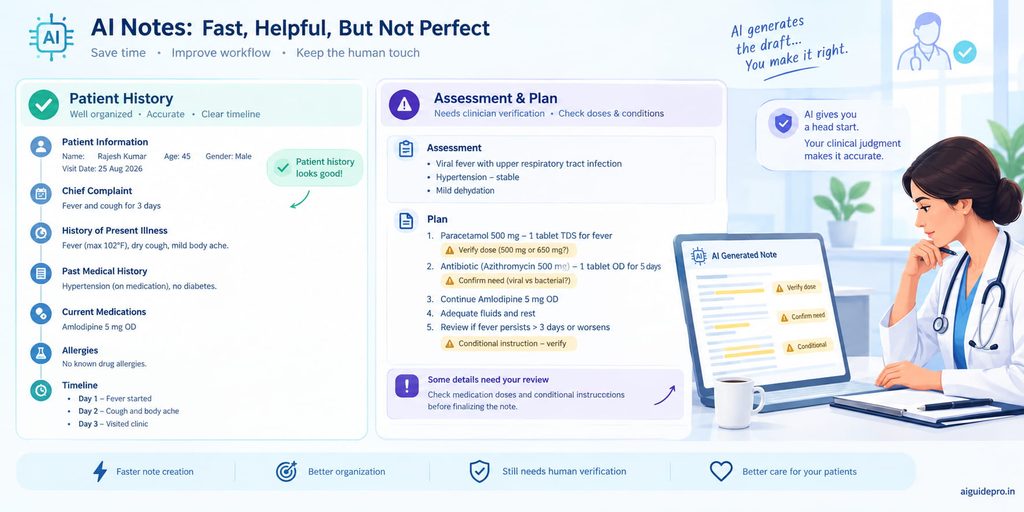
Short answer: good enough to save real time, not good enough to sign without reading. Accuracy also varied a lot by section of the note.
Accuracy in Patient History
History was the strongest section across all seven tools. Patients describe their story in plain words, and AI handles plain words well. Onset, duration, and triggers were usually correct. The weak spot was timing. “Two weeks ago” and “for two weeks” sometimes blurred together, which can change the clinical picture.
Accuracy in Symptoms and Findings
Symptoms the patient said out loud were captured well. Exam findings were trickier. If you examine quietly and don’t say “chest clear, no wheeze,” the scribe has nothing to record. A few tools also filled gaps with “normal” findings that were never spoken. That is the most dangerous kind of error, because it looks right.
Accuracy in Assessment and Plan
This section needed the most editing. Scribes captured the main diagnosis and new medications well. They struggled with the reasoning behind decisions and with conditional plans, like “If the cough persists past a week, come back for an X-ray.” Dosage changes in the follow-up visit needed checking every time.
Common Errors to Watch For
- Missing details: side comments, like “I stopped taking the statin last month,” often vanished.
- Incorrect medical terms: similar-sounding drugs, such as hydralazine and hydroxyzine, can swap places.
- Speaker confusion: when a family member spoke, their words were sometimes credited to the patient.
- Context errors: a symptom the patient denied occasionally appeared as present, or a past problem showed up as current.
AI Scribe Before and After: Real Consultation Note Example
Here’s a trimmed version of the follow-up scenario, so you can see exactly what goes in and what comes out. It’s a role-played visit with no real patient data.
Original Consultation Transcript
Doctor: How’s the blood pressure been at home?
Patient: Mostly around 150 over 95. The amlodipine makes my ankles swell a bit.
Doctor: Any headaches or chest pain?
Patient: No chest pain. A mild headache some mornings.
Doctor: Your kidney tests look fine. Let’s stop amlodipine and start losartan 50 mg once daily. Recheck bloods in two weeks.
AI-Generated Clinical Note
S: Follow-up for hypertension. Home BP readings around 150/95. Reports ankle swelling on amlodipine. Denies chest pain. Mild morning headaches.
O: Renal function within normal limits. BP 150/95.
A: Hypertension, uncontrolled. Ankle edema likely secondary to amlodipine.
P: Continue amlodipine. Start losartan 50 mg daily. Repeat labs in 2 weeks.
What Needed Correction
- Missing information: The note left out how long the headaches had been happening, and no clinic BP was measured in the script.
- Incorrect interpretation: The “O” section listed the patient’s home reading as if it were an exam finding. Worse, the plan said “continue amlodipine” when the doctor clearly said to stop it. One wrong word turns a safe plan into a double dose of blood pressure drugs.
- Formatting improvements: I added the reason for the switch (ankle edema) to the plan and split labs into a clear follow-up line.
The note looked polished. That’s exactly why it needed a careful read.
Benefits of Using a Free AI Scribe
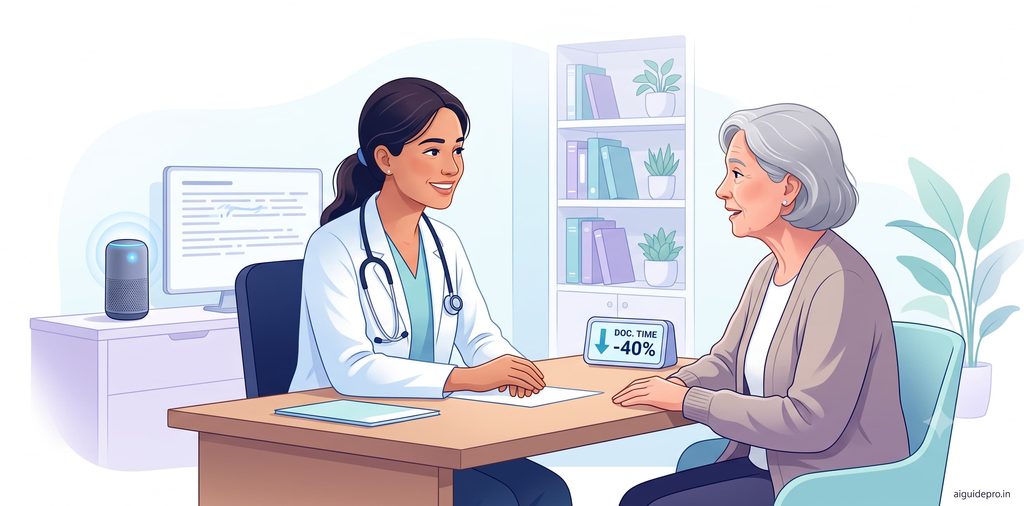
Even with the errors above, a free AI scribe pays off quickly once you build a review habit. It’s one of the most practical AI tools for doctors you can start using today.
Save Documentation Time
Reviewing a draft is faster than writing from a blank screen. On routine visits, my notes went from several minutes of typing to a one- or two-minute review. Across a full clinic day, those minutes add up to an hour or more you can take back.
Create More Consistent Notes
Tired doctors write shorter notes at 6 p.m. than at 9 a.m. An AI scribe doesn’t get tired. Every note follows the same structure, which helps colleagues, auditors, and your future self find information fast.
Reduce Repetitive Typing
History, medication lists, and standard advice repeat all day. Letting the scribe handle them saves your wrists and your patience. You keep your energy for the parts of the note that need real clinical thought.
Spend More Time With Patients
This is the big one. When you’re not typing, you can look at your patient. People notice eye contact. They share more, and they feel heard. Many doctors say this alone made an AI scribe worth trying.
Limitations and Risks of Free AI Scribes
A free AI scribe is a helpful tool, not a safety net. Here’s what can go wrong.
AI Can Make Documentation Errors
AI scribes can drop details, mishear drug names, and occasionally invent findings that were never said. These errors are hard to spot because the note reads smoothly. A messy note makes you suspicious. A polished one makes you relax, and that’s when mistakes slip into the record.
Privacy and Patient Data
Every recording holds sensitive health information. Before you use any tool with real patients, find out where audio is stored, how long it’s kept, and whether it trains the AI. In the U.S., you need a signed Business Associate Agreement for HIPAA. In India, the Digital Personal Data Protection Act sets rules for consent and data handling. Some free tiers don’t offer the same protections as paid ones.
Free-Plan Restrictions
Free plans are built to get you started, not to run a full clinic. Expect monthly caps on visits, locked custom templates, no EHR integration, and slower support. If you see 30 patients a day, a 10-visit plan will run out by lunchtime.
Why Doctors Must Review AI Notes
Your signature makes the note yours, legally and clinically. The AI doesn’t carry that responsibility, and the vendor’s terms usually say so. A wrong dose or a missed allergy in your note is still your error. Reviewing every note is the price of the time you save, and it’s a fair trade.
How to Use an AI Scribe Safely
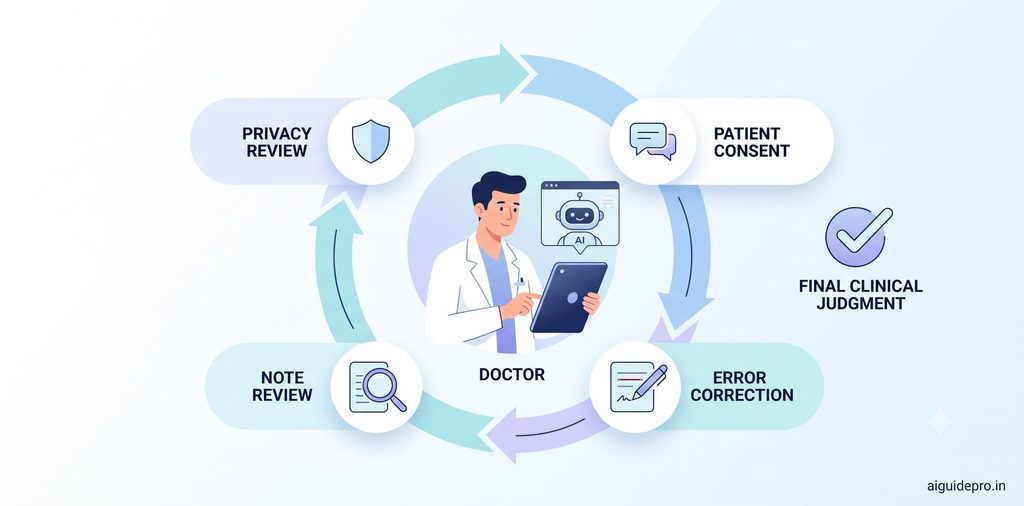
Safe use comes down to five habits. Build them once, and they’ll protect you with every tool on this list.
Check Privacy and Data Policies
Read the privacy policy before your first real patient. Look for four things: where data is stored, how long recordings are kept, whether your data trains the model, and whether a BAA or local equivalent is available on the free plan.
Get Appropriate Patient Consent
Tell patients you’re using an AI tool to help with notes, and ask if that’s okay. Most people say yes when you explain it simply. Record their consent in the chart, and respect a “no” without fuss.
Review Every Generated Note
Read each note before you sign it, ideally right after the visit while it’s fresh. Pay extra attention to drug names, doses, allergies, negatives (“denies chest pain”), and the plan. Don’t skim the parts that “usually” come out right. That’s where surprises hide.
Remove or Correct Errors
Fix mistakes inside the tool before copying the note into your EHR. Delete anything that wasn’t said, including “normal” findings you never examined. If a section is badly wrong, rewrite it yourself.
Never Treat AI Output as Clinical Judgment
Some tools suggest diagnoses or plans. Treat these like a colleague’s passing comment: worth hearing, never automatically right. The AI didn’t examine the patient. You did. Your clinical judgment always has the final word.
How to Choose the Right Free AI Scribe
There’s no single “best” free AI scribe. The right one depends on where you practice, how many patients you see, and what kind of notes you write. Start with these questions: Am I eligible? How many visits a month will I record? Do I need templates or just standard notes? Then match your answers below.
For Solo Doctors
In the U.S., Doximity Scribe is the easy pick because it has no monthly cap. Outside the U.S., Heidi Health’s free plan gives you unlimited standard notes, which covers most solo outpatient work.
For Small Clinics
Free plans rarely include team features. Have each doctor test Heidi or Vero individually, compare notes for a week, then decide whether a paid group plan is worth it.
For Students and Medical Trainees
Glass Health’s free Lite plan adds reasoning practice alongside notes. Doximity covers U.S. medical students, and Freed offers eligible trainees a year of free Core access. Practice only with role-played or de-identified cases.
For Doctors Who Need SOAP Notes
Freed, Heidi, and DoraScribe all produce SOAP notes by default. Heidi’s free plan is the most generous for daily SOAP use, while Freed’s trial shows you what a polished paid option looks like.
For Doctors Prioritizing Privacy
Pick tools that publish clear compliance details, like Doximity (HIPAA) or Vero (HIPAA and PIPEDA). Avoid using free tiers without a BAA or equivalent agreement for identifiable patient data.
How to Get Better Results From an AI Scribe
An AI scribe is like a new resident: the clearer your instructions, the better the work. A few small habits made a big difference in my tests.
Speak Clearly During Consultations
You don’t need a radio voice, but face the microphone and avoid mumbling drug names. Say doses in full, like “fifty milligrams once daily.” Keep the phone close and away from fans or busy corridors.
Keep Speakers Distinct
Avoid talking over your patient. When a relative joins, name them out loud: “Your daughter says the cough is worse at night.” That one sentence stops the scribe from mixing up who said what.
Use a Consistent Consultation Flow
Follow the same rough order each time: history, exam, assessment, plan. When your visit has a predictable shape, the AI sorts information into the right sections much more reliably.
Review the Note Immediately
Check the draft before you call the next patient. Your memory of the visit is sharpest right then, so errors jump out. Waiting until evening turns a two-minute check into a guessing game.
Use Templates When Available
If your plan allows templates, set one up for your most common visit type. A good template acts like a form with labeled boxes, guiding the AI to put each detail in the right place.
Free AI Scribes vs Traditional Medical Transcription
Traditional transcription means a human, or basic software, turns your dictation into text. AI scribes listen to the whole visit and write the note for you. They’re also different from general AI writing assistants, which can polish text but aren’t built to understand clinical conversations.
| Factor | Free AI scribe | Traditional transcription |
|---|---|---|
| Speed | Draft in seconds to a few minutes | Hours to a day for human services |
| Cost | $0 within plan limits | Paid per line, minute, or hour |
| Editing | You review and fix the AI’s errors | Usually cleaner, but still needs review |
| Note structure | Ready-made SOAP or template format | Word-for-word text you organize yourself |
| Human oversight | Only yours | A trained transcriptionist checks the text |
| Privacy | Varies a lot, especially on free tiers | Usually covered by a formal contract |
The bottom line: AI scribes win on speed and cost. Human transcription still offers an extra pair of trained eyes.
Frequently Asked Questions
Are free AI medical scribes safe for doctors?
They can be, if you choose a tool with clear privacy terms, get patient consent, and review every note. The risk comes from trusting drafts blindly, not from the tool itself.
What is the best free AI scribe for doctors in 2026?
For verified U.S. clinicians, Doximity Scribe is the strongest free pick because it has no monthly cap. Outside the U.S., Heidi Health’s free plan offers the most everyday value.
Can AI scribes create SOAP notes automatically?
Yes. Every tool on this list can produce SOAP-style notes, and most use SOAP as the default format.
Can doctors use free AI scribes with real patient conversations?
Only if the tool meets your local privacy rules on its free plan. In the U.S., that means a signed BAA. If you’re unsure, test with role-played visits first.
Do AI scribes store patient conversations?
It depends on the tool. Some delete audio after creating the note, while others keep it for a set period. Check the data retention policy before you start.
Do patients need to consent before using an AI scribe?
In most places, yes, and it’s good practice everywhere. A short spoken explanation and a note in the chart are usually enough.
Can AI scribes replace medical transcriptionists?
For many routine visits, they already do. But human review is still essential, whether that’s you or a trained transcriptionist.
How accurate are AI-generated medical notes?
They’re usually strong on history and weaker on exam findings and plans. Expect to fix something in most complex visits.
Can AI scribes work with telehealth consultations?
Yes. Most tools can capture audio from video visits, and Doximity Scribe works inside its own telehealth calls.
What should doctors check before signing an AI-generated note?
Check drug names and doses, allergies, denied symptoms, exam findings you actually performed, and every line of the plan.
Sources
Pricing and plan details checked September to October 2026. Confirm current terms with each vendor.
- Doximity Scribe overview and Doximity support: How to Use Scribe
- Heidi Health pricing plans and Heidi 2026 review (Mentalyc)
- Freed AI review 2026 (Commure) and Freed pricing and trainee offer (Vero)
- Nabla free tier and BAA notes (BastionGPT) and Best AI scribes 2026 (PatientNotes)
- Glass Health plans and Glass Health review (Plaud)
- DoraScribe pricing
- Vero homepage and Vero scribe pricing