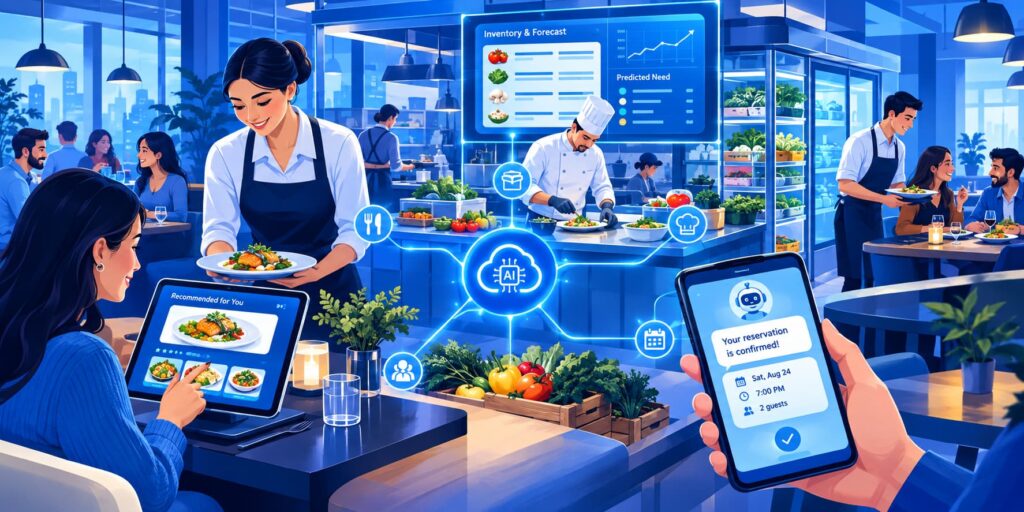
Restaurant margins are thin, and most of the money leaks out in the same places: food that gets thrown away, shifts that are over- or under-staffed, empty tables and missed phone calls. This guide covers the AI tools that target those leaks, with what each costs and where it falls short.
It’s about running the restaurant. For the writing side (menus, social posts and review replies), see AI for Restaurant Menus, Social Posts and Emails: A Week of Examples.
Prices were checked on each tool’s website in October 2026. Several tools are US-focused, which is noted where it matters.
The 8 Tools at a Glance
| Tool | What it fixes | Price | Small restaurant? |
|---|---|---|---|
| Toast | POS, with AI upsells and a manager assistant | $0 Starter Kit or $69/month, plus card fees | Yes (US) |
| MarketMan | Inventory and ordering | From $249/month | Yes, once waste is a real cost |
| 7shifts | Staff scheduling | Free for one location; paid per location | Yes |
| OpenTable | Reservations and guest notes | Monthly plan plus fees on some bookings | Yes |
| SevenRooms | Reservations, guest CRM, AI phone answering | On request | Larger or multi-site |
| Slang AI | Answering the phone | On request | Yes, if calls are missed |
| Winnow | Measuring food waste with AI | On request | No; built for large kitchens |
| ChatGPT | Making sense of your own numbers | Free; paid plans | Yes |
Cut Food Waste and Order Smarter
Most kitchens order by habit: “we sold a lot of basil last Tuesday, so order extra.” AI inventory tools replace that guess with your actual sales, recipes and invoices, so you can see what you use, what you waste and what you should order this week.
MarketMan: Inventory and Purchasing
MarketMan tracks stock, recipes and supplier orders in one place. You scan invoices instead of typing them, and it calculates what each dish actually costs you as ingredient prices change.
- Where the AI comes in: AI-powered invoice scanning on every plan. The Growth plan adds Smart Ordering, AI suggestions on what to order each week, and AI-assisted recipe costing.
- Price: Starter $249/month, Growth $299/month, Enterprise from $449/month. No free trial listed; you book a demo. Confirm whether prices are per location.
- Best for: independent restaurants whose food cost is drifting and who want ordering based on data.
- Watch out for: it only works if invoices and counts are entered consistently. Plan for a few weeks of setup before the suggestions are useful.
Winnow: Measure What Goes in the Bin
Winnow sits on top of your kitchen bin. Each time food is thrown away, it is weighed, timestamped and photographed, and AI identifies what it was. You see exactly which dishes and prep steps create waste.
- Where the AI comes in: Image recognition logs disposals automatically, and Winnow Foresight forecasts how much to produce for each service.
- Price: Not published; contact sales.
- Best for: hotels, large kitchens, universities and high-volume operations.
- Watch out for: it’s a hardware system with coaching, sized for big kitchens rather than a 30-seat café. Winnow’s own case studies (such as Hilton Tokyo Bay reporting 30% less waste in four weeks) are vendor-reported.
Schedule Staff Around Real Demand
Labour is usually your biggest cost after food. Scheduling tools use your sales history to predict busy periods, so you’re not paying four servers on a quiet Monday or running two short on a Friday.
7shifts: Scheduling Built for Restaurants
7shifts builds the rota, handles shift swaps and time-off requests in an app staff actually use, and shows labour cost against forecast sales while you schedule.
- Where the AI comes in: Sales forecasting and auto-scheduling, which builds a draft schedule from predicted demand. Check which plan includes auto-scheduling, as it’s on the higher tiers.
- Price: Free plan for one location; paid plans are priced per location per month.
- Best for: any restaurant still scheduling on paper, WhatsApp or spreadsheets.
- Watch out for: the free plan has a staff limit, and forecasts are only as good as the sales history it can read from your POS.
Toast: A POS With AI Built In
Toast is a restaurant POS (US-focused) that also runs online ordering, payroll and marketing. Because every order goes through it, its AI features work from your real sales data.
- Where the AI comes in: ToastIQ suggests add-ons to staff while they take orders, gives managers a shift summary, drafts marketing campaigns and includes a chat assistant that answers questions like “what sold best last weekend?”.
- Price: Starter Kit from $0/month for eligible restaurants, or $69/month for the standard plan. Hardware and card-processing fees are extra, and processing is usually the biggest cost.
- Best for: US restaurants choosing or replacing a POS.
- Watch out for: the “free” plan still costs you in hardware and processing fees. Compare the total cost, not the monthly fee.
Fill Tables and Never Miss a Call
An unanswered phone during service is a lost booking. Reservation systems with AI answer calls and keep guest notes, so regulars are recognised the way they should be: from their own booking history.
OpenTable: Reservations and Guest Notes
OpenTable manages bookings, waitlists and table layout, and puts you in front of diners searching its network. Guest notes record allergies, preferences and special occasions from previous visits.
- Where the AI comes in: Its tools help with table assignment and guest insights from booking history.
- Price: Monthly plans, plus fees for some bookings that come through the OpenTable network. Check the pricing page for your country.
- Best for: restaurants that want more bookings from people searching online.
- Watch out for: network booking fees add up on busy nights, so track how many covers come from OpenTable versus your own website.
SevenRooms: Reservations and Guest Marketing
SevenRooms combines reservations with a guest CRM and marketing, so you own your guest list and can email or text past diners directly.
- Where the AI comes in: A Voice AI add-on answers every guest call and books reservations.
- Price: Not published; plans are quoted. Email marketing, text marketing and Voice AI are add-ons.
- Best for: busier or multi-site restaurants that want to market to their own guest list.
- Watch out for: it’s more than a small café needs, and the add-ons are priced separately.
Slang AI: An AI Host for the Phone
Slang AI answers your restaurant’s phone, takes and changes reservations, suggests other times or sister locations when you’re full, and alerts staff to private-event enquiries. It connects to OpenTable, Resy, SevenRooms and Tripleseat.
- Where the AI comes in: It answers from the information you approve, rather than making things up.
- Price: Not published; book a demo.
- Best for: restaurants that miss calls during service.
- Watch out for: decide carefully what it’s allowed to answer. Allergy questions should go to a person (see below).
Use the Data You Already Have
ChatGPT: Your Back-Office Analyst
Your POS already knows what sells, when and to whom. Export a report and ChatGPT can turn it into decisions: what to prep, which dishes to cut, how many staff you need on Saturday.
- Where the AI comes in: It reads spreadsheets and explains patterns in plain language.
- Price: Free plan; paid plans have higher limits and better file analysis.
- Best for: owners who have the data but no time to analyse it.
- Watch out for: remove customer names, emails and card details before you upload anything, and check its maths on anything you’ll act on.
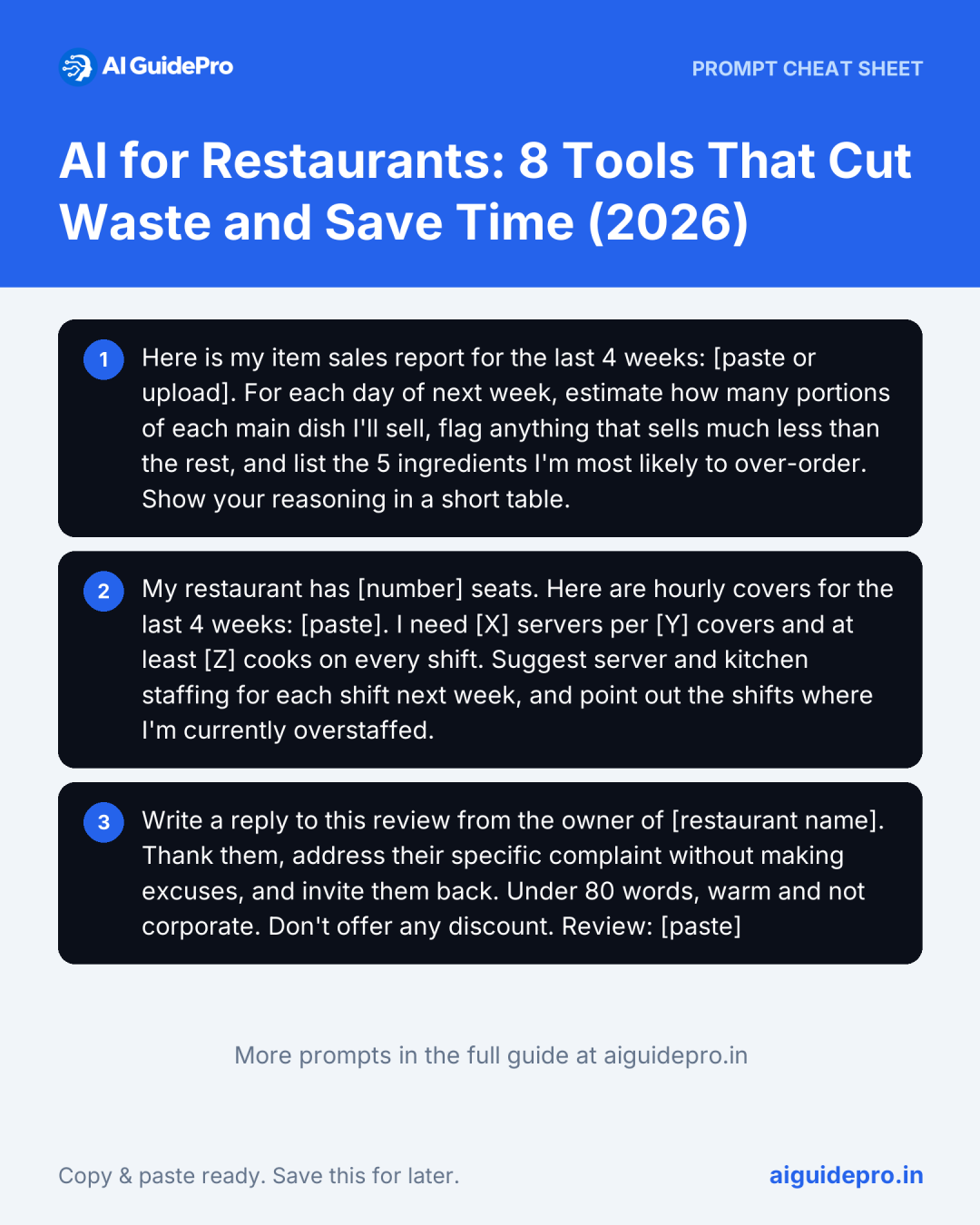
Three prompts to start with:
Plan next week’s prep
Here is my item sales report for the last 4 weeks: [paste or upload]. For each day of next week, estimate how many portions of each main dish I'll sell, flag anything that sells much less than the rest, and list the 5 ingredients I'm most likely to over-order. Show your reasoning in a short table.Draft a staff schedule
My restaurant has [number] seats. Here are hourly covers for the last 4 weeks: [paste]. I need [X] servers per [Y] covers and at least [Z] cooks on every shift. Suggest server and kitchen staffing for each shift next week, and point out the shifts where I'm currently overstaffed.Reply to a review
Write a reply to this review from the owner of [restaurant name]. Thank them, address their specific complaint without making excuses, and invite them back. Under 80 words, warm and not corporate. Don't offer any discount. Review: [paste]For menu descriptions and social posts, the free Social Media Prompt Generator and Product Description Prompt Generator build the prompts for you; the restaurant writing walkthrough shows them in a real week.
Two Lines You Shouldn’t Let AI Cross
Allergy and ingredient questions
A chatbot or AI phone host that answers “is this gluten-free?” or “does the pesto contain nuts?” wrongly can put someone in hospital. Set your tools to pass allergy and ingredient questions to a member of staff, or answer only from an allergen list your kitchen has signed off. Never let AI guess, and update the list every time a recipe or supplier changes.
Facial recognition
Some vendors pitch cameras that recognise regulars as they walk in. Scanning customers’ faces is biometric data processing, and it’s heavily regulated: US state laws such as Illinois’ BIPA require written consent, the GDPR in Europe treats it as special-category data, and India’s DPDP Act requires clear consent for personal data. For a restaurant, the legal risk far outweighs the benefit. Recognise regulars the old way, through their booking history and your staff.
First 3 Steps for a Small Restaurant
- Find your biggest leak. Look at last month’s food cost, labour cost and missed calls. Fix the most expensive one first, not the most exciting.
- Start with what you already pay for. If your POS has AI features, such as Toast’s ToastIQ, or your booking system has guest notes, switch those on before buying anything new. Then try the free options: 7shifts’ free plan and ChatGPT on your sales export.
- Run it for 30 days and measure. Write down this month’s food cost percentage, labour percentage and covers. Compare after 30 days. If nothing moved, change the tool or the process, not the goal.
You’re running a restaurant, not a tech company. One tool that fixes a real problem beats five that sit unused. The Restaurants & Hospitality Starter Kit collects our free tools for restaurant owners in one place.