

What Are AI Customer Service Agents?
Think of an AI customer service agent as a digital teammate rather than a simple chatbot. The difference matters a lot.
Older chatbots mostly followed scripts. If someone asked an unexpected question, they often got stuck. Modern customer service AI tools in 2026 are fundamentally different. They understand conversations, search knowledge bases, complete real tasks, and know when to hand conversations to humans.
Imagine a helpful receptionist who never sleeps, remembers previous conversations, speaks multiple languages, and can instantly find company information. That’s what modern AI in customer service looks like.
What today’s AI agents actually do:
- Answer common customer questions instantly (FAQs, policies, troubleshooting)
- Process refunds and returns autonomously
- Track orders and shipments in real-time
- Book appointments and manage calendars
- Route complex issues to the right human team member
- Draft email responses for customer service reps
- Work across chat, email, voice, and social media platforms
- Learn from each conversation to improve accuracy
The biggest shift from 2025 to 2026 isn’t replacing people. It’s giving human teams better tools so they can focus on creativity, empathy, and complex problem-solving while AI handles routine work behind the scenes.
Why Businesses Use AI Agents in 2026
Businesses aren’t adopting AI customer service simply because it’s trendy. They’re doing it because customers expect faster service while support teams need smarter ways to handle growing workloads.
1. Save Time and Cut Costs
AI handles repetitive questions automatically, allowing support teams to focus on problems that actually require human judgment. Companies report 40-60% reduction in support ticket volume within 90 days of implementation.
2. Work 24/7 Without Burnout
Customers shop and ask questions around the clock. AI agents don’t need breaks, weekends, or holidays. This is especially critical for SaaS companies and e-commerce businesses with global audiences.
3. Fewer Mistakes, More Predictability
When trained properly, AI gives consistent answers based on approved company information instead of relying on inconsistent human memory. Customers receive standardized information every time.
4. Scale Easily Without Hiring
Holiday sales or product launches can multiply support requests overnight. AI can manage thousands of conversations simultaneously without hiring seasonal staff.
5. Better Decisions Using Real-Time Data
Many AI platforms analyze conversations to identify common complaints, popular products, and customer trends. This data drives product improvements.
6. Faster Response Times = Higher Satisfaction
Studies show customers are willing to pay more for faster support. AI agents deliver answers in seconds, not hours.
Key Features to Look for in an AI Agent
Choosing AI for customer service isn’t about buying the tool with the longest feature list. It’s about finding one that actually solves your specific problems.
1. Can It Actually Do Things (Not Just Talk)
The best AI agents don’t just answer questions they can update orders, create support tickets, issue refunds, and trigger workflows in your existing systems. This separates real AI agents from simple chatbots.
What to look for: Integration with your CRM, order management system, and billing software. The agent should be able to take action, not just provide information.
2. Understands Goals and Plans Steps
Modern AI agents break larger requests into smaller actions. Instead of saying “I can’t help,” they work through the problem step-by-step. This requires true reasoning, not just pattern matching.
3. Remembers Context (Conversation Memory)
Nobody likes repeating information. Good AI remembers previous messages during conversations and maintains context across multiple interactions with the same customer.
4. Safe and Controlled (Guardrails)
Look for permission controls, approval steps, and secure handling of customer information. The AI should never share sensitive data or approve high-value transactions without human review.
5. Easy to Connect and Deploy
Strong integrations with platforms like Shopify, Salesforce, Zendesk, Slack, HubSpot, and Microsoft Teams save countless hours. Setup time matters you need to be live in weeks, not months.
6. You Can See How It Works (Observability)
Analytics help you understand:
- Resolution rates – What percentage of conversations were solved without escalation?
- Customer satisfaction – Are customers happy with AI responses?
- Escalation frequency – When does it correctly hand off to humans?
- Common questions – What topics do customers ask about most?
- Response quality – Is the AI providing accurate information?
7. Reliable and Predictable
Consistency matters more than flashy marketing. A dependable AI that solves 60% of issues reliably beats a “smart” AI that makes mistakes. Uptime guarantees matter.
8. Cost and Vendor Fit
Choose software that fits your team size, budget, and future plans. Don’t pay for enterprise features if you’re a startup. Don’t choose a budget tool if you need enterprise compliance.
Top 10 AI Agents for Customer Service: In-Depth Reviews
1. Fin: Best Overall AI Customer Service Agent
Website: fin.ai
Best For: SaaS companies, growing businesses, high-volume support teams
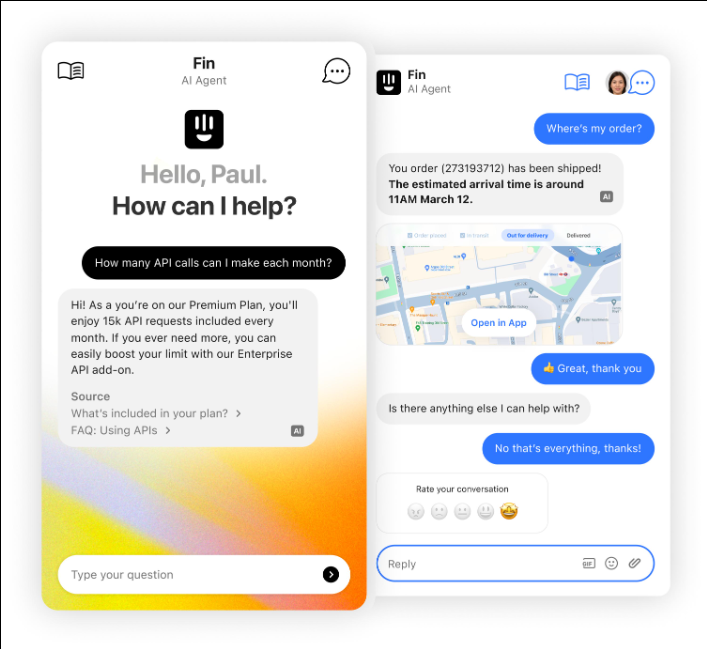
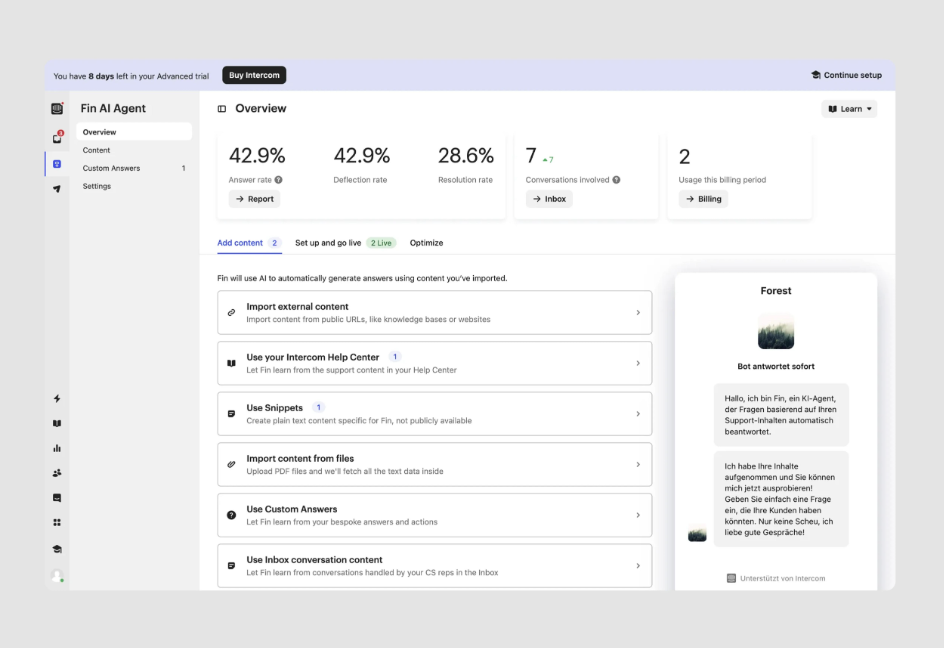
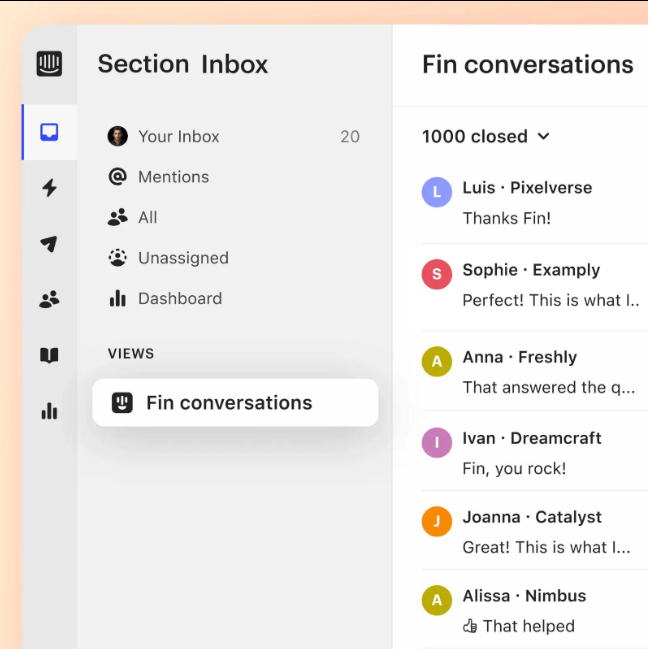
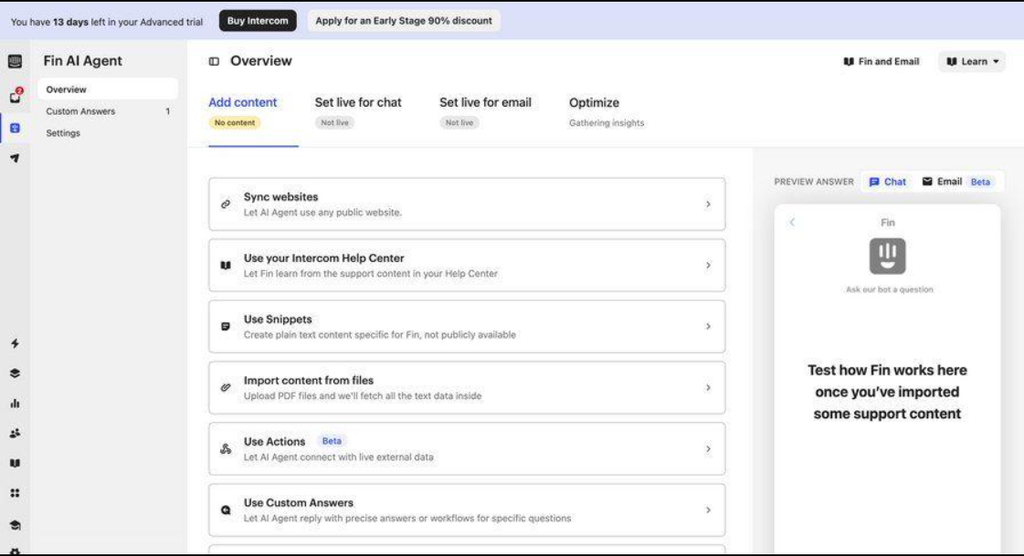
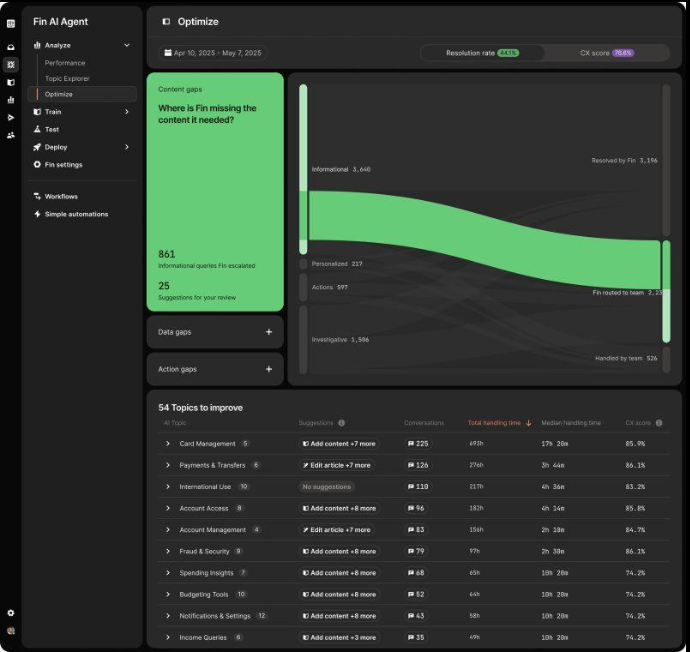
Intercom’s Fin has emerged as one of the strongest AI agents available because it combines conversational AI with real business actions. It doesn’t just chat it solves problems.
Key Features:
- Human-like conversations trained on quality support interactions
- Knowledge base integration (connects to your help articles)
- Automatic ticket creation for complex issues
- Smart handoffs to human agents with full context
- Multi-language support (50+ languages)
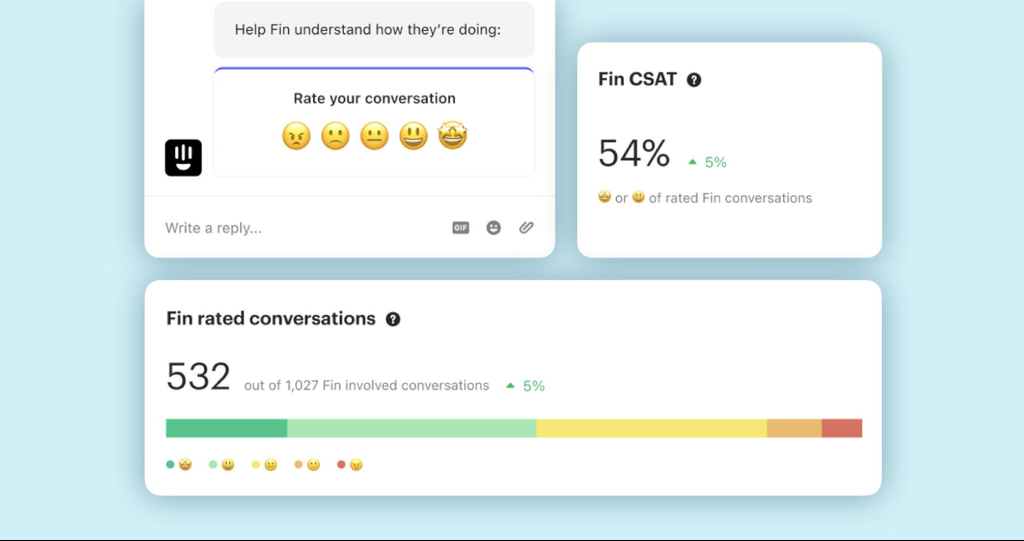
- Real-time conversation analytics
Pricing Tiers:
- Starter: $0 (limited features)
- Pro: $199-$399/month (best for growing teams)
- Enterprise: Custom pricing (5,000+ conversations/month)
Integrations: Shopify, HubSpot, Salesforce, Zendesk, custom APIs
Pros:
- Excellent accuracy in understanding customer intent
- Fast setup (live in 2-3 weeks)
- Strong analytics dashboard showing ROI
- Seamless integration with Intercom’s existing features
- Great at handling product-specific questions
Cons:
- Premium pricing compared to no-code alternatives
- Works best within Intercom’s ecosystem
- May require knowledge base optimization before deployment
Customer Pain Points It Solves:
- Long wait times (Fin provides instant answers)
- Inconsistent support quality (AI is always on-brand)
- Ticket overload (60% reduction in support tickets)
Real-World ROI: Companies using Fin report 45% faster resolution time and 30% reduction in support costs within 90 days.
2. Sierra: Best Premium Customer Experience AI
Website: sierra.ai
Best For: Consumer brands, retail companies, premium customer experiences
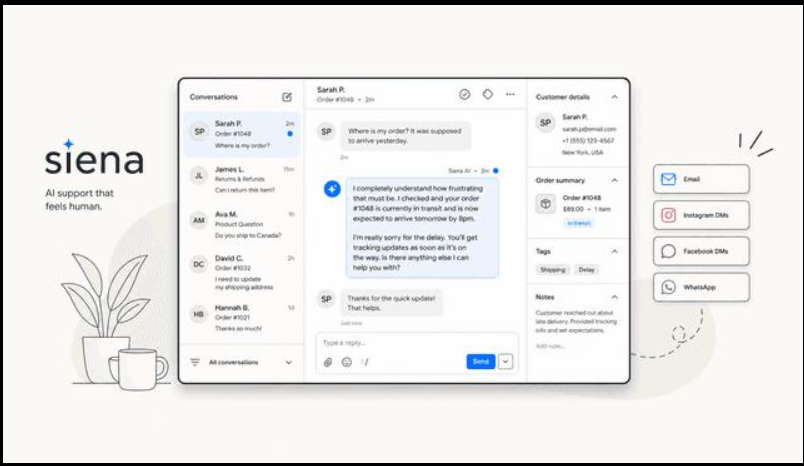
Sierra focuses on making AI conversations feel surprisingly natural. Instead of sounding robotic, it creates personalized customer experiences while handling real business tasks.
Key Features:
- Personalized conversations using customer data
- Task completion (orders, returns, upgrades)
- CRM integration (Salesforce, HubSpot, Klaviyo)
- Brand customization (matches your voice)
- Advanced NLU (natural language understanding)
- Proactive engagement capabilities
Pricing Tiers:
- Growth: $5,000-$10,000/month (startups)
- Scale: $15,000-$25,000/month (growth companies)
- Enterprise: Custom pricing (40,000+ conversations/month)
Integrations: Salesforce, HubSpot, Klaviyo, Stripe, custom APIs
Pros:
- Remarkably natural conversations
- Beautiful, customizable customer interface
- Strong brand alignment
- Excellent for reducing customer churn
Cons:
- Enterprise-focused pricing (not for small teams)
- Longer implementation timeline (4-6 weeks)
- Less suitable for high-volume, simple FAQs
Customer Pain Points It Solves:
- Generic chatbot experiences feel impersonal
- Customers leaving due to poor support
- Brand voice inconsistency
Real-World ROI: Premium brands using Sierra report 25% increase in customer lifetime value and 20% improvement in NPS.
3. Decagon: Best for High-Volume Support
Website: decagon.ai
Best For: Large support teams, fast-growing startups, online businesses
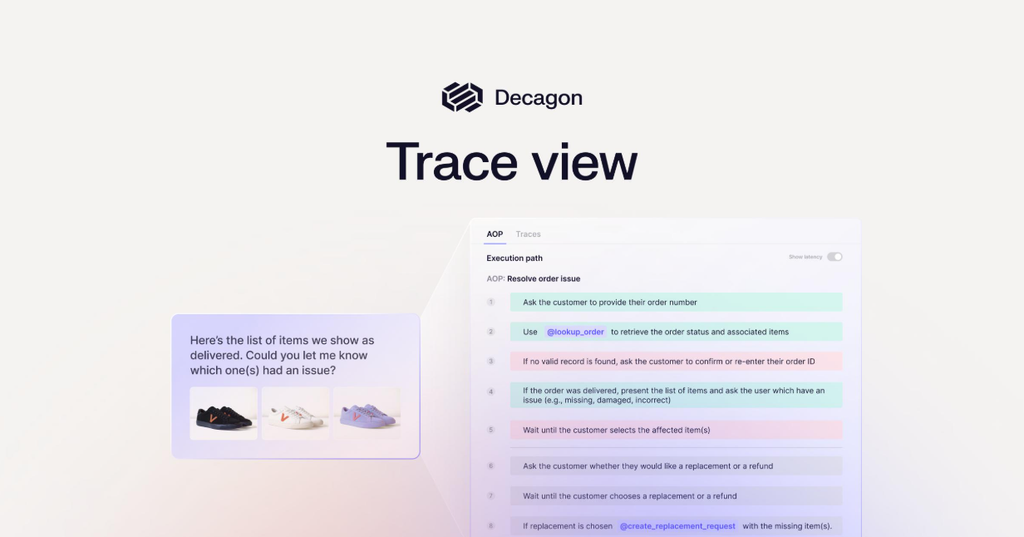
Decagon shines when companies receive thousands of support requests daily. It automates repetitive work while escalating difficult situations intelligently.
Key Features:
- Email automation (auto-reply, issue categorization)
- Chat automation (instant responses)
- Workflow execution (multi-step processes)
- CRM integration (Salesforce, HubSpot)
- Bulk conversation handling
- Smart escalation rules
Pricing Tiers:
- Starter: $2,000/month (1,000-5,000 conversations/month)
- Professional: $5,000/month (5,000-20,000 conversations/month)
- Enterprise: $15,000+/month (20,000+ conversations/month)
Integrations: Zendesk, Freshdesk, Salesforce, Slack, HubSpot
Pros:
- Handles massive volume efficiently (tested with 50,000+ conversations/month)
- Excellent automation capabilities
- Strong workflow builder
- Good analytics for volume metrics
Cons:
- Requires proper setup to maximize effectiveness
- Better suited for larger teams (minimum 10+ support staff)
- Steeper learning curve than no-code platforms
Customer Pain Points It Solves:
- Support team drowning in emails
- Response times measured in hours/days
- Repetitive manual work
Real-World ROI: Companies report 70% reduction in manual work and 50% faster resolution times.
4. Ada: Best No-Code AI Support Platform
Website: ada.cx
Best For: Small businesses, mid-sized companies, non-technical teams
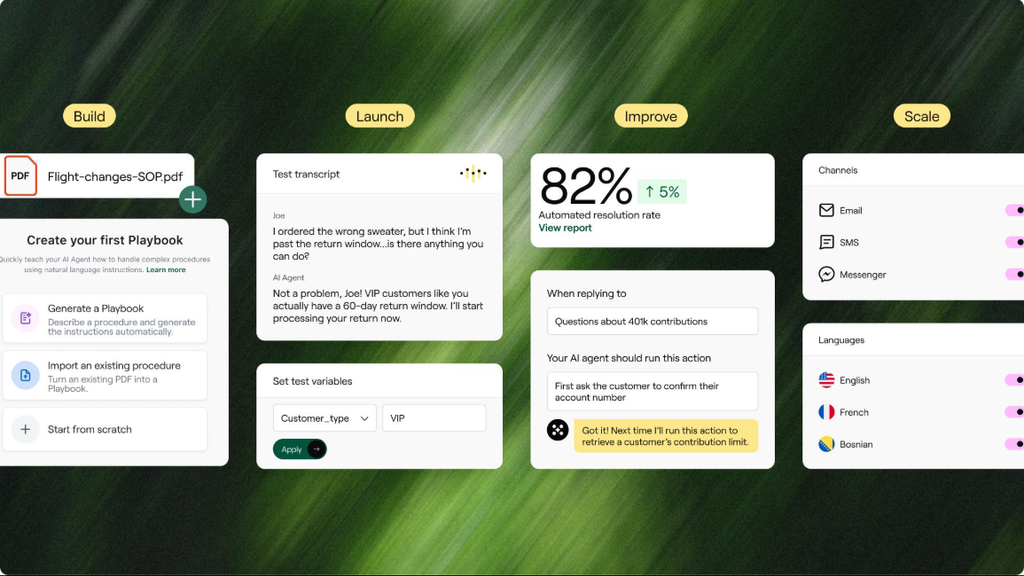
Ada makes AI in customer service approachable for teams without technical expertise. Its visual workflow builder makes automation much easier.
Key Features:
- No-code builder (drag-and-drop workflows)
- Multi-channel support (web, mobile, Messenger, WhatsApp)
- Live chat fallback
- Built-in analytics
- Template library (pre-built conversations)
- Mobile app for customer interactions
Pricing Tiers:
- Starter: $99-$299/month (small businesses)
- Growth: $599-$999/month (growing teams)
- Enterprise: Custom pricing (unlimited conversations)
Integrations: Slack, Zendesk, Salesforce, HubSpot, custom APIs
Pros:
- Easiest setup (live in 1 week)
- Beginner-friendly interface
- Affordable for small teams
- Good template library to start quickly
- Excellent customer support
Cons:
- Limited customization for complex workflows
- May require extra work for advanced use cases
- Best for simpler support scenarios
Customer Pain Points It Solves:
- Technical barriers to using AI
- Cost of hiring specialists
- Want to move fast without complexity
Real-World ROI: Small businesses reduce support costs by 40% and improve response time from hours to seconds.
5. Salesforce Agentforce: Best Enterprise AI Agent
Website: salesforce.com/agentforce
Best For: Enterprises, large customer support teams, complex workflows
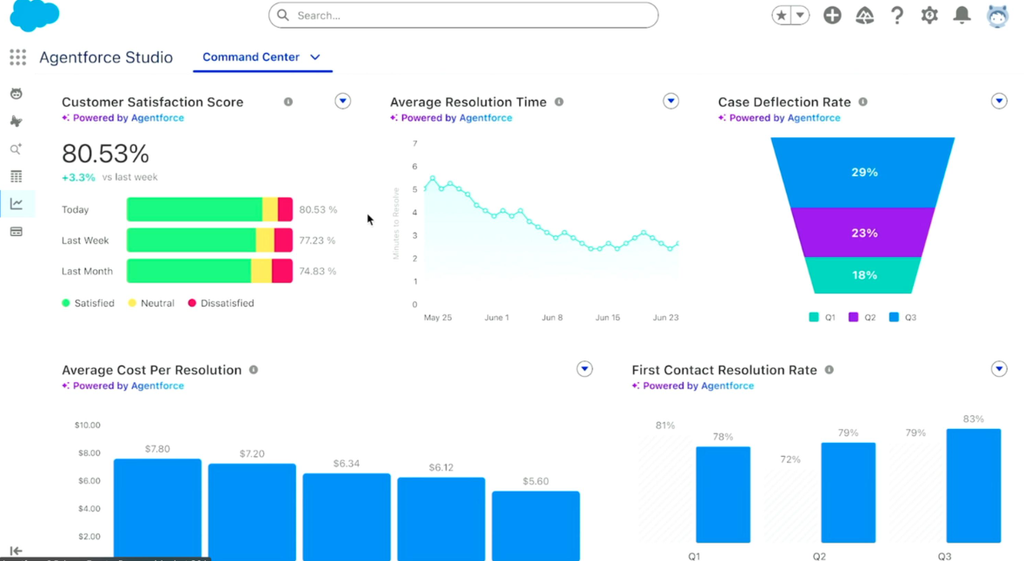
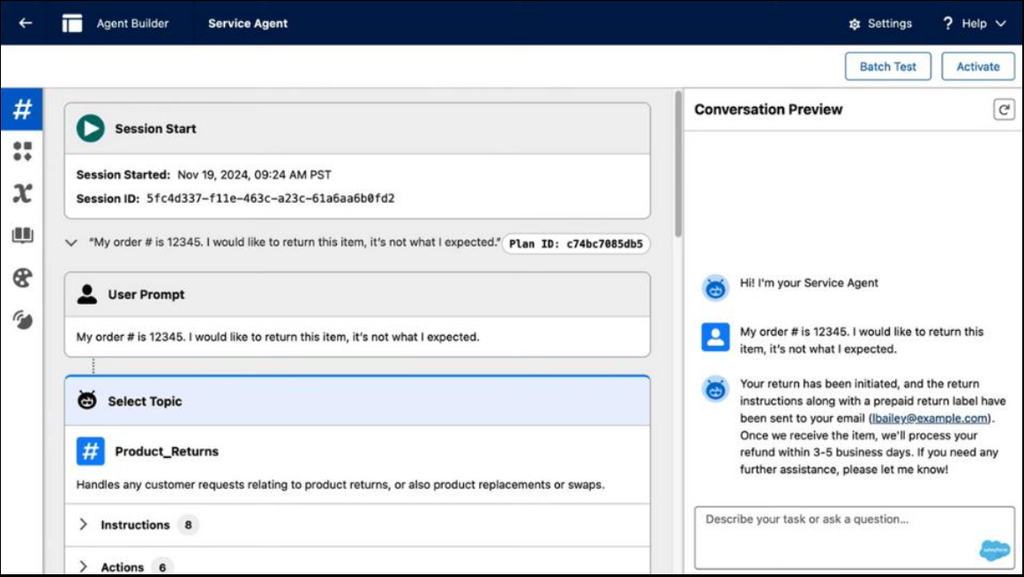
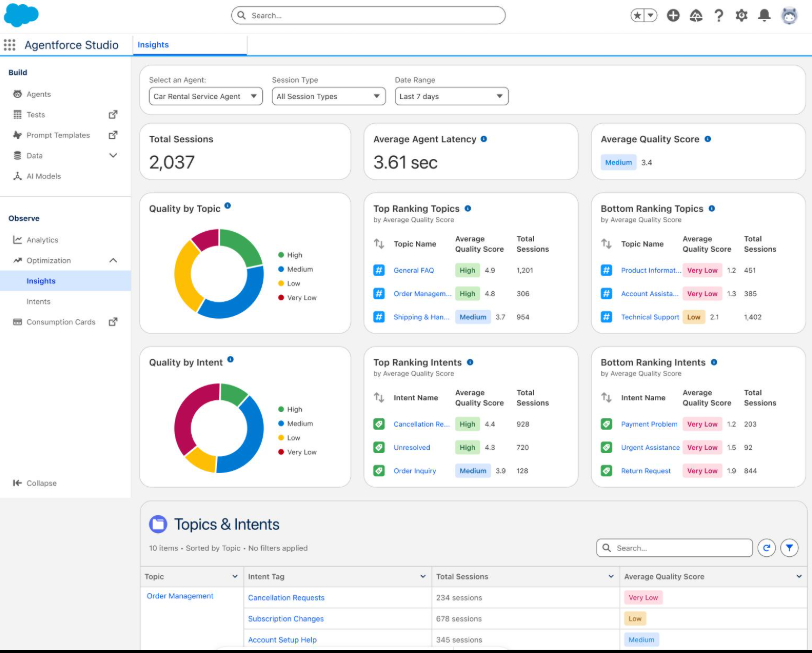
Agentforce brings AI directly into Salesforce’s massive business ecosystem. It works especially well for companies already using Salesforce.
Key Features:
- Native Salesforce integration
- AI workflow automation (no separate tool)
- Agent assistance (AI helps human agents)
- Customer insights (historical data-driven)
- Voice and chat capabilities
- Multi-role automation (not just support)
Pricing: Included with Salesforce Service Cloud ($165-$330/month per seat) + add-ons for advanced features
Integrations: All Salesforce products, Slack, Microsoft Teams, custom integrations
Pros:
- Powerful automation within existing Salesforce setup
- Deep CRM integration
- Excellent for complex enterprise workflows
- Strong compliance and security features
Cons:
- Learning curve for new users
- Higher overall cost when including Salesforce licenses
- Requires Salesforce infrastructure already in place
Customer Pain Points It Solves:
- Manual data entry between systems
- Slow response times
- Inconsistent customer data
Real-World ROI: Enterprises reduce case handling time by 50% and improve agent productivity by 30%.
6. Zendesk AI: Best for Existing Zendesk Users
Website: zendesk.com/ai
Best For: Existing Zendesk customers, medium businesses, support centers
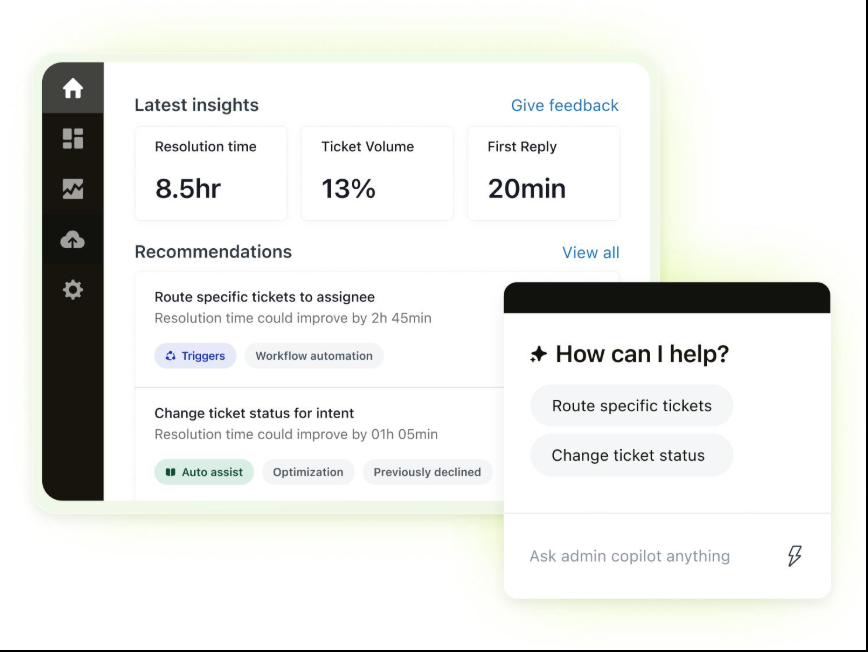
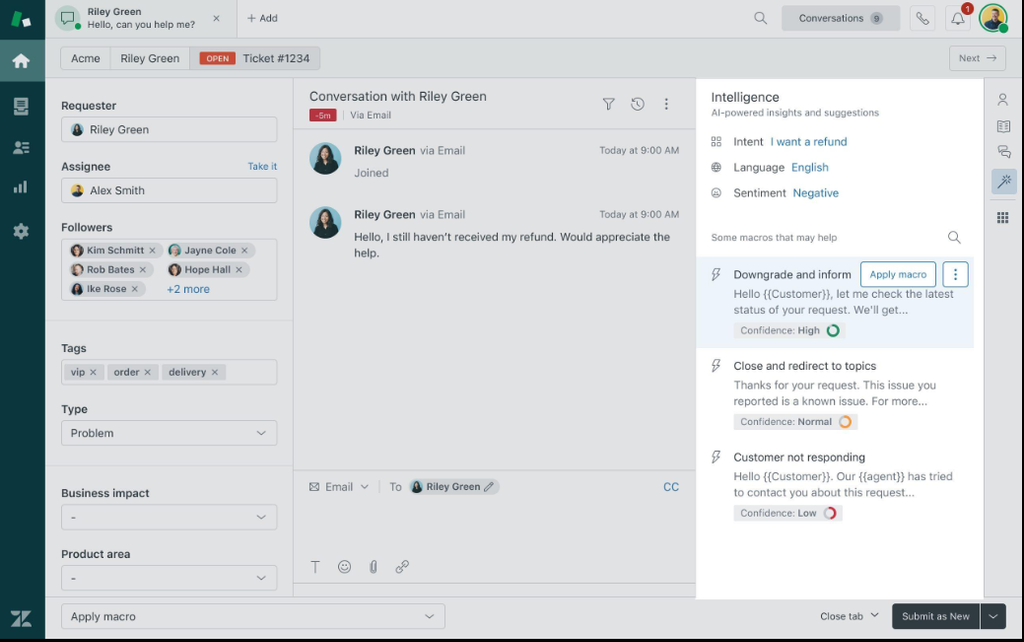
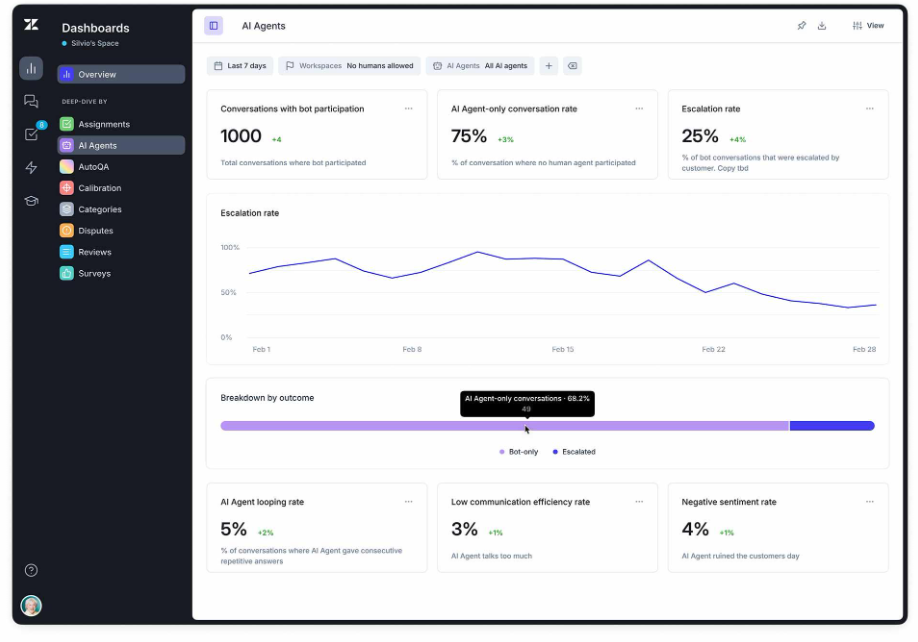
Zendesk AI improves an already popular customer support platform. Instead of replacing workflows, it enhances them.
Key Features:
- AI-generated suggested replies
- Automatic ticket summaries
- Smart routing based on AI analysis
- Knowledge article suggestions
- Sentiment analysis
- Agent assist (real-time suggestions)
Pricing: Add-on to Zendesk plans ($55-$120/month per agent depending on tier)
Integrations: Zendesk Suite products, Slack, Salesforce
Pros:
- Familiar interface if you already use Zendesk
- Fast implementation (days, not weeks)
- Strong ticket management features
- Good integration with existing workflows
Cons:
- Requires existing Zendesk subscription
- Best value only for current Zendesk customers
- More limited than standalone solutions
Customer Pain Points It Solves:
- Slow ticket resolution
- Inconsistent quality of responses
- Agent fatigue from repetitive issues
Real-World ROI: Zendesk users reduce resolution time by 30% and improve first-response quality significantly.
7. Gorgias: Best for E-commerce
Website: gorgias.com
Best For: Shopify stores, e-commerce brands, online retailers
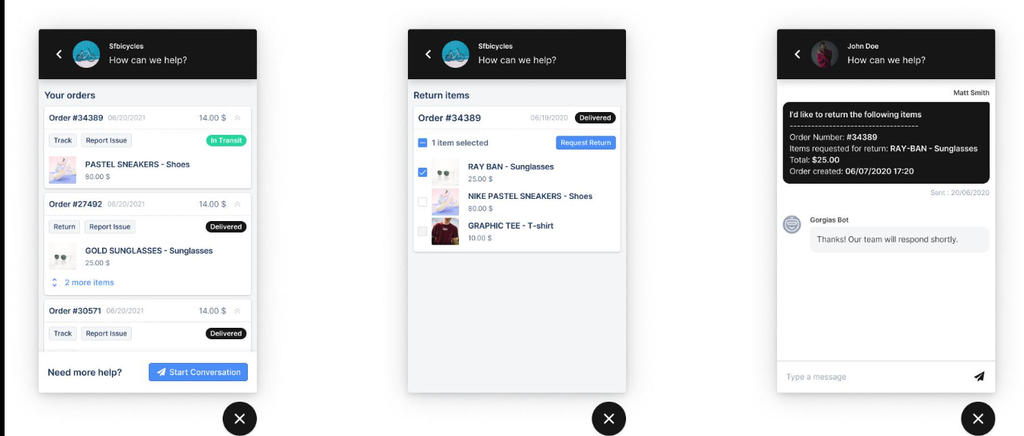
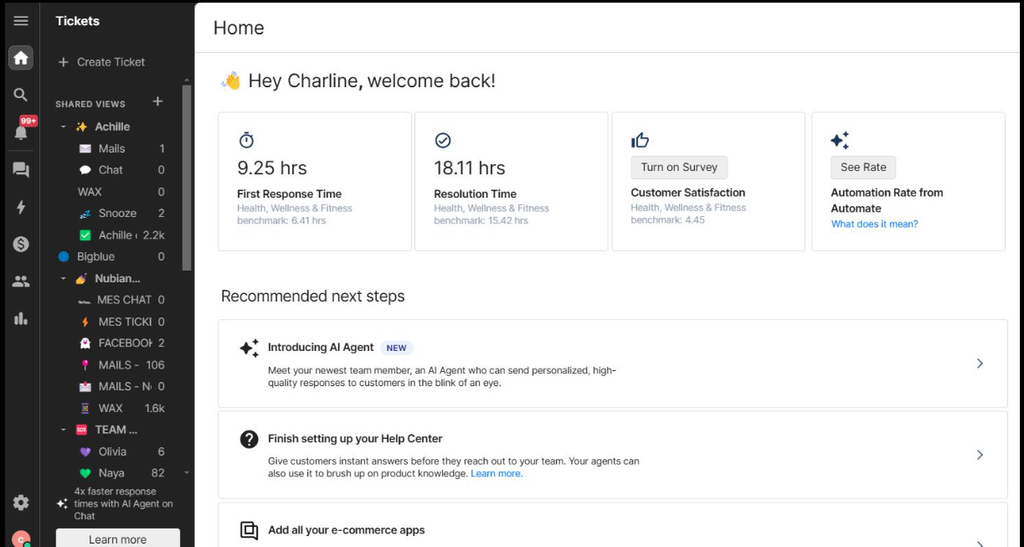
If you run an online store, Gorgias deserves serious attention. It connects directly with Shopify and helps manage orders, returns, and customer questions from one place.
Key Features:
- Deep Shopify integration (order data, inventory)
- AI-powered replies
- Multi-channel support (chat, email, social media, SMS)
- Customer history (complete view of interactions)
- Automated workflows (return requests, order tracking)
- Team collaboration tools
Pricing Tiers:
- Starter: $99/month (1 agent)
- Pro: $299/month (5 agents)
- Business: $799/month (10 agents)
- Enterprise: Custom pricing
Integrations: Shopify, Facebook, Instagram, WhatsApp, Slack, HubSpot
Pros:
- Unmatched Shopify integration
- Handles order-specific questions perfectly
- Great for managing social media inquiries
- Multi-channel support in one platform
Cons:
- Less useful outside online retail
- Can be pricey for very small stores
- Some features require additional setup
Customer Pain Points It Solves:
- Orders scattered across multiple platforms
- Customer frustration with order tracking
- Manual order-related support requests
Real-World ROI: E-commerce companies reduce support time per ticket by 60% and improve customer satisfaction by handling order issues instantly
8. Cognigy: Best for Voice and Contact Centers
Website: cognigy.com
Best For: Contact centers, enterprises, voice automation
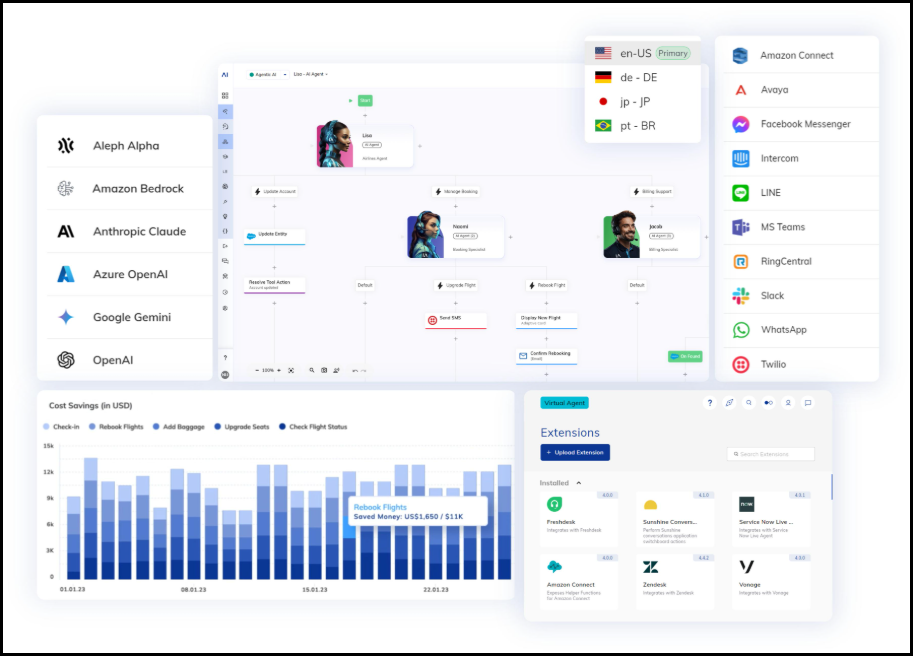
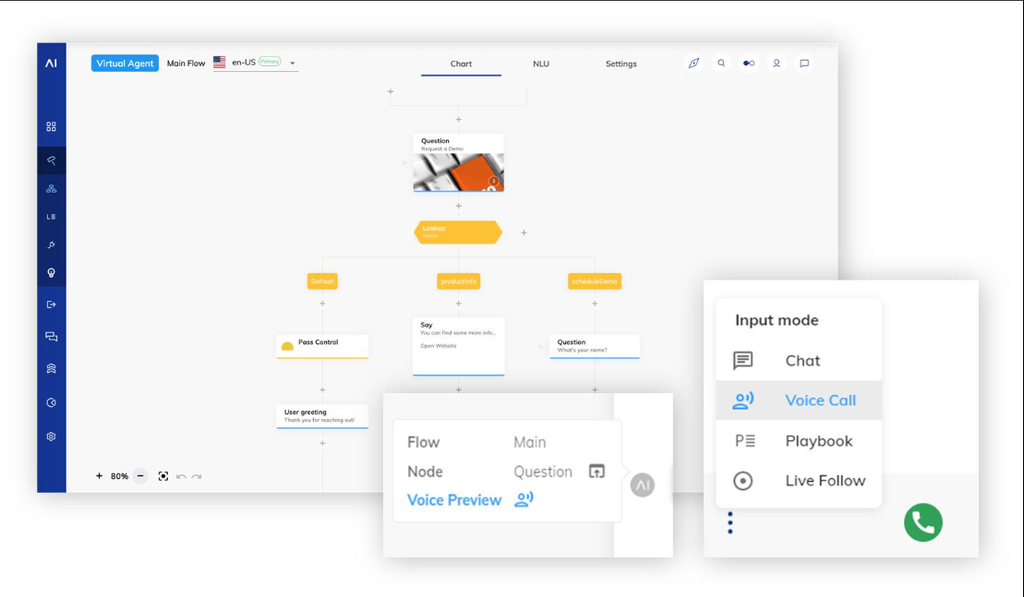
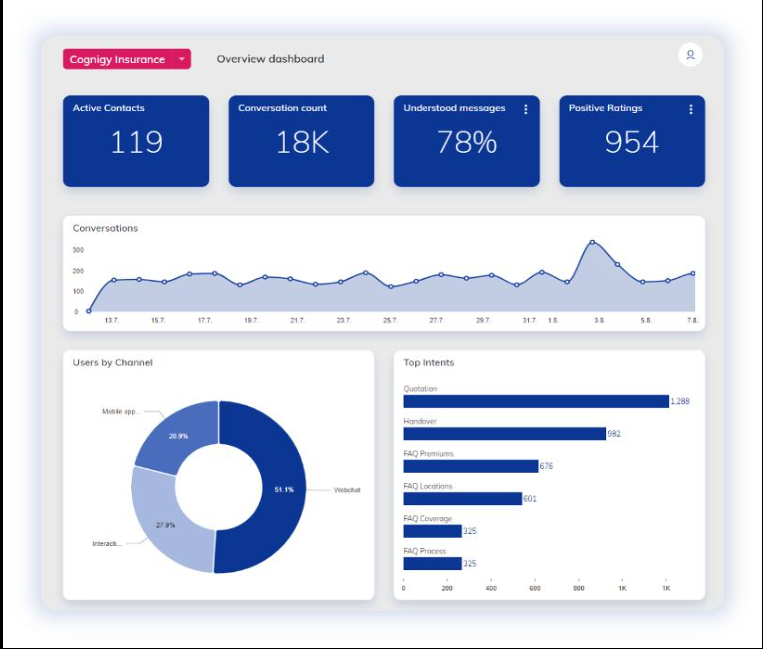
Cognigy specializes in conversational AI across both chat and voice channels. It’s built for organizations with sophisticated customer support operations.
Key Features:
- Voice AI (phone automation)
- Chat automation
- Workflow integration
- Advanced analytics
- Multi-language support
- Enterprise-grade security
Pricing: Custom pricing based on conversation volume and channels (typically $10,000-$50,000+/month)
Integrations: Genesys, NICE, Avaya, Salesforce, custom CTI systems
Pros:
- Powerful voice capabilities
- Enterprise-grade features
- Strong compliance (HIPAA, PCI-DSS)
- Excellent for contact center operations
Cons:
- Complex implementation (3-6 months)
- Higher cost barrier to entry
- Requires technical expertise
Customer Pain Points It Solves:
- Long phone wait times
- Manual call routing
- High contact center operational costs
Real-World ROI: Contact centers reduce average handle time by 40% and improve first-call resolution rates.
9. Kore.ai: Best for Large Organizations
Website: kore.ai
Best For: Large companies, banks, healthcare organizations
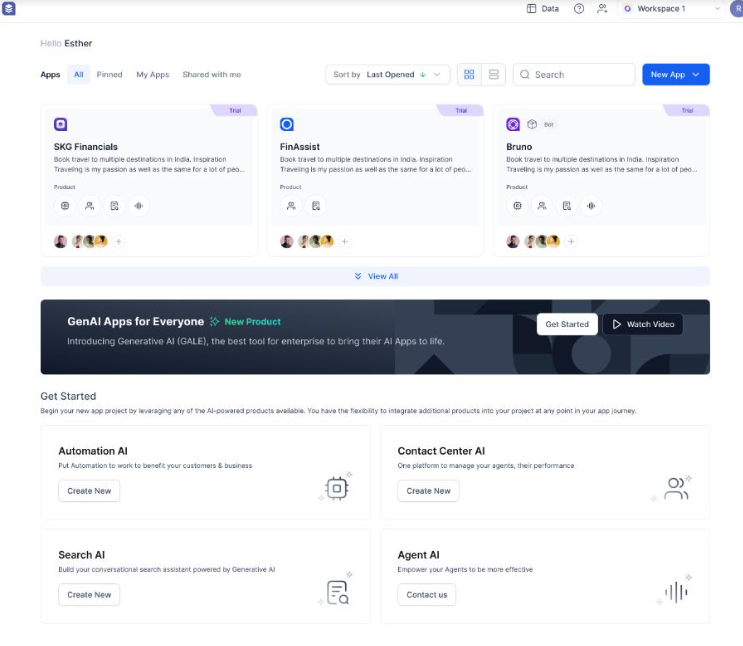
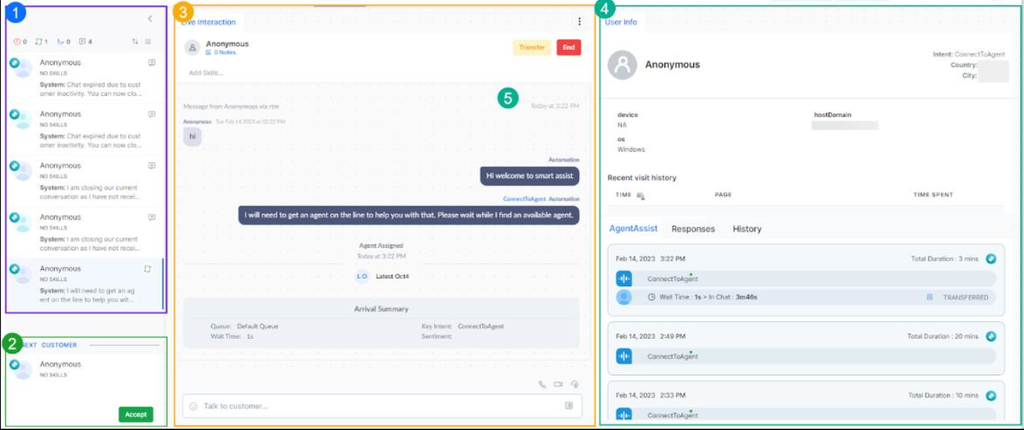
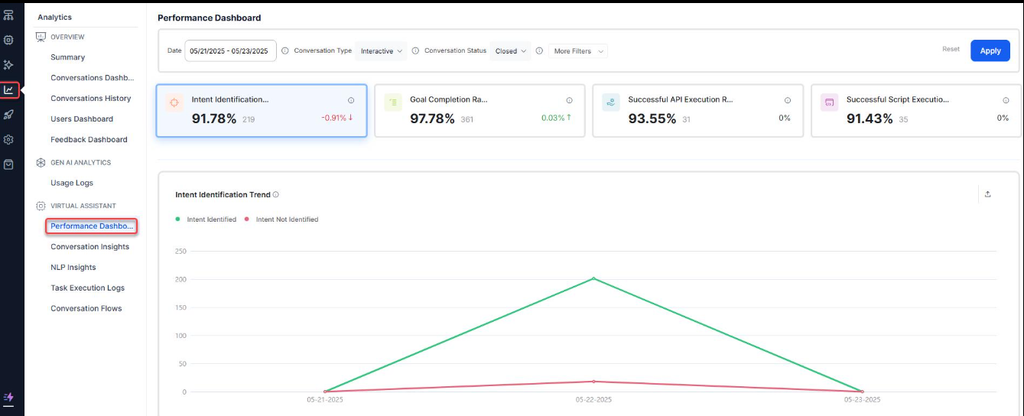
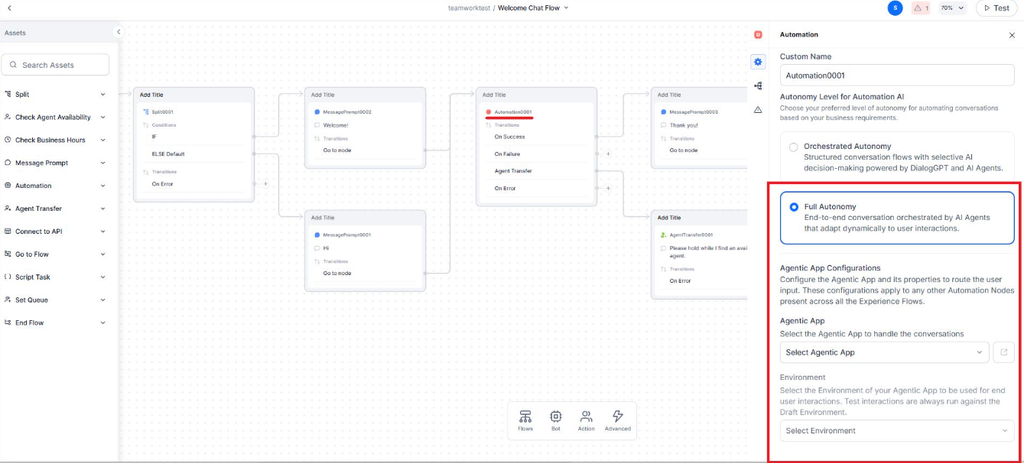
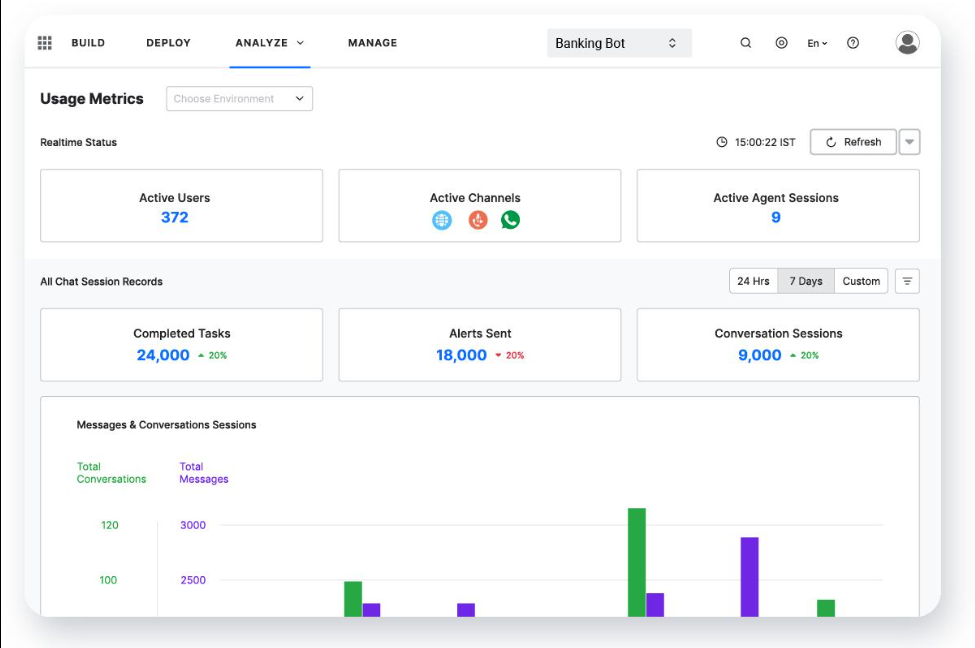
Kore.ai offers one of the most comprehensive enterprise AI platforms available. It supports customer service, employee support, and business automation.
Key Features:
- AI assistants for multiple departments
- Workflow automation
- Advanced security controls
- Multi-language support (100+ languages)
- On-premise deployment options
- Industry-specific solutions
Pricing: Enterprise custom pricing (typically $50,000-$200,000+/year)
Integrations: SAP, Oracle, Salesforce, Microsoft, custom enterprise systems
Pros:
- Highly scalable
- Strong compliance and security options
- Multiple use cases (support, HR, operations)
- On-premise deployment available
Cons:
- Enterprise-only pricing
- Long implementation timeline (6-12 months)
- Significant training required
Customer Pain Points It Solves:
- Multi-system support requests
- Regulatory compliance requirements
- Need for internal and external AI agents
Real-World ROI: Large organizations reduce operational costs by 35-50% and improve efficiency across departments.
10. eesel AI: Best Budget-Friendly AI Agent
Website: eesel.ai
Best For: Small businesses, startups, budget-conscious teams
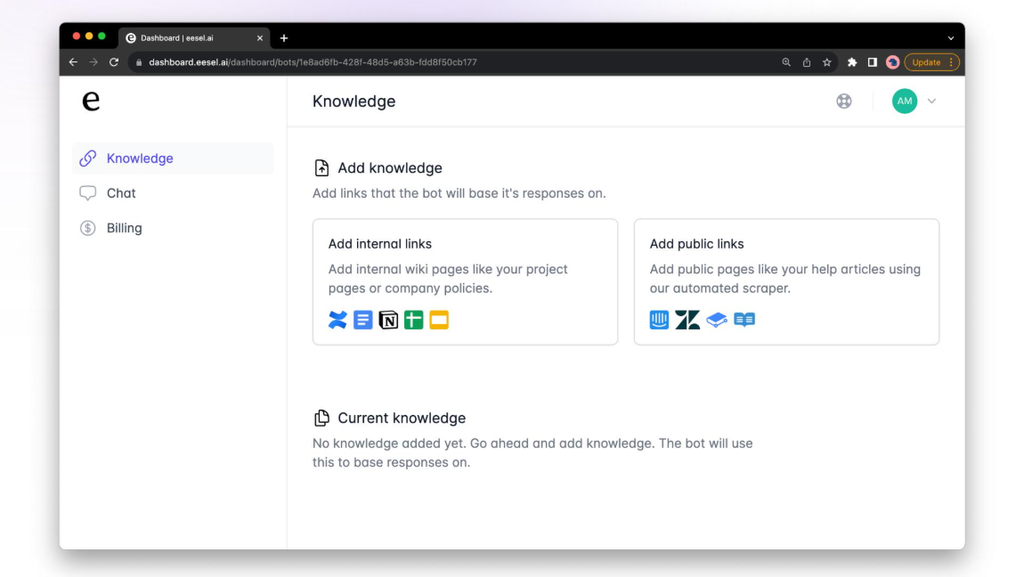
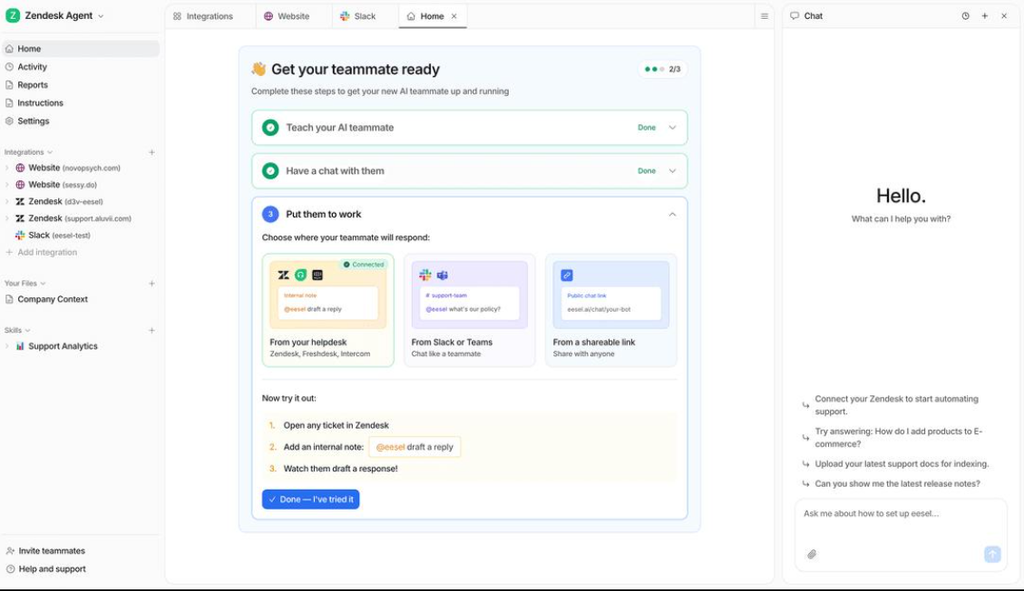
eesel AI focuses on making artificial intelligence customer support affordable and easy to launch. It learns from your existing documentation instead of requiring complicated setup.
Key Features:
- Learns from documentation automatically
- Slack integration
- Help desk integration (Zendesk, Freshdesk)
- Fast setup (hours, not days)
- Knowledge base automation
- Analytics dashboard
Pricing Tiers:
- Starter: $29/month (1 source, limited conversations)
- Pro: $99/month (5 sources, 10,000 conversations/month)
- Business: $299/month (unlimited sources)
Integrations: Slack, Zendesk, Freshdesk, Jira, custom APIs
Pros:
- Extremely affordable
- Quickest setup (truly 1-day deployment)
- Great for documentation-heavy businesses
- No technical skills required
Cons:
- Fewer enterprise features
- Limited workflow automation
- Best for simple FAQ/documentation scenarios
Customer Pain Points It Solves:
- Need cheap AI quickly
- Scattered documentation
- Want to start without big commitment
Real-World ROI: Startups reduce support time from hours to minutes and cost just $29-99/month.
Pricing and Cost Comparison
Here’s what you’ll actually pay (including hidden costs):
| Tool | Monthly | Setup Fee | Integration Cost | Best For |
|---|---|---|---|---|
| eesel AI | $29-$299 | None | Free | Startups, tiny budgets |
| Ada | $99-$999 | None | Free | Small-mid size |
| Zendesk AI | $55-$120/seat | None | Included | Existing Zendesk users |
| Gorgias | $99-$799 | None | Free | E-commerce |
| Fin | $199-$399+ | $500 | $2,000-$5,000 | Growing SaaS |
| Decagon | $2,000-$15,000+ | $1,000 | $3,000-$8,000 | Large teams |
| Sierra | $5,000-$25,000+ | $2,000 | $5,000-$10,000 | Premium brands |
| Cognigy | $10,000-$50,000+ | $5,000 | $10,000-$20,000 | Contact centers |
| Salesforce Agentforce | $165-$330/seat | Included | $5,000-$15,000 | Enterprises |
| Kore.ai | $50,000-$200,000+/year | $10,000 | $20,000-$50,000 | Large enterprises |
Real Cost Note: Don’t just look at monthly pricing. Calculate total cost of ownership:
- Monthly license
- Implementation services
- Training and onboarding
- Integration costs
- Opportunity cost of setup time
For startups: eesel AI or Ada (total first-year cost: $300-$2,000)
For growth companies: Fin or Gorgias (total first-year cost: $5,000-$10,000)
For enterprises: Cognigy or Kore.ai (total first-year cost: $50,000+)
Quick Comparison Table
| Business Need | Best Tool | Setup Time | Starting Cost | Best Feature |
|---|---|---|---|---|
| Small business | eesel AI | 1 day | $29/mo | Auto-learns your docs |
| Growing startup | Fin | 2-3 weeks | $199/mo | Natural conversations |
| High-volume support | Decagon | 3-4 weeks | $2,000/mo | Handles 50K+ conversations |
| E-commerce | Gorgias | 1 week | $99/mo | Deep Shopify integration |
| Contact center | Cognigy | 3-6 months | $10,000/mo | Voice automation |
| Premium experience | Sierra | 4-6 weeks | $5,000/mo | Personalized AI |
| Existing Zendesk user | Zendesk AI | 2-3 days | $55/mo | Seamless integration |
| No-code preference | Ada | 1 week | $99/mo | Visual workflow builder |
| Enterprise-wide | Kore.ai | 6-12 months | $50,000/mo | Multi-department solution |
| Salesforce shop | Agentforce | 3-4 weeks | $165/seat | Native Salesforce |
How to Choose the Right AI Agent for Your Business
Choosing the wrong software can waste money and create frustration. A simple process works much better.
Step 1: Define Your Support Goals
Start by identifying what you want AI to solve:
- Reduce response time → Choose: Fin, Decagon, Gorgias
- Handle FAQs → Choose: eesel AI, Ada, Zendesk AI
- Process returns/refunds → Choose: Gorgias, Fin, Ada
- Answer emails → Choose: Decagon, Fin, Cognigy
- Improve experience → Choose: Sierra, Fin, Cognigy
- Stay under $500/month → Choose: eesel AI, Ada
Step 2: Choose Your Communication Channels
Decide where customers contact you:
- Website chat → Most tools work
- Email → Decagon, Gorgias, Fin
- WhatsApp → Gorgias, Ada, Cognigy
- Facebook/Instagram → Gorgias, Ada
- Voice calls → Cognigy (specialized)
- SMS → Gorgias, some others
Step 3: Check Integration Options
Your AI should connect with tools you already use. Critical integrations:
For SaaS: Salesforce, HubSpot, Zendesk, Slack
For e-commerce: Shopify (Gorgias is best), Stripe, inventory systems
For enterprises: SAP, Oracle, existing CRM, internal APIs
Use this checklist: Does it integrate with your 3 most critical tools? If no, keep looking.
Step 4: Compare True Costs
Don’t focus only on monthly costs. Create a 12-month budget:
Monthly license: $X
Setup/implementation: $Y
Training: $Z
Integration costs: $W
Total first year: $X*12 + Y + Z + W
Calculate cost-per-conversation:
- Budget ÷ estimated conversations/year = cost per interaction
- Compare across tools
- Choose the best value, not the cheapest
Step 5: Test Before Buying
This is the step many people skip but shouldn’t.
Run a 2-week pilot:
- Pick your top 50 FAQs
- Feed them to the AI
- Test with real customer questions
- Measure during testing:
- Resolution rate (% solved without escalation)
- Customer satisfaction (ask customers)
- Escalation frequency (when does it hand off?)
- Time saved (hours per week)
Make a decision matrix:
| Feature | Tool A | Tool B | Tool C | Required? |
|---|---|---|---|---|
| Solves 70%+ of FAQs | ✓ | ✓ | ✗ | Yes |
| Customer likes it | ✓ | ✓ | ✓ | Yes |
| Under budget | ✓ | ✗ | ✓ | Yes |
| Fast setup | ✓ | ✓ | ✓ | Nice-to-have |
Small pilots often reveal issues that fancy demos never show.
ROI & Implementation: What to Expect
Typical ROI Timeline
Month 1: Setup, training, optimization
- No cost savings yet
- Team learning curve
- Knowledge base preparation
Month 2-3: Initial results
- 30-40% reduction in simple inquiries
- First payback on investment
- Team adapts to new workflows
Month 4-6: Significant improvement
- 50-70% of routine inquiries automated
- Clear cost savings emerging
- Expanded use cases
Month 7-12: Full benefit realization
- 60-80% automation rate
- Support team focused on complex issues
- Strong ROI (usually 200-400%)
Sample ROI Calculation (Mid-size SaaS Company)
Situation:
- 500 support tickets/month
- Average resolution time: 4 hours
- Support team salary cost: $50/hour
- Currently: 20 support staff
Implementation:
- Choose: Fin ($399/month)
- Setup cost: $2,500
- Training: $1,000
- Total year 1: $399*12 + $2,500 + $1,000 = $8,588
Expected Results (Year 1):
- 60% of tickets automated (300 tickets)
- Time saved: 300 × 4 hours = 1,200 hours
- Cost saved: 1,200 × $50 = $60,000
- ROI: ($60,000 – $8,588) / $8,588 = 599% ROI
Plus intangible benefits:
- Faster customer responses (improve satisfaction)
- Happier support team (less burnout)
- Better customer data and insights
- Competitive advantage in market
Common Mistakes to Avoid
Even great AI tools disappoint if used poorly.
Mistake #1: Using AI Without Human Backup
What happens: Customers get frustrated when they can’t reach a person. How to fix: Always include a “Talk to human” button. Escalate complex issues automatically.
Mistake #2: Ignoring Training Data Quality
What happens: AI learns bad information and gives wrong answers. How to fix: Clean your knowledge base before AI learns from it. Remove outdated info. Update regularly (weekly).
Mistake #3: Choosing Features You Don’t Need
What happens: Pay for enterprise features your team never uses. Budget bloat. How to fix: Start small. Buy what you need now. Scale up later.
Mistake #4: Skipping Performance Monitoring
What happens: AI gives wrong answers for months before you notice. How to fix: Review conversations weekly. Set alerts for low accuracy. Measure resolution rates.
Mistake #5: Not Updating the Knowledge Base
What happens: Outdated information leads to wrong answers. How to fix: Assign someone to update your knowledge base monthly. Remove old content. Add new FAQs.
Mistake #6: Assuming One Tool Does Everything
What happens: Trying to use customer service AI for HR questions, sales, etc. How to fix: Use the right tool for each job. Customer service AI for support. Separate tool for other departments.
Mistake #7: Skipping User Research
What happens: Implement AI that doesn’t match customer expectations. How to fix: Ask customers what they want. Test before full rollout. Iterate based on feedback.
How to Get Started: 30-60 Day Launch Plan
Starting doesn’t need to be overwhelming. Follow this step-by-step plan.
Week 1-2: Foundation
- Define your top 50 customer questions
- Set clear goals (e.g., “Reduce response time from 4 hours to 30 minutes”)
- Choose 2-3 tools to evaluate
- Request demos and trials
- Assess your knowledge base quality
Week 3-4: Selection & Setup
- Make final tool selection
- Sign contracts
- Begin implementation
- Clean and organize your knowledge base
- Set up integrations with your other tools
Week 5-6: Training & Testing
- Train your team on the new tool
- Create test conversations with real customer questions
- Measure accuracy and satisfaction
- Make adjustments based on testing
- Document any limitations
Week 7-8: Soft Launch
- Enable AI for existing customers only
- Monitor closely (daily check-ins)
- Adjust responses based on feedback
- Expand to new customer channels slowly
Week 9-10: Full Launch
- Enable for all customers
- Promote to your team
- Publish internal documentation
- Celebrate early wins
Month 3: Optimization & Analysis
- Review all conversations
- Identify what’s working
- Fix any problem areas
- Plan expansion to other channels
- Calculate ROI and present to leadership
Sample 30-60 Day Resource Plan
Time Commitment:
- Project manager: 5 hours/week
- Support lead: 10 hours/week during setup, 2 hours/week after
- Engineers/IT: 10 hours for integrations
- Rest of team: 2 hours training
Budget:
- Tool: $500-$5,000 (depending on choice)
- Implementation: $0-$3,000
- Training: $0-$1,000
- Contingency: $1,000
- Total: $2,500-$9,000
Benefits of Using AI Customer Service Agents
The advantages go far beyond faster replies.
1. Instant, 24/7 Support
Customers receive help anytime, anywhere. No more “we’ll get back to you Monday.”
2. Faster Responses and Resolutions
Response time drops from hours to seconds. First-contact resolution improves.
3. Lower Support Costs
Automation reduces the most expensive part repetitive manual work. Typically 30-50% cost reduction.
4. Handle Peak Demand Without Hiring
Black Friday, product launches, and seasonal spikes no longer overwhelm your team.
5. Consistent and Accurate Answers
Every customer gets the same, correct information. No “I forgot what our policy was.”
6. Free Humans for Complex Work
Support team spends more time solving meaningful problems and less time answering FAQs.
7. Multilingual Support Without Extra Headcount
Many platforms support dozens of languages. One agent serves global customers.
8. Better Customer Experience and Loyalty
Fast service increases trust. Customers return. Referrals increase.
9. Clear ROI and Revenue Impact
Unlike some business tools, AI for customer service has measurable results.
10. Continuous Improvement
Every conversation becomes a learning opportunity. AI gets better over time.
The Future of AI Customer Service (2027 and Beyond)
AI customer service is moving beyond answering questions. Here’s what’s coming:
Predictive Support (AI Before the Customer Asks)
- AI will identify issues before customers report them
- Proactive outreach: “We noticed your order is delayed, here’s the fix”
- Fewer frustrated customers
Ultra-Personalized Experiences
- AI will remember every interaction, preference, and purchase
- Conversations will feel human and personal
- Customer lifetime value will increase
Cross-Department Automation
- Same AI handles support, billing, returns, and upsells
- Single conversation solves multiple problems
- Seamless handoffs between departments
Voice AI Quality Improvement
- Phone conversations will sound completely natural
- Difficult to tell AI from human representative
- Contact center call volume will decline
Regulatory & Trust Evolution
- Clearer regulations on AI transparency
- Customers will expect to know they’re talking to AI
- Trust will matter more than perfect deception
Integration with Other Business Systems
- AI will coordinate across marketing, sales, support, and operations
- Customer data automatically updates across all systems
- Better business decisions based on conversation insights
Conclusion: Your Next Step
The AI customer service landscape in 2026 is mature and proven. These tools work. The question isn’t whether to use AI it’s which tool matches your needs.
Start here:
- If you’re a startup or small business: Start with eesel AI or Ada ($29-$99/month). Test quickly. Scale if it works.
- If you’re a growing SaaS company: Choose Fin or Gorgias ($199-$999/month). Get human-like conversations with real task automation.
- If you’re enterprise: Invest in Cognigy, Kore.ai, or Salesforce Agentforce. Build long-term competitive advantage.
- If you have peak seasons: Any tool helps, but Decagon shines at high volume.
- If customer experience is your brand: Sierra delivers the premium personalization that builds loyalty.
Don’t wait for perfect. Better to start with 60% of your ideal solution today than wait for 100% in 6 months.
The companies winning in 2026 aren’t picking the fanciest AI. They’re picking the right tool, implementing it fast, and measuring what matters: customer happiness and cost savings.
Free Resources
Download our AI Agent Comparison Spreadsheet – Compare all 10 tools side-by-side including pricing, features, integration, and ROI calculations.
Read our AI Agent Implementation Checklist – The exact checklist we used to implement AI for 50+ companies. Avoid the 7 most common setup mistakes.
Schedule a consultation – Talk to our team about which solution fits your specific business. 15 minutes could save you weeks of research.
